Allowed email domains
Invicti Platform allows Owners to control where email notifications can be sent by limiting them to specific domains. This helps ensure that sensitive information is only shared within approved email domains.
This document explains how to configure domain restrictions for email notifications.
Restrict email notifications to specific domains
- Select Settings from the left-side menu.
- In the Modules section select Automations.
- In the email notifications can be sent only to these domains field, enter the domains one by one, confirming each by pressing Enter.
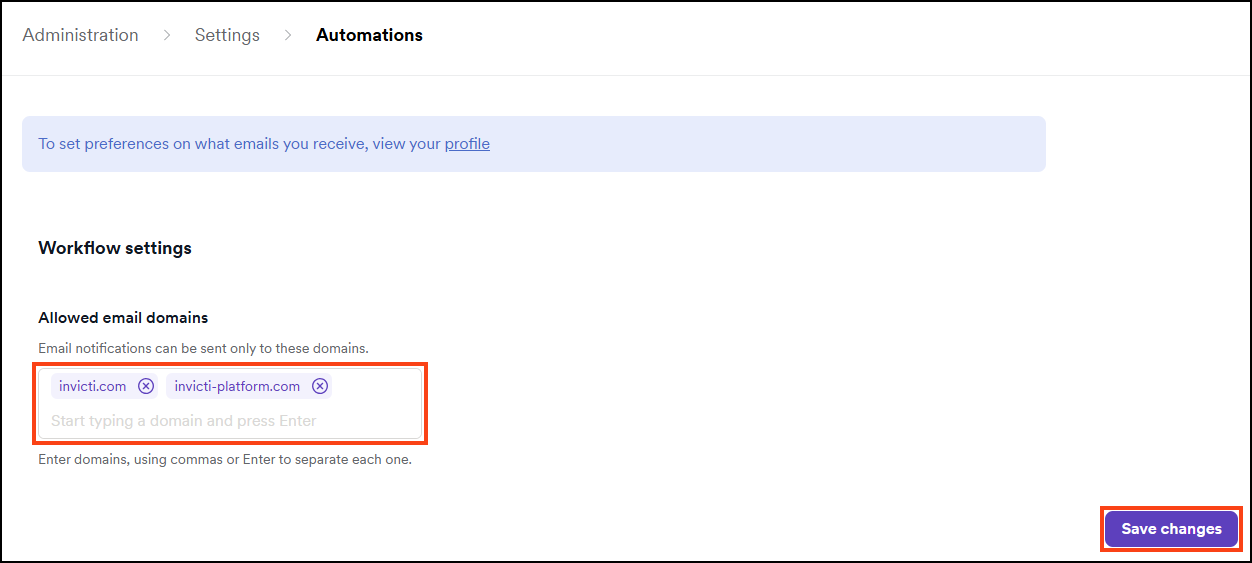
Only users with email addresses matching the specified domains receive notifications.
warning
This setting is company-wide.
Need help?
Invicti Support team is ready to provide you with technical help. Go to Help Center
Was this page useful?