Manage your API key
availability
Deployment: Invicti Platform on-demand, Invicti Platform on-premises
Your API key is the credential you use to authenticate all Invicti Platform API requests. This document explains how to generate, copy, and delete your API key, and access the API documentation from the User settings page.
Generate a new API key
- Click the initials at the top right corner of the page, then select User settings.
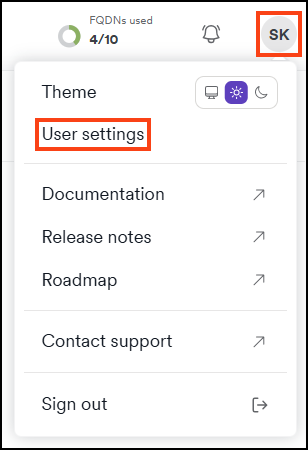
- Click API key.
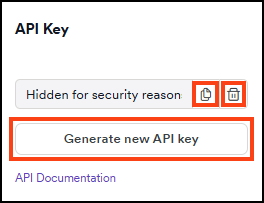
- Use the Generate new API key button to generate a new one.
- Click Copy to copy your new API key, or use the trash can icon to delete it.
Copy an existing API key
If you already have an API key and want to reuse it:
- Click the initials at the top right corner of the page, then select User settings.
- Click API key.
- Click Copy to copy the key to your clipboard.
Access API documentation
The API documentation link is available on the same page:
- Click the initials at the top right corner of the page, then select User settings.
- Click API key.
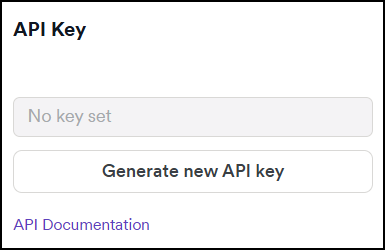
- Click the API documentation link to open the documentation in a user-friendly, readable format.
Need help?
Invicti Support team is ready to provide you with technical help. Go to Help Center
Was this page useful?