Deployment: Invicti Platform on-premises
Platform upgrades and configuration changes using Helm
Keeping your Invicti Platform on-premises installation up to date ensures you always have the latest features, security fixes, and performance improvements.
After making any changes to your values.yaml file, you must apply them by running the helm upgrade command. This applies to all configuration updates, including changes to web_application_host, SMTP settings, or TLS certificates.
Update command
To update an existing installation, run the following command on the machine where Invicti is installed:
helm upgrade invicti-platform oci://platform-registry.invicti.com/invicti-platform-helm-charts/onpremises --namespace invicti --values ./values.yaml --wait --wait-for-jobs
Add --debug for more detailed output. This can help troubleshoot installation issues.
Command explanation
helm upgrade invicti-platform- Upgrades the existing Helm release namedinvicti-platform.oci://platform-registry.invicti.com/invicti-platform-helm-charts/onpremises- Specifies the location of the Invicti Platform Helm chart in the Invicti container registry.--namespace invicti- Ensures the upgrade applies to the correct Kubernetes namespace.--create-namespace- Creates the namespace if it doesn't already exist. If the namespace already exists, this flag has no effect.--values ./values.yaml- Applies configuration from the values.yaml file. This file should contain all necessary deployment settings, including any customizations.--wait- Instructs Helm to wait until all Kubernetes resources are fully ready before marking the upgrade as successful.--wait-for-jobs- Ensures Helm also waits for Kubernetes Jobs (such as database schema migrations) to complete before finishing the upgrade.
Optional:
--reset-then-reuse-values- Keeps your current configuration but resets and applies defaults for any new values added in the latest chart version.- Use the
--reset-then-reuse-valuesflag to ensure your configuration remains compatible with new chart defaults. - Use
--cleanup-on-failoption if you want Helm to automatically remove any newly created resources if the upgrade fails. This flag helps prevent partial or inconsistent deployments when an upgrade does not complete successfully.
You can always override the default values using the --set option. Use --help for more information.
Apply configuration changes
After the initial installation, you may need to update your values.yaml file to add new features or modify existing settings. Common scenarios include:
- Adding integrations (such as Jira OAuth)
- Updating SMTP settings
- Changing TLS certificates
- Modifying the
web_application_host
For configuration examples, see the Installation document.
After updating your values.yaml file, apply the changes using the upgrade command mentioned earlier.
Ensure you have cluster admin permissions before running the update. The script updates components in place, so downtime may occur during the process.
Verification
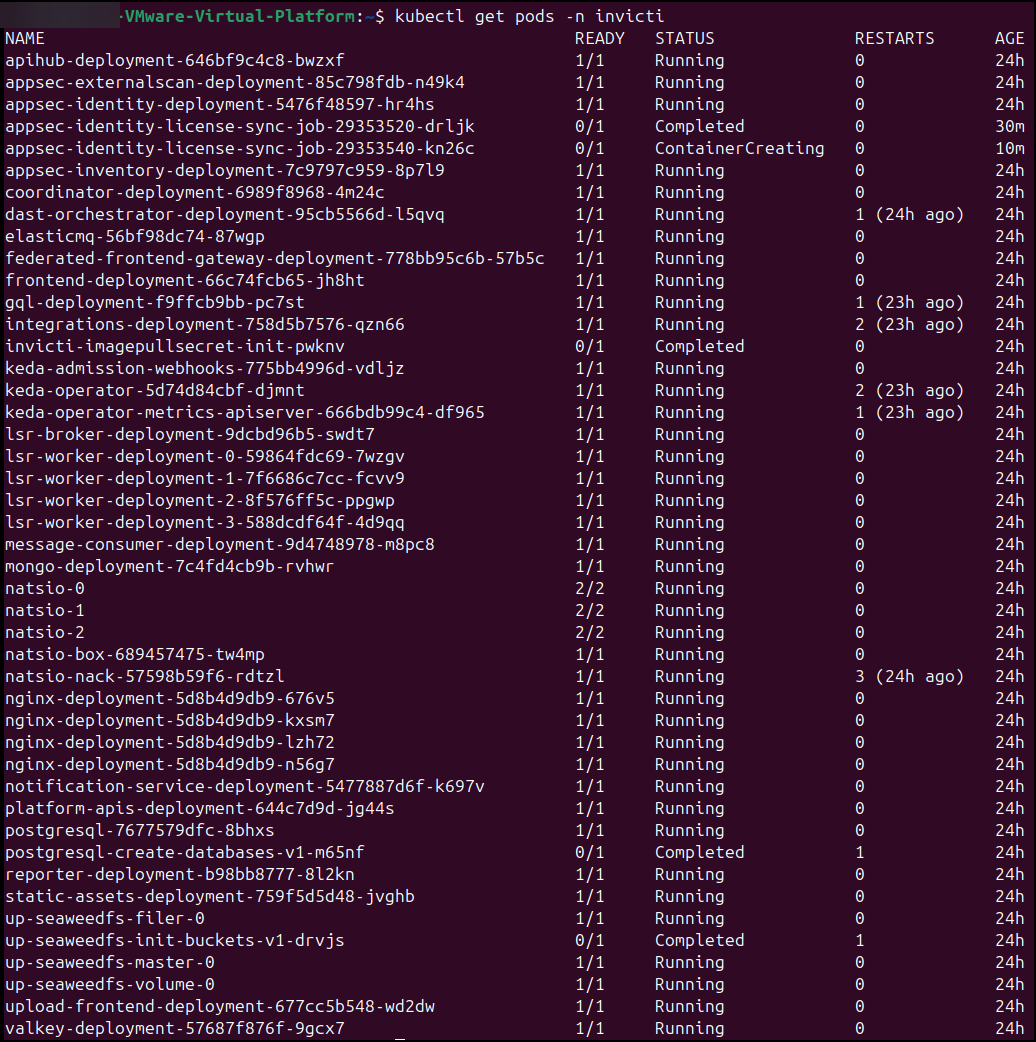
After the update, confirm that all services are running correctly:
kubectl get pods -n invicti
All pods should be in the running/completed state.
Need help?
Invicti Support team is ready to provide you with technical help. Go to Help Center