Package: Invicti AppSec Enterprise (on-premise, on-demand)
Add custom integrations
Custom integration capability is currently available for SAST, SCA, Container Security (CS), and Infrastructure as Code (IAC) scanner categories.
To add a custom integration, select Integrations from left side menu and then select Scanners. Click the Add Custom Integration button in the relevant scanner category.
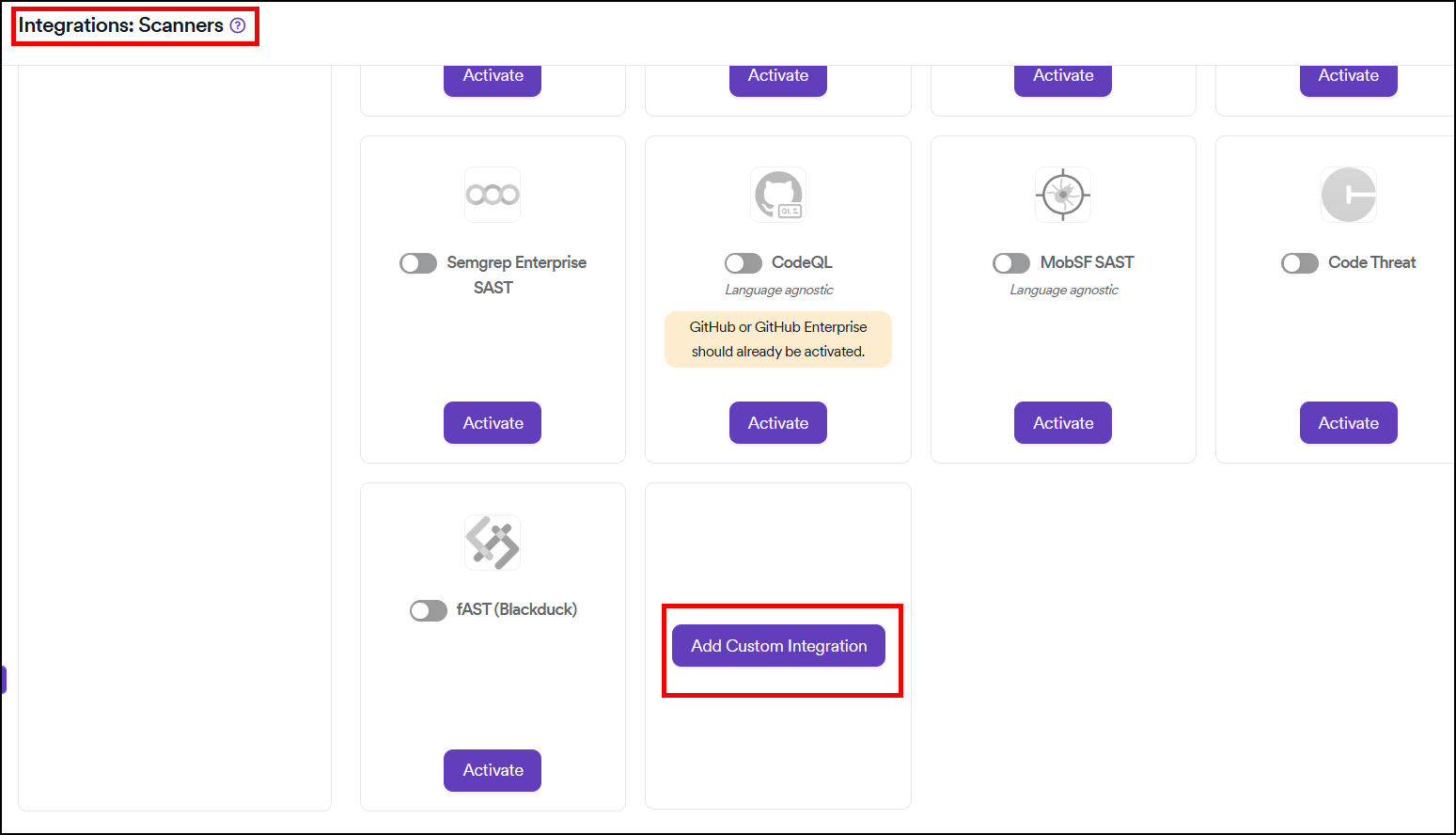
Configure custom integration
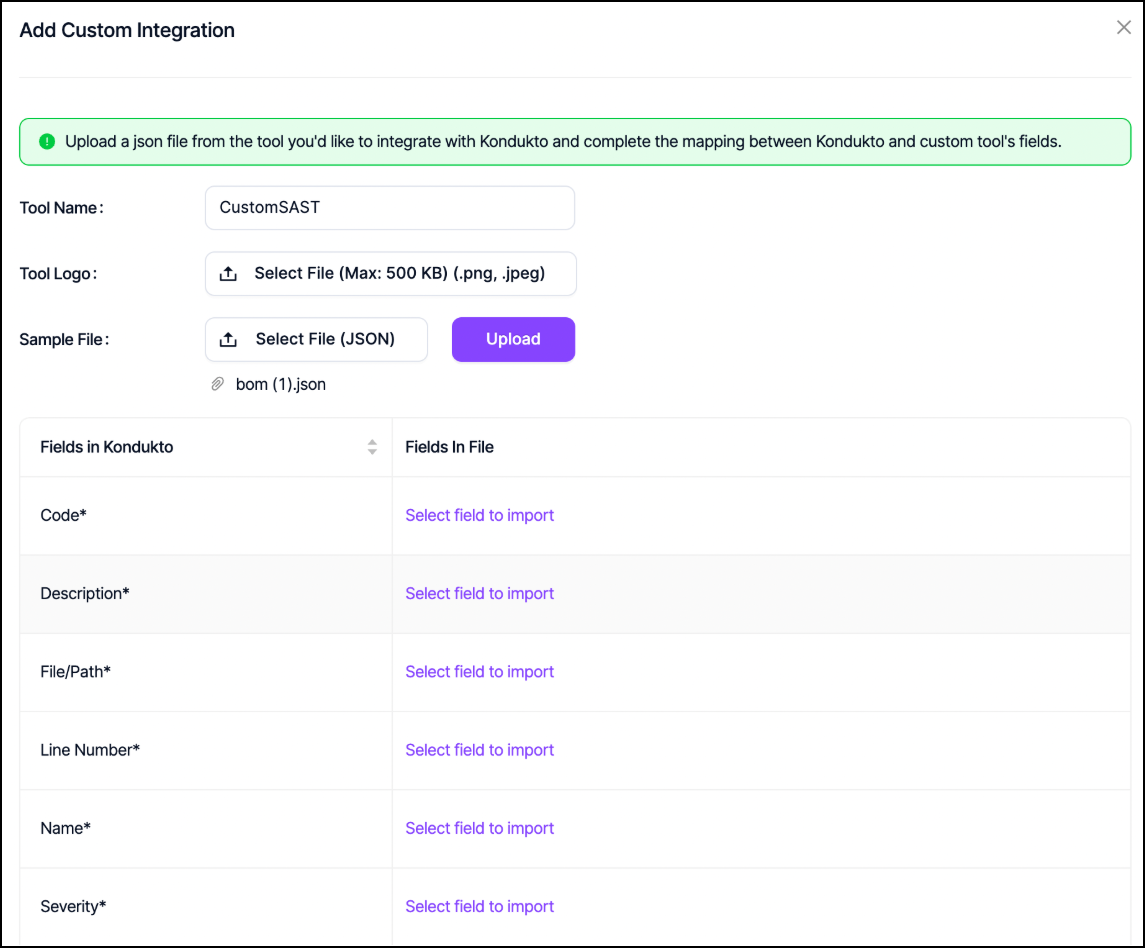
Step 1: Provide tool information
In the configuration dialog:
- Tool name: required field for identifying your custom scanner
- Logo: optional - you can upload a logo file for the tool
Step 2: Upload JSON configuration
Upload a JSON file extracted from the custom tool to Invicti AppSec. This file is used to complete the mapping between Invicti AppSec fields and fields available on the custom tool.
Step 3: Complete field mapping
Once the JSON file is uploaded, complete the mapping configuration to ensure proper data correlation between your custom scanner and Invicti AppSec.
Import scan results
After the mapping is completed, you can import the scanner's result files to Invicti AppSec through either:
- UI import: Navigate to Projects > Vulnerabilities > Import
- Command line: Use KDT (Invicti AppSec Development Tools) just like any other scanner
Custom integrations are supported for:
- SAST (Static Application Security Testing)
- SCA (Software Composition Analysis)
- CS (Container Security)
- IAC (Infrastructure as Code)
Need help?
Invicti Support team is ready to provide you with technical help. Go to Help Center