Access API documentation
In addition to the Invicti Platform user interface, all its capabilities are also available through a built-in REST API. This API allows you to access and manage Targets, Scans, Vulnerabilities, and Reports programmatically using HTTP requests and integrate the scanner with other applications and tools.
This document explains how to access Invicti Platform API documentation.
Steps to access API documentation
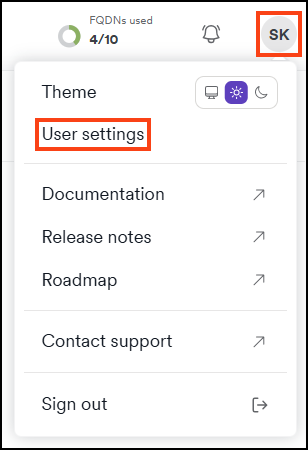
- Click the initials at the top right corner of the page, then select User settings.
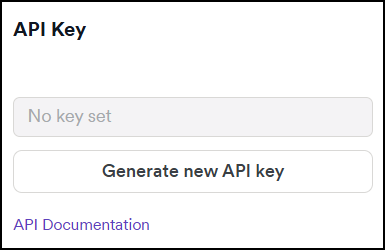
- Click API key.
- The API documentation link takes you to the documentation in a user-friendly, readable format.
Need help?
Invicti Support team is ready to provide you with technical help. Go to Help Center
Was this page useful?