Custom headers
Custom headers are additional HTTP headers included in every request the scanner sends to your target during a scan. Because they are set at the target level, they apply to all scans on that target. Common use cases include:
- Authentication — pass tokens or session cookies the scanner needs to access protected pages (e.g.
Authorization: Bearer eyJhbGci...) - Bypassing WAF or CDN blocks — mark scanner traffic as authorized to prevent it from being blocked (e.g.
X-Scanner-Allowed: true) - Environment routing — direct requests to a specific environment or tenant (e.g.
X-Tenant-ID: staging) - Required application headers — meet any header requirements your application enforces (e.g.
X-API-Version: 2)
To configure custom headers:
- Select Inventory > Targets from the left-side menu.
- Locate the target you would like to amend, select the three-dot menu (⋮) > Edit target.
- Select Custom headers from the menu.
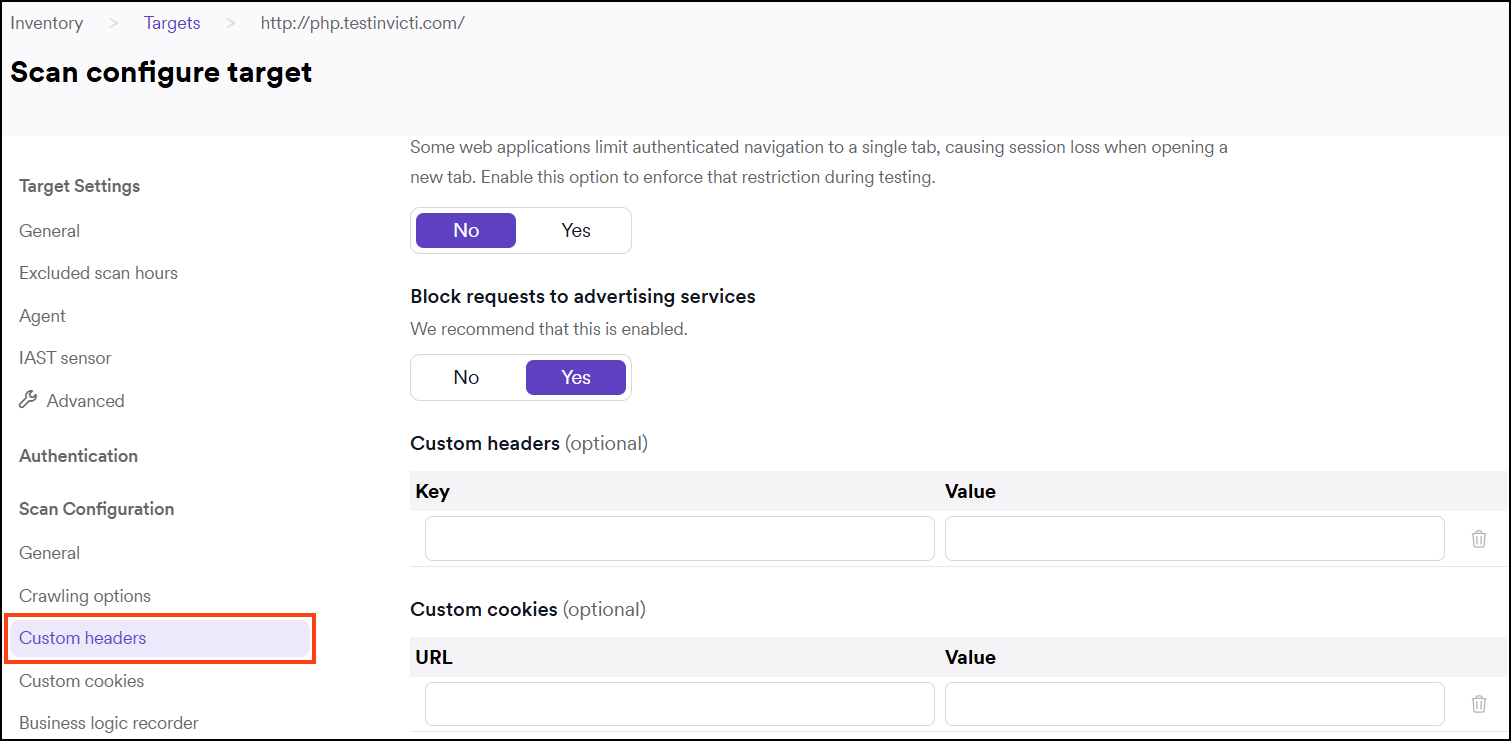
- Enter key and value pairs.

- Click Save target configuration to confirm.
Need help?
Invicti Support team is ready to provide you with technical help. Go to Help Center
Was this page useful?