Deactivate 2FA for your account
This document is for Invicti Platform
Two-factor authentication (2FA) adds an extra layer of security when logging in to Invicti Platform. While 2FA is recommended for protecting your account, individual users can choose to turn it off through their profile settings if needed.
Owners may also enforce a company-wide 2FA policy that overrides individual settings.
This document explains how to turn off 2FA from your user profile settings. For information about how Owners can manage company-wide 2FA requirements, refer to Company-Wide Passwords, 2FA & Session Policies. Or if you would like to activate 2FA for your account, refer to the linked document.
Steps to deactivate 2FA for your account
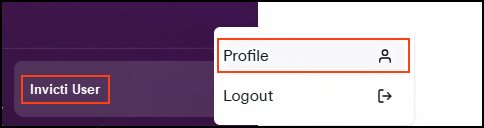
- Click [Your Name] in the bottom left corner of the page, then select Profile from the drop-down menu.
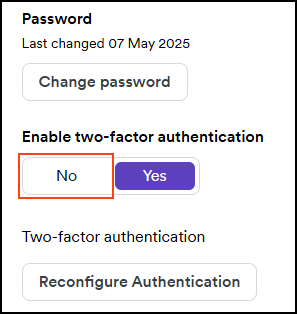
- Scroll down to the _Security_section and click No on the Enable two-factor authentication toggle.
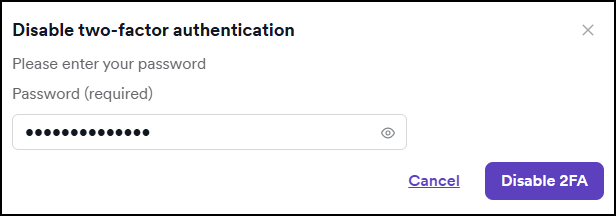
- Enter your Invicti password, then click Disable 2FA.
Two-factor authentication is now turned off for your Invicti Platform account.
Need help?
Invicti Support team is ready to provide you with technical help. Go to Help Center