Deployment: Invicti Platform on-demand, Invicti Platform on-premises
Some features are only available for on-demand deployments. See the notes in each feature section.
Enable AI features
Enable AI features in your organization to take advantage of advanced AI-powered capabilities - such as AI-Aided DAST and Predictive Risk Scoring - that enhance security, automate processes, and improve overall risk management. This document gives an overview of the AI features you can enable and customize as needed.
Read how AI enhances scan coverage and crawling in the linked document.
We don't use your data to train AI models.
Steps to enable AI features for your organization
AI features are enabled by default for the organization during the initial account registration.
If you opted out from the AI features, follow those steps:
- Select Settings > AI from the left-side menu.
- In the Enable AI features for your organization section, select Yes .
- By default, Invicti sets all features to No. Change each feature's setting as required.
- Read more about the features in the following sections.
- Select Save changes to confirm the settings.
Features
The following sections describe each AI feature and how it works in Invicti Platform.
1. Predictive risk scoring in Discovery
Predictive Risk Scoring in the Discovery feature helps you prioritize your web assets before scanning them. It uses AI to calculate risk scores for discovered websites, predicting the likelihood of vulnerabilities with a minimum 83% confidence level. The scoring uses up to 220 data points, such as deprecated TLS versions, website age, and insecure cookies.
Invicti categorizes risk scores as Critical, High, Medium, or Low, indicating the potential severity of vulnerabilities. This lets you focus on scanning and addressing the riskiest sites first, making your web assets and organization safer. However, Predictive Risk Scoring doesn't replace thorough scanning - it provides initial prioritization rather than a comprehensive vulnerability assessment.
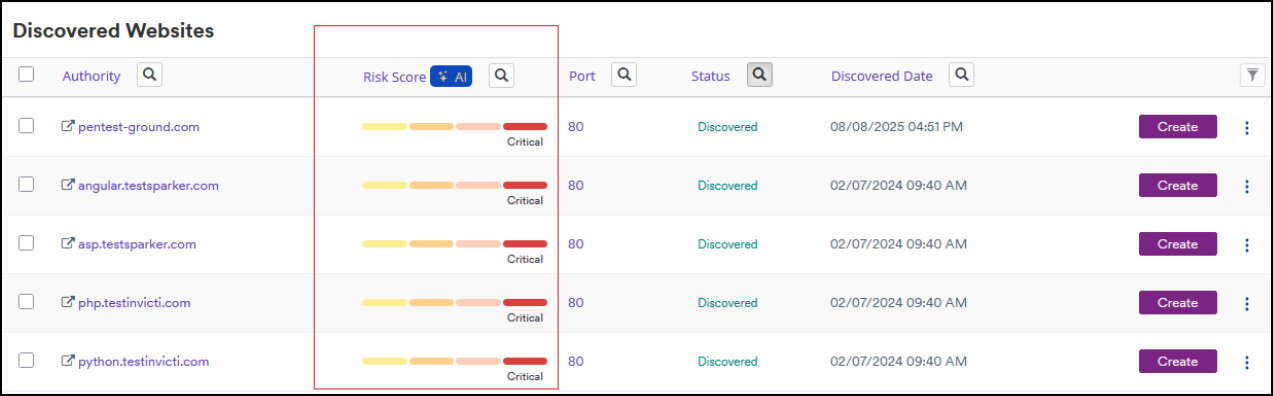
For more information, refer to the Introduction to Predictive risk scoring and Utilize predictive risk scoring documents.
2. AI support assistant
Use the in-product AI assistant to answer questions about Invicti Platform features without searching through documentation. Access it from the question mark icon on the bottom right of each page in the Invicti Platform UI.
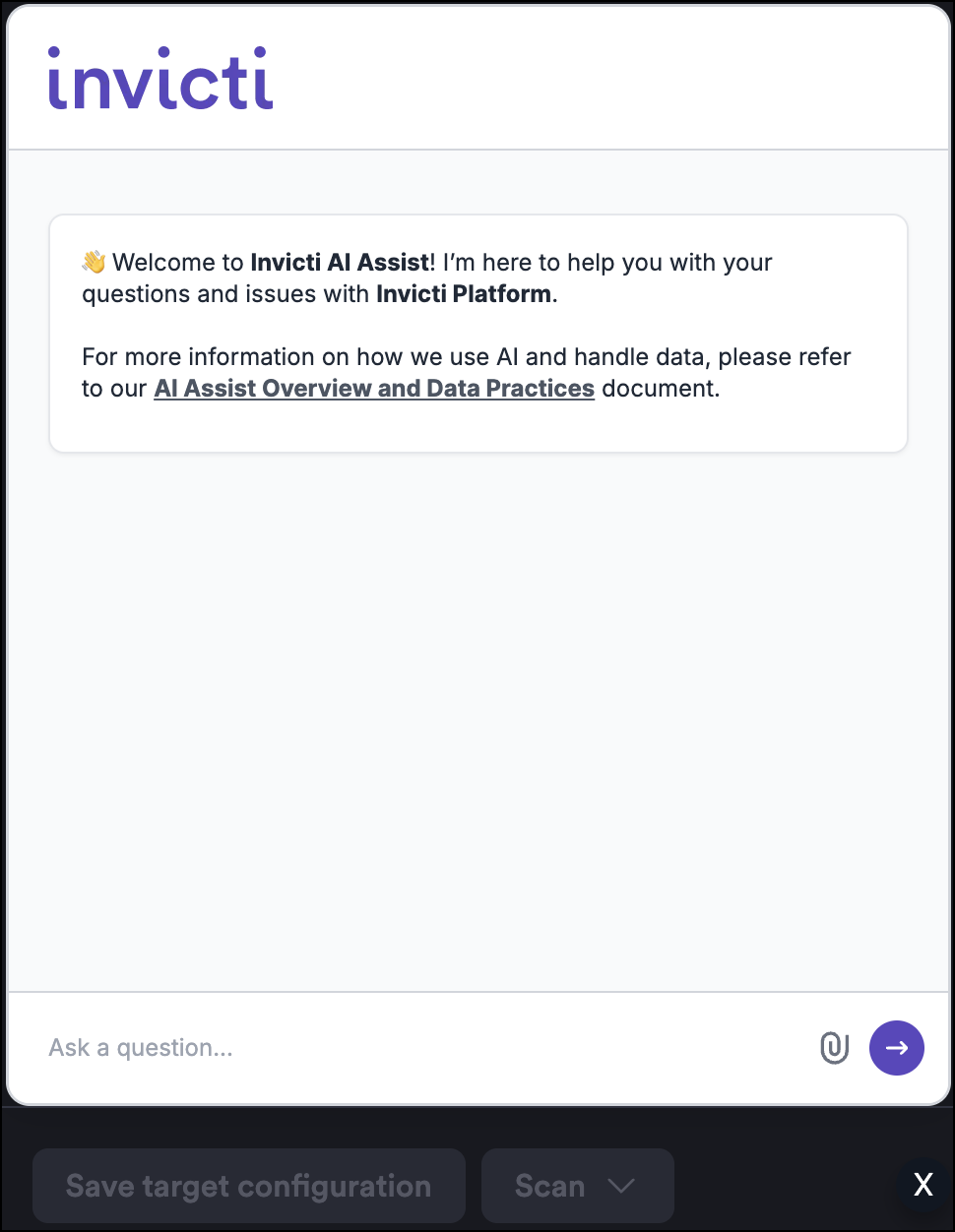
Invicti Platform on-premises doesn't support this feature.
3. Enhanced crawl coverage
This feature is only available for Invicti Platform on-demand.
Enhanced Crawl Coverage is a suite of AI-powered capabilities that work together to make DAST scanning more thorough and more effective. By applying artificial intelligence at multiple stages of the scan lifecycle, these features help the scanner access, understand, and test areas of an application that traditional scanners would otherwise miss. Turning on the single Enhanced crawl coverage setting enables all of the following capabilities.
AI form interaction
Web applications often include forms that standard scanners struggle to handle - inputs that expect domain-specific values such as medical codes, financial identifiers, or product references, as well as forms presented in non-English languages. When a conventional scanner can't generate input that passes form validation, it's blocked from submitting the form and testing the functionality behind it.
AI Form Interaction addresses this by using AI to analyze unrecognized input fields in context and generate values that are semantically appropriate for that field. This lets the scanner successfully submit forms it would otherwise be unable to complete, enabling it to reach and test the deeper application logic that those forms protect.
AI path prediction
Not all endpoints in a web application are directly reachable through standard crawling. Some paths are loosely linked, conditionally exposed, or simply not surfaced during the initial discovery phase.
Towards the end of each scan, AI Path Prediction analyzes the crawl data collected during scanning - including the technologies, paths, and endpoints that have been identified - and uses an LLM to infer related paths and endpoints that may not have been discovered directly. It passes these candidate paths back to the crawler for verification and further testing, helping to surface areas of the application that the scan might otherwise have missed.
AI user flow detection
Many web applications require users to complete a sequence of steps before reaching a meaningful functional state. A shopping checkout, an account registration, or a multi-step configuration wizard are examples where individual steps, tested in isolation, produce limited or misleading results - the critical functionality only emerges when the full sequence is completed.
AI User Flow Detection identifies these multi-step interaction patterns within the target application and factors them into the scanning process. Rather than treating each step as an independent action, the scanner understands the sequence as a connected flow and navigates it accordingly. This lets the scanner reach and test functionality that's only accessible through the completion of an entire workflow, producing a more complete and accurate picture of the application's attack surface.
Combined impact
Together, these three capabilities extend the reach of DAST scanning in complementary ways: AI Form Interaction removes barriers at the input level, AI Path Prediction expands the scope of endpoint discovery, and AI User Flow Detection ensures that process-dependent functionality isn't overlooked. The result is a significantly more comprehensive scan that uncovers vulnerabilities in areas that standard scanners routinely fail to reach.
4. Aided auto-login
This feature is only available for Invicti Platform on-demand.
The AI-aided Login setting enables two complementary capabilities that help scans succeed when authentication would otherwise fail.
Finding login forms (Simple form authentication)
Works with Simple form authentication only.
AI-Aided Auto-Login enhances DAST scanning by intelligently identifying authentication pages that traditional scanners miss. While you provide credentials for testing authenticated application areas, standard DAST scanners rely on basic heuristics that often fail to locate login pages - particularly when you access authentication through icons rather than text links, or when login flows involve multi-step processes. This feature uses AI to understand the web application's context and accurately identify login forms, regardless of their presentation or complexity.
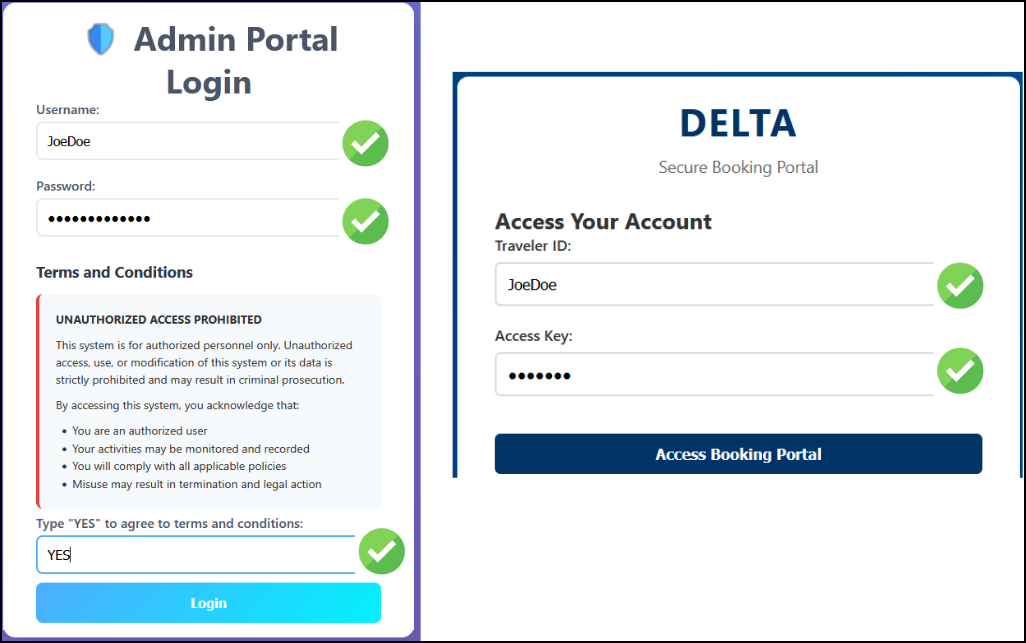
The system never transmits your credentials to the AI model - the AI only identifies which form fields correspond to username and password inputs, while the scanner itself handles the actual credential entry securely. This ensures comprehensive security testing of authenticated areas without compromising credential security.
AI recovery for failed LSR playback
When a Login Sequence Recorder (LSR) playback fails at the start of a scan, Invicti can use AI to recover and complete authentication automatically, so the scan continues without manual intervention. If recovery succeeds, Invicti generates a new login sequence and uses it for the rest of that scan. Your saved LSR file on the target is left unchanged.
Recovery is triggered when the LSR fails because the target site has changed - for example, the login page was redesigned and the XPath selectors in your sequence are no longer valid, or the session pattern can no longer detect a valid session.
For recovery to work, your LSR must contain exactly one username input action and exactly one password input action. Sequences that use only script actions, or that contain multiple credential sets, don't qualify.
AI recovery can't fix:
- Credentials that are no longer valid
- Targets configured to run in single tab mode
For more information on recording a login sequence, refer to the Record a login sequence document.
Need help?
Invicti Support team is ready to provide you with technical help. Go to Help Center