Exclude paths from scanning
There are situations where you may need to configure Invicti Platform to exclude a portion of a web application from crawling and scanning. This might be required if the web application being scanned is too large, or if scanning part of the site might trigger unwanted actions such as submitting data. For more information on crawling options, refer to the crawling options overview document.
This document explains how you can specify paths for exclusion based on regular expressions. Excluded paths are added to individual targets on the Scan configure target page. For API targets, you set the paths under API scan options, as described in Exclude paths for API targets.
Path exclusions work at the URL level. For more granular control over specific elements within pages (such as buttons or forms), you can also use element exclusions with CSS selectors and XPath expressions.
If your target URL protocol is redirected (typically from HTTP to HTTPS), any excluded path directives won't apply. If your target employs protocol redirection, make sure that the target is specified with the final protocol to ensure that any excluded paths you specify are indeed excluded.
Why this matters
Excluding paths keeps the scanner away from parts of an application that are too large to scan or that could trigger unwanted actions, such as submitting data. For API targets, Invicti also keeps the API catalog in step with the paths you exclude, so you don't have to exclude each operation by hand.
Add an excluded path
The Excluded paths option allows you to specify a list of directories and files to be excluded from crawling and scanning. Multiple paths can be excluded for each target.
- Select Inventory > Targets from the left-side menu.
- Click the three-dot menu (⋮) > Edit target by the selected target to access its settings page.
- Click Crawling Options from the settings menu and navigate to the Excluded paths section.
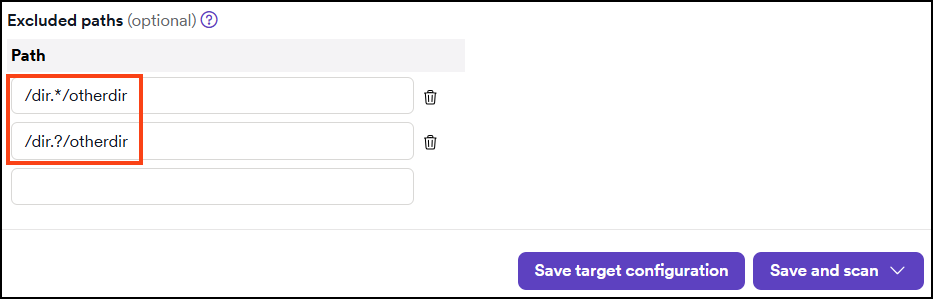
- In the Excluded Paths field, enter a RegEx for the path you want to exclude from scanning.
- Click Save target configuration when you are finished.
Exclude paths for API targets
For API targets, Crawling options isn't available. Set the excluded paths under API scan options instead. Each entry is a regular expression that Invicti matches against the endpoints of the API operations. It isn't a literal path. For the format, refer to Excluded paths formatting requirements.
- Select Inventory > Targets from the left-side menu.
- Click the three-dot menu (⋮) > Edit target by the API target to access its settings page.
- Click API scan options from the settings menu.
- In the Excluded paths field, add a pattern for each path you want to exclude.
- Click Save target configuration when you are finished.
Example
Invicti matches each pattern against the endpoints of the API operations. Take an API with these endpoints: /api/users, /api/users/{id}, and /api/orders.
| Pattern | Excludes | Doesn't exclude |
|---|---|---|
^/api/users(/.*)?$ | /api/users and /api/users/{id} | /api/orders |
^/api/orders$ | /api/orders | /api/users and /api/users/{id} |
^/api/.* | All three endpoints | None |
Matching isn't anchored. A pattern such as /users also matches /api/v2/users/42. Start a pattern with ^ and end it with $ so that it matches only the endpoints you intend.
Exclude a path from the scan results
You can also exclude a path from the results of a scan of an API target.
- Select Scans > DAST scans from the left-side menu.
- Click a scan of the API target to open its Scan details page, and then open the Site structure tab.
- Select Exclude next to the path. A notification confirms that the path was excluded.
Invicti adds the path to the Excluded paths of the target under API scan options. For a folder, it writes a pattern that covers the folder and everything under it, for example ^/api/users(/.*)?$. To include the path again, select Include next to it, or delete the pattern from the target configuration.
How excluded paths affect the API catalog
When you save excluded paths, Invicti also marks the matching API operations as excluded in the API catalog. If you remove a path from the list, Invicti includes the matching operations again.
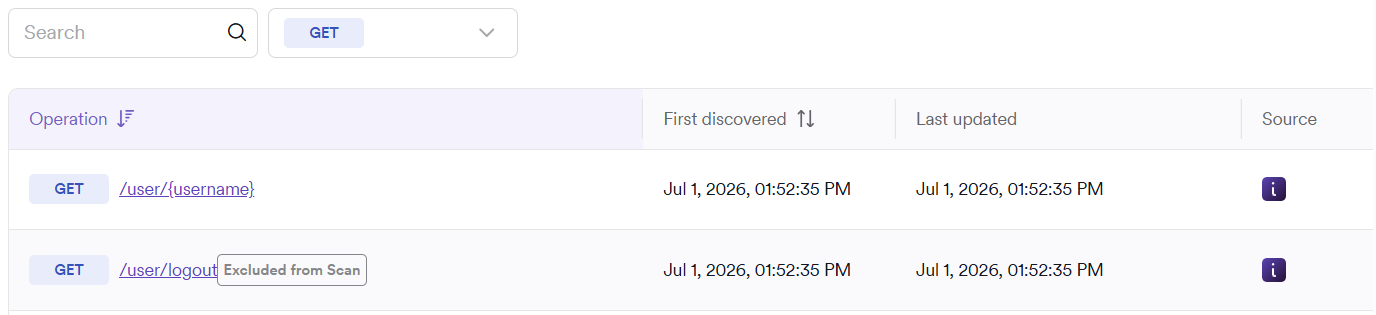
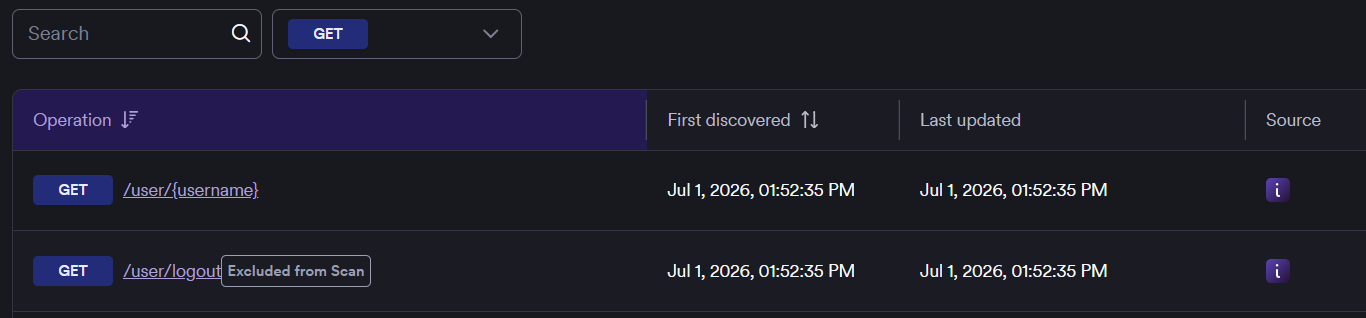
- An operation that a pattern of the target excludes shows Excluded by target's excluded paths in its actions menu, and you can't include it from the API catalog. To include it, remove the pattern or make it narrower in the target configuration.
- If saving the paths would change more than 25 API operations, Invicti saves the paths but doesn't update the operations. A message tells you to adjust them from the API catalog. Use Exclude from scan or Include in scan in the actions menu of each operation.
- Each operation is updated separately. If some operations can't be updated, a message lists them so that you can change them from the API catalog.
Excluded paths formatting requirements
Excluded paths need to be configured using regular expressions (RegEx). This is useful in situations where you want to exclude a URL pattern rather than a single URL. Invicti Platform accepts the widely used Perl Compatible Regular Expressions (PCRE) syntax for defining RegEx.
The format for creating exclusions is with a forward slash at the front (/) followed by the path that should be after the target URL. Once a path is excluded from scanning, all its subdirectories are also excluded from the scan because once a directory isn't crawled, the scanner can't know that there is anything below that directory that has been ignored.
Example
- Target URL = www.example.com
- Directory to exclude = /dir2 which is in directory /dir1 (www.example.com/dir1/dir2)
- Excluded path = /dir1/dir2 where /dir2 is ignored by the scanner. Note that /dir1 and everything in it except /dir2 is still scanned.
- RegEx =
/dir1/dir2(/.*)?$
Before adding an excluded path, you may wish to test your RegEx in a tool such as Regex101.
The table provides examples of regular expressions you can configure in Invicti to restrict URL patterns.
| Description | Regular expression | Matches (excludes path) | Doesn't match (doesn't exclude path) |
|---|---|---|---|
| * Wildcard | /dir.*/otherdir |
|
|
| ? Wildcard | /dir.?/otherdir |
|
|
| Digit Wildcard | /dir[\d]+/otherdir |
|
|
| Exclude URLs more than 1-level deep | (/.+){2,} |
|
|
| Exclude URLs more than 2-levels deep | (/.+){3,} |
|
|
| Exclude specific directories | /dir(/.*)?$ |
|
|
| Exclude all URLs (useful when supplying Invicti with a list of URLs to scan) | ^/.*$ |
|
Troubleshooting
I see "Excluded paths were saved, but they match too many API operations to update automatically"
The patterns match more than 25 API operations, so Invicti saved the paths but didn't change the operations in the API catalog. Select Exclude from scan or Include in scan in the actions menu of each operation that you want to change. A narrower pattern matches fewer operations.
I see "Excluded paths were saved, but these API operations were not"
Invicti saved the paths, but it couldn't update the listed operations. Change those operations from the API catalog with Exclude from scan or Include in scan.
I see "Failed to exclude path" or "Failed to include path"
Invicti couldn't change the path from the Site structure tab. Try again. If the problem continues, contact Invicti Support.
An operation shows "Excluded by target's excluded paths" and I can't include it
A pattern in the excluded paths of the target covers the operation, so the actions menu of the operation can't include it. Remove the pattern, or make it narrower, under API scan options in the target configuration.
Need help?
Invicti Support team is ready to provide you with technical help. Go to Help Center