Generate new API key
Generating a new API Key and accessing Invicti Platform API documentation is available through the user Profile page.
This article explains how to generate a new API key.
Steps to generate a new API Key
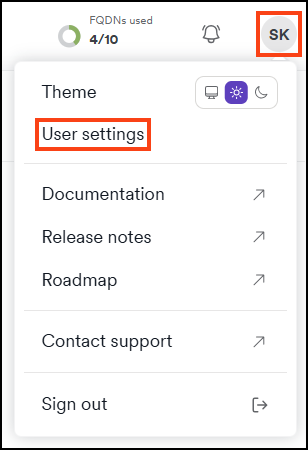
- Click the initials at the top right corner of the page, then select User settings.
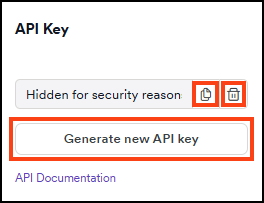
- Scroll down to the API Key section and click Generate new API key.
- Click Copy to copy your new API key, or use the trash can icon to delete it.
Need help?
Invicti Support team is ready to provide you with technical help. Go to Help Center
Was this page useful?