Invicti IAST for PHP - Docker
The most principled way of deploying Invicti IAST in a Docker scenario is to simply layer the Invicti IAST modifications onto your already existing container definition. This simple example demonstrates how you can deploy Invicti IAST together with your web application.
Create your Target in Invicti Platform
For this example, it's assumed that the URL for your target is http://invictiexample.com:60000.
- Create a Target with your URL
- Enable Invicti IAST.
- Download the Invicti IAST agent file iastsensor.php and save this file for use later on.
Define the web application image
This simple web application is defined through the following file structure:
- /testphp-docker/
- /testphp-docker/Dockerfile
- /testphp-docker/websrc/
- /testphp-docker/websrc/index.php
- /testphp-docker/websrc/test.php
- Create your /testphp-docker/Dockerfile file to read as follows:
FROM php:7.3.28-apache
#setup the web pages
COPY --chown=www-data:www-data websrc/ /var/www/html
- Create your /testphp-docker/websrc/index.php file to read as follows:
<?php
   echo "<h1>Test PHP Site Example for Docker Deployment</h1>";
   echo "<br>";
   echo "Welcome to the main page.";
   echo "<br>";
   echo "<a href='test.php'>Go to the test page.</a>";
?>
- Create your /testphp-docker/websrc/test.php file to read as follows:
<?php
   echo "<h1>Test PHP Site Example for Docker Deployment</h1>";
   echo "<br>";
   echo "Welcome to the test page.";
   echo "<br>";
?>
- Finally, build the image with:
cd /testphp-docker
docker build -t testphp-docker .
Define the Invicti IAST layer image
The Invicti IAST layer is defined through the following file structure:
- /testphp-docker-iastsensor/
- /testphp-docker-iastsensor/Dockerfile
- /testphp-docker-iastsensor/iastsensor.php
- Copy the iastsensor.php file you previously downloaded and paste it to your docker host into the /testphp-docker-iastsensor directory.
- Create your /testphp-docker-iastsensor/Dockerfile file to read as follows:
FROM testphp-docker
# assumes the web application is in /var/www/html
# setup Invicti IAST
RUN mkdir /iastsensor
WORKDIR /iastsensor
COPY iastsensor.php .
# add .htaccess file for Invicti IAST
RUN printf "\nphp_value auto_prepend_file /iastsensor/iastsensor.php\n" > /var/www/html/.htaccess \
&& chown www-data:www-data /var/www/html/.htaccess
- Build and run your image with:
cd /testphp-docker-iastsensor
docker build -t testphp-docker-iastsensor .
docker run -d -p 60000:80 --name mytestphp testphp-docker-iastsensor
Test and scan your web application
- Point your browser to your web application - in this example, http://invictiexample.com:6000 to confirm it's running as intended; you get the following:
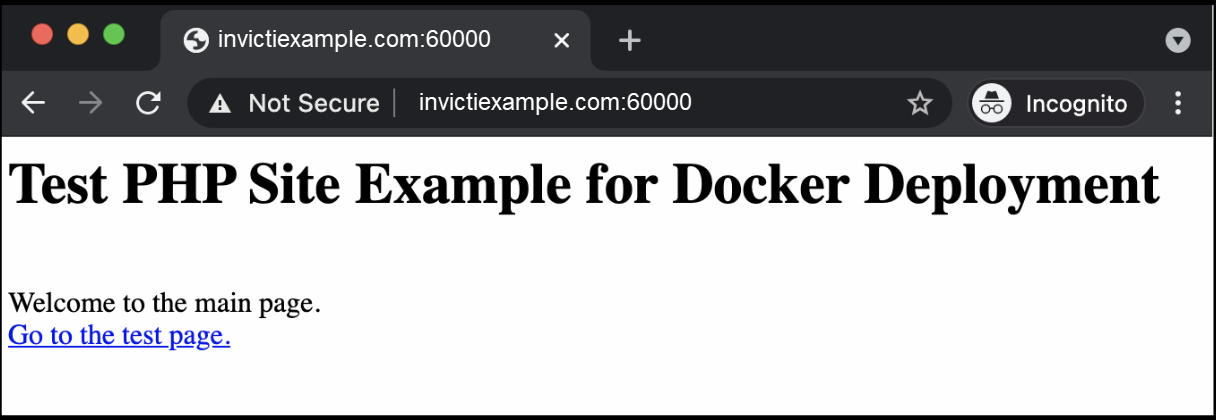
- Run a scan on your Target. The Vulnerability detail confirms that Invicti IAST was detected and used for the scan.
Need help?
Invicti Support team is ready to provide you with technical help. Go to Help Center
Was this page useful?