Manage email notifications
This document is for Invicti Platform
All users can customize the email notifications they receive from the Invicti Platform by updating their preferences on the Profile page. The available email notification types include:
- Scan notifications
- Target notifications
- Report notifications
This document explains how to manage your email notification preferences. Additionally, Owners can restrict email notifications to be sent only to specific domains.
Manage email notifications
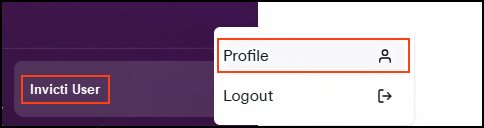
- Click [Your Name] in the bottom left corner of the page, then select Profile.
-
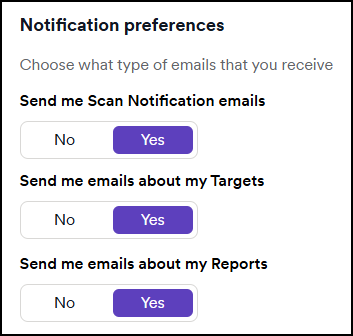
Scroll down to the Notification preferences section.
-
Click the toggle next to each email notification type to set your preferences:
- Yes: You receive email notifications
- No: You don't receive notifications
- Click Save changes at the bottom of the page.
Your email notification preferences are now saved.
Need help?
Invicti Support team is ready to provide you with technical help. Go to Help Center
Was this page useful?