Deployment: Invicti Platform on-demand, Invicti Platform on-premises
Enable scan auto-tuner
The scan auto-tuner lets Invicti Platform automatically fine-tune scan behavior when it detects a well-known test site. This document explains how the auto-tuner works and how to enable it for a target.
Advanced settings change scanner behavior directly. Incorrect values can cause scans to fail, miss vulnerabilities, or report inaccurate results, and the effect isn't always visible in the scan output.
These settings are intended for cases where Invicti Support has advised a specific value for a specific problem. Don't change them for exploratory or trial-and-error tuning. If you aren't certain what a setting does and why it needs to change, leave it at its default and contact Invicti Support first.
How it works
When you enable the scan auto-tuner, Invicti uses page fingerprinting to identify whether the target matches a recognized test application. If a match is found, the scanner applies predefined adjustments - such as route modifications and path exclusions - to optimize the scan for that application.
Predefined tuning settings are available for the following test applications:
- OWASP Juice Shop
- crAPI (Completely Ridiculous API)
- DVWA (Damn Vulnerable Web Application)
- OWASP Benchmark
When auto-tuning is applied, an activity event is logged so you can confirm the adjustments that were made.
The scan auto-tuner is intended for use with test and demo applications. Don't enable it on production targets. It has no effect on targets that don't match one of the recognized test applications.
Enable the scan auto-tuner
- Select Inventory > Targets from the left-side menu.
- Find the target you want to configure and either:
- Select anywhere on its row to open the target drawer, then select Edit.
- Select the three-dot menu (⋮) at the far right of the row and choose Edit target.
- Select the Advanced settings tab.
- Locate the Enable scan auto-tuner option and turn it on.
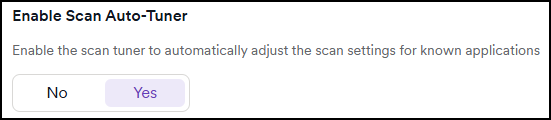
- Save the target configuration.
The Advanced settings tab only appears when the Allow users to configure advanced scan configuration option is enabled in Settings > Scanning. For more information, refer to Scanning settings.
Activity log
When the auto-tuner detects a known site and applies adjustments, the activity log records an event.
Need help?
Invicti Support team is ready to provide you with technical help. Go to Help Center