Deployment: Invicti Platform on-demand, Invicti Platform on-premises
Prevent sensitive information from being exposed in the product
Invicti Platform can mask credential fields in target configurations so they don't appear in the product UI. When enabled, Invicti Platform replaces passwords, OAuth secrets, and similar sensitive values with a hidden placeholder wherever it displays target configuration data. This setting is off by default.
This document explains how to turn on or off sensitive information masking in Invicti Platform.
Only users with the Owner role can access Data privacy & security settings.
Why this matters
When you configure scan targets, you often provide credentials such as passwords, OAuth secrets, and proxy credentials. By default, these values are visible to anyone who can access target settings in Invicti Platform.
Enabling this setting replaces the following credential fields with a hidden placeholder in target configuration views:
- Automatic login and HTTP basic authentication passwords
- OAuth client secrets and passwords
- Proxy server passwords
- Client certificate passwords
- OTP secret keys
This reduces the risk of accidentally exposing credentials when sharing your screen, reviewing configurations, or adding team members to the platform.
Enable sensitive information masking
- Select Settings > Data privacy & security from the left-side menu.
- Under Data privacy, locate the Prevent sensitive information from being exposed in the product toggle.
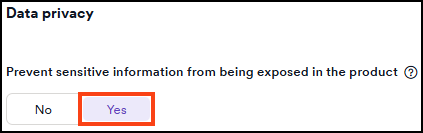
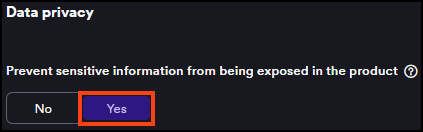
- Select Yes to enable sensitive information masking, or No to turn it off.
- Click Save.
Need help?
Invicti Support team is ready to provide you with technical help. Go to Help Center