Create an application
An application is a logical grouping entity used to organize and visualize assets (projects and targets) that together represent a functional or technical unit—such as a website, service, internal system, or location.
tip
To read more about what is an application and what is the difference between an application and a collection, refer to the linked documents.
This document describes how to create a new application in Invicti Platform.
Steps to create a new application
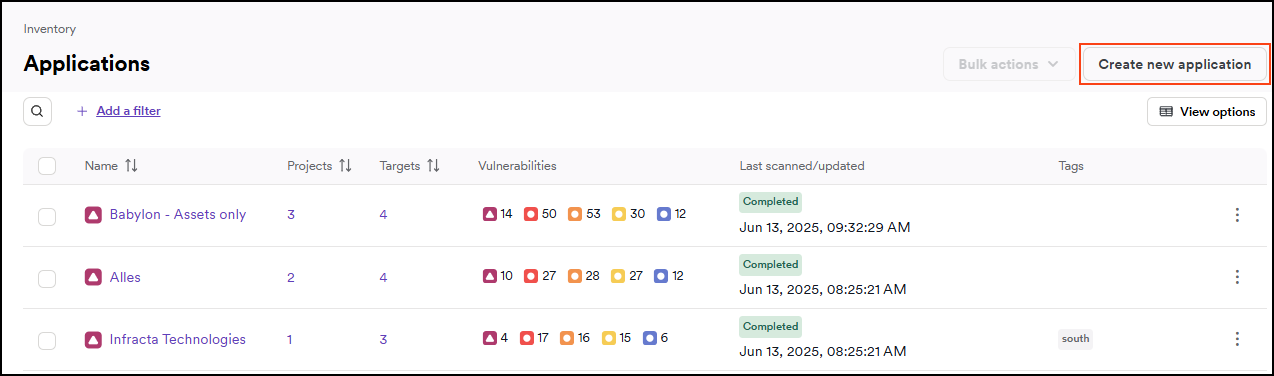
- Select Inventory > Applications from the left-side menu.
- Click Create new application.
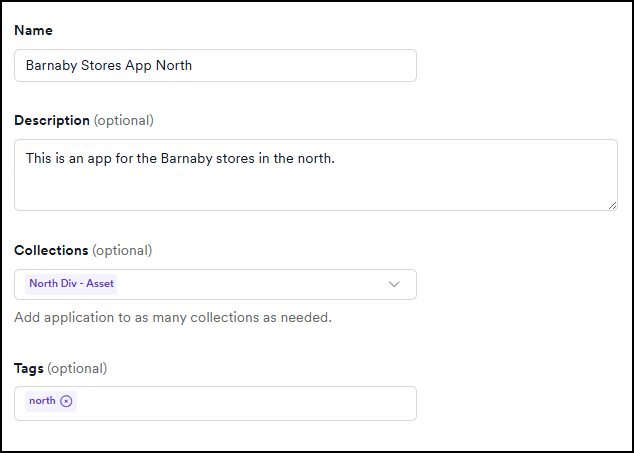
- Enter a name and description.
- Use the Collections drop-down to assign your new application to any relevant collections.
- Add any tags.
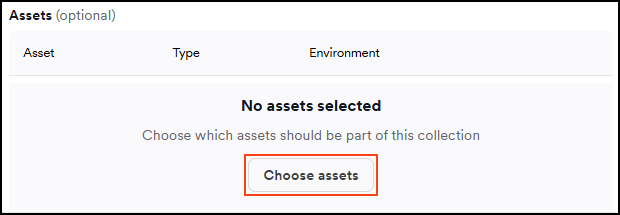
- Click Choose assets to select the assets for this application. In the dialog that appears, use the search bar or scroll through the list to locate the desired assets. Enable their checkboxes, then click Add asset to confirm your selection.
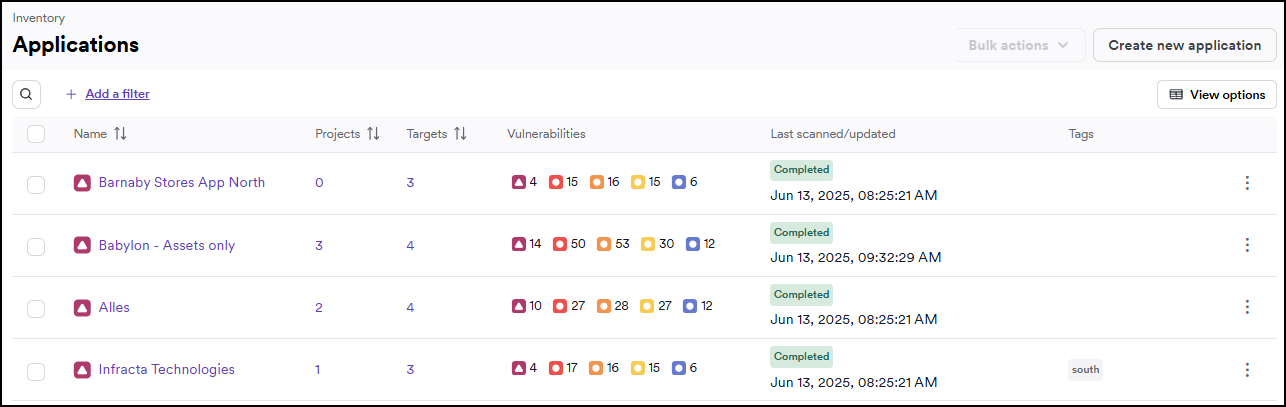
- Click Create application to save the application.

- The application is added to the applications list.
Need help?
Invicti Support team is ready to provide you with technical help. Go to Help Center
Was this page useful?