Delete organization data
The Delete Organization Data feature allows you to permanently remove all data associated with your Invicti organization account. This includes your account details, configured targets, and any stored scan data.
Important notes
- Permanent action: Once deleted, your organization data can't be recovered.
- All associated users, targets, and historical scan results are permanently removed.
- Ensure you have exported or saved any important data before proceeding.
Steps to delete organization data
- Go to Settings from the left-side menu.
- In the Subscription section select Organization data.
- Click Delete Organization.
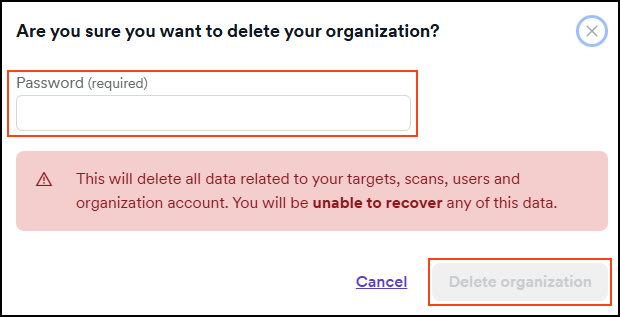
- Confirm the deletion when prompted to permanently remove your organization data by entering your password and choosing Delete organization.
Need help?
Invicti Support team is ready to provide you with technical help. Go to Help Center
Was this page useful?