Set support access permissions
this document is for:
Deployment: Invicti Platform on-demand
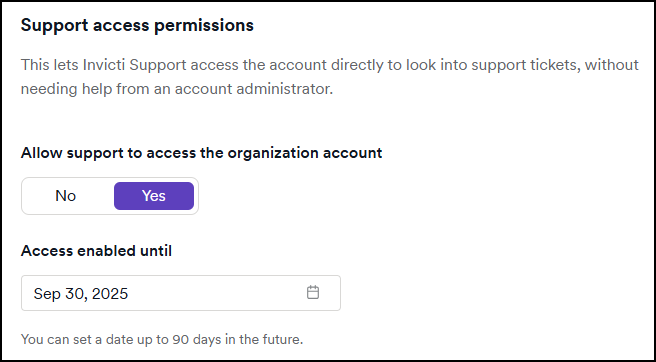
The Support Access Permissions feature allows Invicti Support to access your organization's account directly. This enables faster investigation and resolution of support tickets without requiring assistance from an account administrator.
How it works
- When enabled, Invicti Support can access your organization account to review and troubleshoot issues related to support tickets.
- You can define an access period of up to 90 days.
Steps to enable support access
- Select Settings from the left-side menu.
- In the Subscription section select Support access permissions.
- Set Allow support to access the organization account to Yes to enable access.
- Choose an access expiration date (up to 90 days from the current date). The default value is 1 day.
- Click Save Changes.
Notes
- Access automatically expires on the date you set.
- You can turn off support access at any time before the expiration date.
Need help?
Invicti Support team is ready to provide you with technical help. Go to Help Center
Was this page useful?