IE / A360 to Invicti Platform
This document explains how internal agents from Invicti Enterprise and Acunetix 360 are handled during upgrade to Invicti Platform.
What is carried over
Carried over from Invicti Enterprise (IE) and Acunetix 360 (A360):
- Agent names
- Target - agent mappings (preserved by name)
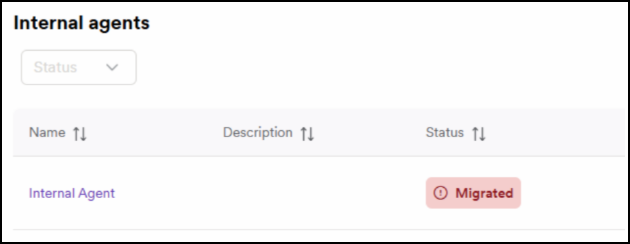
- Agents appear in Invicti Platform with status: Migrated
Not carried over:
- Agent installations
- Agent configuration files
- Agent groups
tip
A new Invicti Platform internal agent must be installed.
Why only the name and mapping
To maintain clarity on:
- which agent was used for which target
- historic scanning setups
This avoids forcing users to rebuild those relationships manually.
Do you still need multiple agents
In IE/A360, multiple agents were often required for concurrency.
In Invicti Platform:
- Each internal agent supports up to 20 concurrent scans
- Most users only need a single agent
- Agent groups are usually unnecessary
Carry over logic:
- Targets with a dedicated agent → keep that agent name
- Targets with a dedicated agent group → carried over as one representative agent name
Viewing carried over agents
Settings → Agents
- https://platform.invicti.com/app/agents
- https://platform-ca.invicti.com/app/agents
- https://platform-eu.invicti.com/app/agents
Required actions after the upgrade
- Install the Invicti Platform internal agent as documented in the internal scanning setup category
- Ensure newly installed agents replace carried over entries
- Optional: delete unused agent names
- Verify targets still point to the correct agent
| Source product | Carried over | Not carried over | Required | Notes |
|---|---|---|---|---|
| IE / A360 | Agent names + target - agent mapping | Installations, configs, groups | Install Platform agent | 20-scan concurrency |
Need help?
Invicti Support team is ready to provide you with technical help. Go to Help Center
Was this page useful?