Invicti IAST for Node.js - Docker
The IAST sensor must be able to reach your Invicti platform to transmit data to the DAST scanning engine.
The most principled way of deploying Invicti IAST in a Docker scenario is to simply layer the Invicti IAST modifications onto your already existing container definition. This document shows how you can deploy Invicti IAST together with your web application.
There are four steps to these instructions.
Before deploying Invicti IAST, note the list of supported servers and frameworks available in the Invicti IAST for Node.js overview documentation.
Step 1: Create your Target in Invicti Platform
For this example, we assume that the URL for your Target is http://invictiexample.com:60000.
- Create a Target in Invicti Platform with your URL.
- Enable Invicti IAST on the Target settings page.
- Download Invicti IAST sensor node-iastsensor.tar and save this file for use later on.
Step 2: Define the web application image
This simple web application is defined through the following file structure:
- /testnodejs-docker/
- /testnodejs-docker/Dockerfile
- /testnodejs-docker/src/app.js
- /testnodejs-docker/src/package.json
- Create your /testnodejs-docker/Dockerfile file to read as follows:
FROM node:12
#setup the web pages
COPY src/. .
#install npm and dependencies
RUN npm install
- Create your /testnodejs-docker/src/app.js file to read as follows:
const app = require('express')();
const port = 60000;
app.get('/', function (req, res) {
    res.send(
        '<html><body>' +
        '<h1>Invicti IAST Example for Node.JS</h1>' +
        '<br>' +
        'Hello World! - Main Page' +
        '<br>' +
        '<a href="/page1">Goto Page 1</a>' +
        '</body></html>'
    );
});
app.get('/page1', function (req, res) {
    res.send(
        '<html><body>' +
        '<h1>Invicti IAST Example for Node.JS</h1>' +
        '<br>' +
        'Hello World! - Page 1' +
        '<br>' +
        '<a href="/">Goto Main Page</a>' +
        '</body></html>'
    );
});
app.listen(port, function(err){
 if (err) console.log(err);
 console.log("Server listening on port: ", port);
});
- Create your /testnodejs-docker/src/package.json file to read as follows:
{
  "name": "testnodejs-docker",
  "version": "1.0.0",
  "dependencies": {
    "express": "*"
  }
}
- Finally, build the image with:
cd /testnodejs-docker
docker build -t testnodejs-docker .
Step 3: Define the Invicti IAST layer image
The Invicti IAST layer is defined through the following file structure:
- /testnodejs-docker-iastsensor/
- /testnodejs-docker-iastsensor/Dockerfile
- /testnodejs-docker-iastsensor/node-iastsensor.tar
- Copy the node-iastsensor.tar file you created in the first step to your Docker host into the /testnodejs-docker-iastsensor directory.
- Create your /testnodejs-docker-iastsensor/Dockerfile file to read as follows:
FROM testnodejs-docker
#setup and install Invicti IAST
RUN mkdir /iastsensor
COPY node-iastsensor.tar /iastsensor/node-iastsensor.tar
#expose port and launch the app with Invicti IAST
EXPOSE 60000
CMD [ "npx", "/iastsensor/node-iastsensor.tar", "app.js" ]
- Build and run your image with:
cd /testnodejs-docker-iastsensor
docker build -t testnodejs-docker-iastsensor .
docker run -d -p 60000:60000 --name mytestnodejs testnodejs-docker-iastsensor
Step 4: Test and scan your web application
- Point your browser to your web application - in this example http://invictiexample.com:60000 to confirm it's running as intended. You get the following:
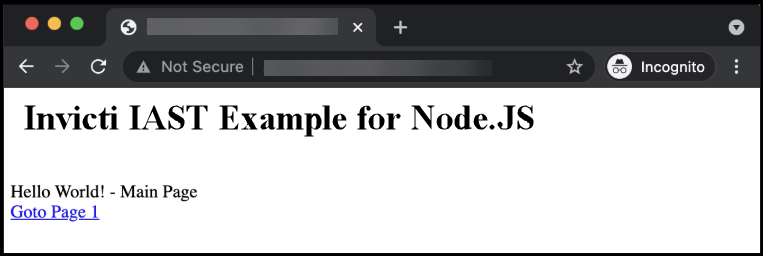
- Finally, run a scan on your Target. The Vulnerability detail confirms that Invicti IAST was detected and used for the scan.
Need help?
Invicti Support team is ready to provide you with technical help. Go to Help Center