Introduction to Invicti IAST
Invicti IAST sensor increases the accuracy of Invicti Platform scan by improving the crawling, detection, and reporting of vulnerabilities while decreasing false positives. Invicti IAST sensor can be used on .NET (including .NET core), JAVA, PHP, and Node.js web applications.
Invicti IAST has only a very minimal impact on resources on the Target machine—less than 1% in lab test results.
Deploying Invicti IAST
Deploying Invicti IAST sensor into your Target is optional. Invicti Platform is still best in class as a black-box scanner, but the sensor improves accuracy and vulnerability results when scanning your web applications.
The unique Invicti IAST Technology identifies more vulnerabilities than a black-box Web Application Scanner while generating fewer false positives. In addition, it indicates exactly where vulnerabilities are detected in your code and reports debug information.
Invicti IAST requires a sensor to be deployed on your website. This sensor is generated uniquely for each website for security reasons. From the configuration of each Target, scroll to the IAST sensor panel, and enable the IAST sensor option. From here, you can download the Invicti IAST sensor generated for the Target. Choose the sensor you require—depending on the web technology used on your site—and proceed with the deployment steps described in the following sections.
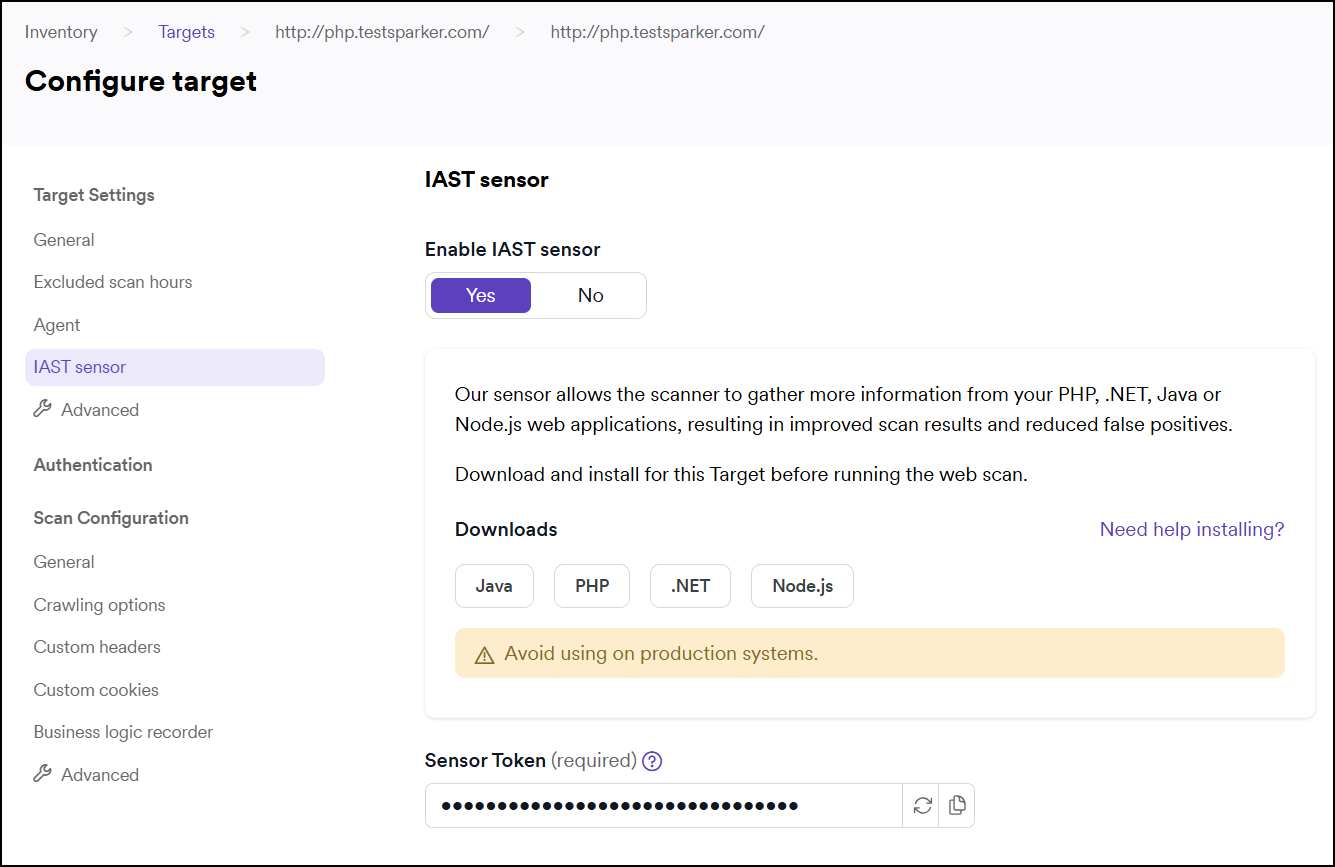
Use one of the following links for instructions on how to install Invicti IAST sensor on your website:
- Invicti IAST for PHP
- Deploying Invicti IAST for PHP - Docker
- Invicti IAST for .NET
- Deploying Invicti IAST for ASP .NET Core
- Invicti IAST for Java
- Invicti IAST for Node.js
- Deploying Invicti IAST for Node.js - Docker
Networking prerequisites
Before deploying Invicti IAST sensor, you need to give some attention to the networking information that Invicti Platform uses for incoming Invicti IAST sensor data.
The IAST sensor must be able to reach your Invicti platform to transmit data to the DAST scanning engine.
Permissions required
The permissions required to deploy Invicti IAST sensor depend on the configuration of the web server. In general, an administrator user should be used to install the Invicti IAST sensor, since the Invicti IAST sensor installation needs to configure the web application to load the sensor.
Need help?
Invicti Support team is ready to provide you with technical help. Go to Help Center