Retrieve existing registration token
This document is for Invicti Platform
The registration token is used to register Invicti Network Traffic Analyzer (NTA) with the Invicti Platform. When deploying NTA with Helm charts, you need these credentials so the analyzer can authenticate and connect to your platform instance. The steps below explain how to retrieve the required registration token from the Invicti Platform.
It is assumed that a token has already been generated, and this document covers how to retrieve it for subsequent use.
Steps to retrieve an existing registration token
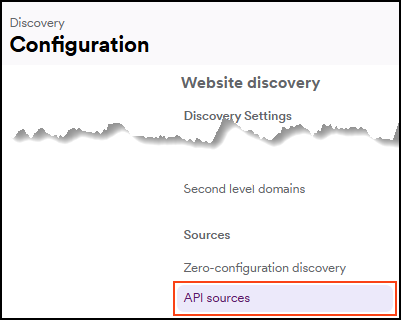
- Select Discovery > Configuration from the left-side menu.
- Further down, select API sources.
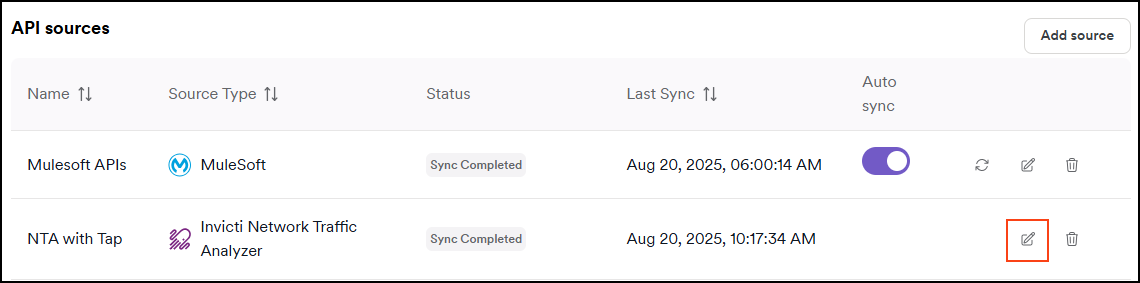
- Locate the source for which you want to copy the token and click Edit.
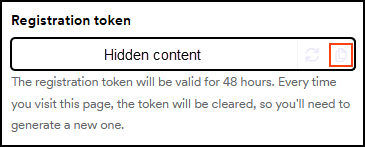
- To reuse a token, click the copy icon next to the previously generated registration token. Keep in mind that if you generate a new token, the old one no longer works.
Need help?
Invicti Support team is ready to provide you with technical help. Go to Help Center
Was this page useful?