Sensorless API discovery
Overview
Invicti Platform can automatically discover and process API specifications during dynamic scans. This helps ensure that APIs exposed by your web applications are included in security testing and reported alongside your scan results.
To start using the Sensorless API discovery follow the steps in the Sensorless API discovery configuration document to activate it.
1. Discovering API specifications
During a scan, the DAST Scanner can identify API specifications from multiple sources:
- During crawling:
The scanner looks for common API specification files (for example, Swagger or OpenAPI documents) in standard locations within the target application.
-
From HTTP responses:
The content sniffer analyzes responses and automatically detects any API specification files returned by the application. -
For GraphQL APIs:
The scanner can detect GraphQL schemas through introspection requests made during crawling.
All detected API specifications are saved in GenericAPI format. For each specification, Invicti Platform stores metadata such as:
- Source URL
- Detection time (timestamp)
- Discovery mode (crawled, reconstructed, or imported)
After the scan completes, Invicti automatically collects these specifications and attaches an S3 link to the discovered APIs in the scan results.
2. Reconstructed API specifications
During DAST scanns, Invicti can also reconstruct API specifications based on real API traffic observed during scanning.
- The scanner monitors all HTTP and HTTPS traffic generated during the test.
- Any traffic that matches API-like behavior is sent to the Reconstructor component.
- After the scan, Invicti retrieves reconstructed API specifications from the Reconstructor and saves them in the same location as discovered specifications.
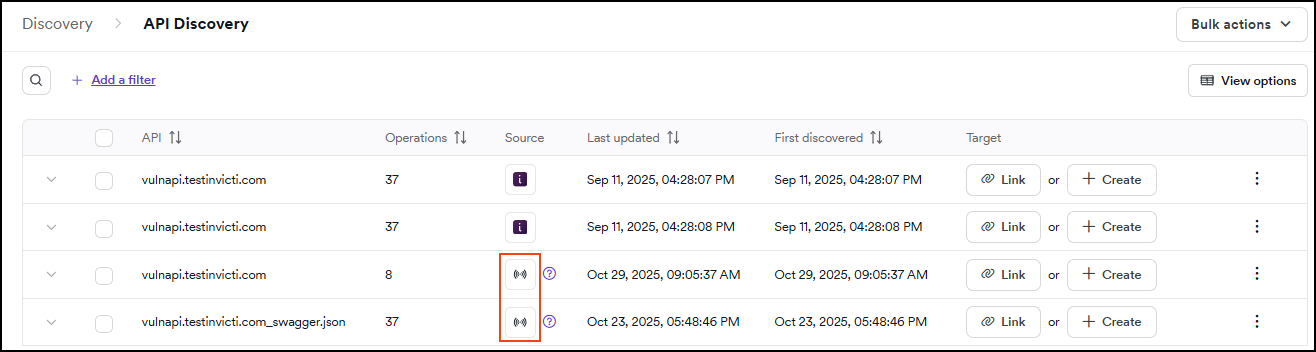
These reconstructed specifications are also uploaded to the API Discovery, where they can be reviewed and managed alongside other discovered APIs.
Benefits
- Comprehensive API discovery during DAST scans
- Automatic storage and upload of detected specifications
- Centralized management of all discovered and reconstructed APIs
Need help?
Invicti Support team is ready to provide you with technical help. Go to Help Center