Zero configuration API discovery
Zero configuration API discovery provides a fast and efficient method for finding and adding existing APIs to your Invicti Platform API Inventory.
This document explains how the zero-config API discovery service works and how to use it to build an API inventory by selecting existing targets for APIs.
Access to API Discovery in Invicti requires either an Account or System Administrator role, or a custom role with the API Discovery permission.
How zero configuration API discovery works
Zero configuration API discovery checks your existing targets for open ports and accessible paths to identify and retrieve Swagger2 and OpenAPI3 specifications. It then validates the type and format of each specification file before adding them to your API Inventory in Invicti.
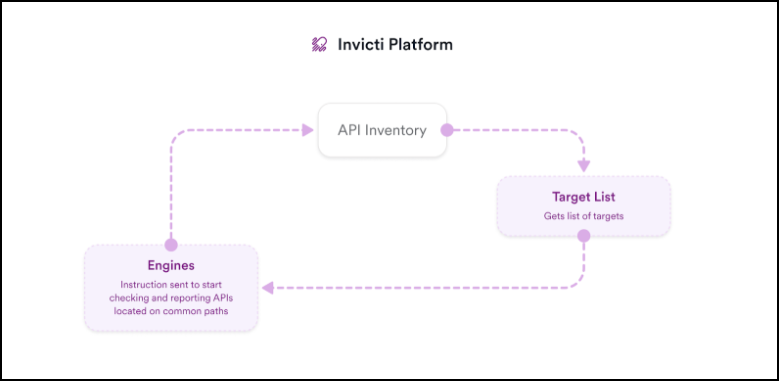
How to build your API inventory from existing targets
Follow these steps to enable zero configuration discovery so it can begin checking your existing targets for APIs and adding discovered API specs to your API Inventory.
- Select Discovery > API sources from the left-side menu.
- Click Yes to Enable zero configuration discovery.
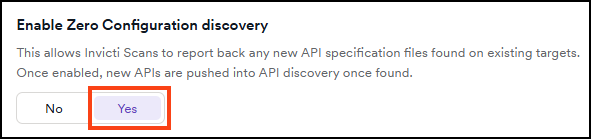
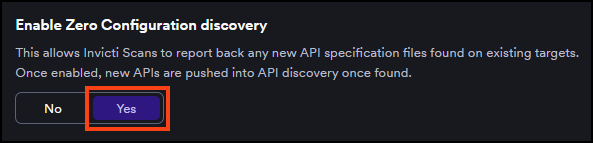
Zero configuration API discovery is now enabled and starts checking existing targets for APIs. After the initial selection, zero configuration discovery crawls targets for new APIs every 48 hours.
What happens when APIs are discovered?
When any Swagger2 or OpenAPI3 specification files are identified and retrieved, these appear on the API discovery page in Invicti. From the API discovery, each discovered API can be linked to a target, which ensures the API is always scanned whenever the linked target is scanned by Invicti.
For instructions on how to do this, refer to the documentation on linking discovered APIs to targets.
If you later turn off zero configuration API discovery, any APIs that have already been discovered remain in the API Inventory. However, the API definitions are no longer kept up-to-date.
Frequently asked questions
Does it work independently from a scan?
Zero configuration discovery works independently from security scanning a target. It checks for open ports and paths where APIs may be located. It's not scanning for vulnerabilities.
Is it leveraging the agent to discover APIs?
Yes, zero configuration discovery uses cloud and internal agents to select existing targets.
Can you specify which targets are selected?
Zero configuration API discovery selects all the targets you have added to Invicti. Currently, it's not possible to select specific targets when running zero configuration API discovery.
Does it work with internal and external targets?
Yes, targets that are leveraging both cloud and internal agents are checked.
Which ports and paths are selected?
Zero configuration API discovery selects ports: 80, 81, 443, 3000, 5000, 7000, 8000, 8008, 8080, 8081, 8083, 8088, 8090, 8181, 8443, and 8888.
For each open port, the system selects a large set of common paths where OpenAPI3 and Swagger2 API specs are typically located. For example, <targetURL>/api/v1/swagger.json.
How can you identify which APIs were discovered by Invicti?
When API specifications are added to the API Inventory, each file is labeled with the source. APIs that have been identified and retrieved by zero configuration API discovery have the source label: discovered by Invicti.
What data is collected?
Zero-config API discovery only collects the endpoints for discovered OpenAPI3 and Swagger2 APIs, which are reported to the API Inventory. Invicti doesn't save any information about the request and response that identifies the APIs. The data is parsed and analyzed but not saved.
Are APIs found during a security scan added to the API catalog?
No, APIs that are detected during a security scan of a target aren't added to the API catalog. They're added to API discovery where you can add them to an existing target or create a new one.
How often does it select targets for new APIs?
After the initial selection when you first enable zero configuration discovery, it checks targets for new APIs every 48 hours (provided you keep zero configuration discovery enabled).
Need help?
Invicti Support team is ready to provide you with technical help. Go to Help Center