Deployment: Invicti Platform on-demand, Invicti Platform on-premises
Package: Invicti API Security Standalone or Bundle
Access requirements: access to API Security in Invicti Platform requires either an Administrator, Owner, Security Analyst, Security Manager role, or a custom role with the API Security permission.
View and export API endpoints in the API catalog
View the endpoints and operations of your API specifications directly in the API catalog, inspect their parameters and sensitive data in the operation details drawer, and export them to CSV for external analysis.
Steps to view APIs endpoints in API catalog
To view the endpoints of an API spec in your API catalog follow these steps:
- Select Inventory > API catalog from the left-side menu.
- Locate the API you want to explore and, using the down arrow next to an API, expand the endpoints and operations list.
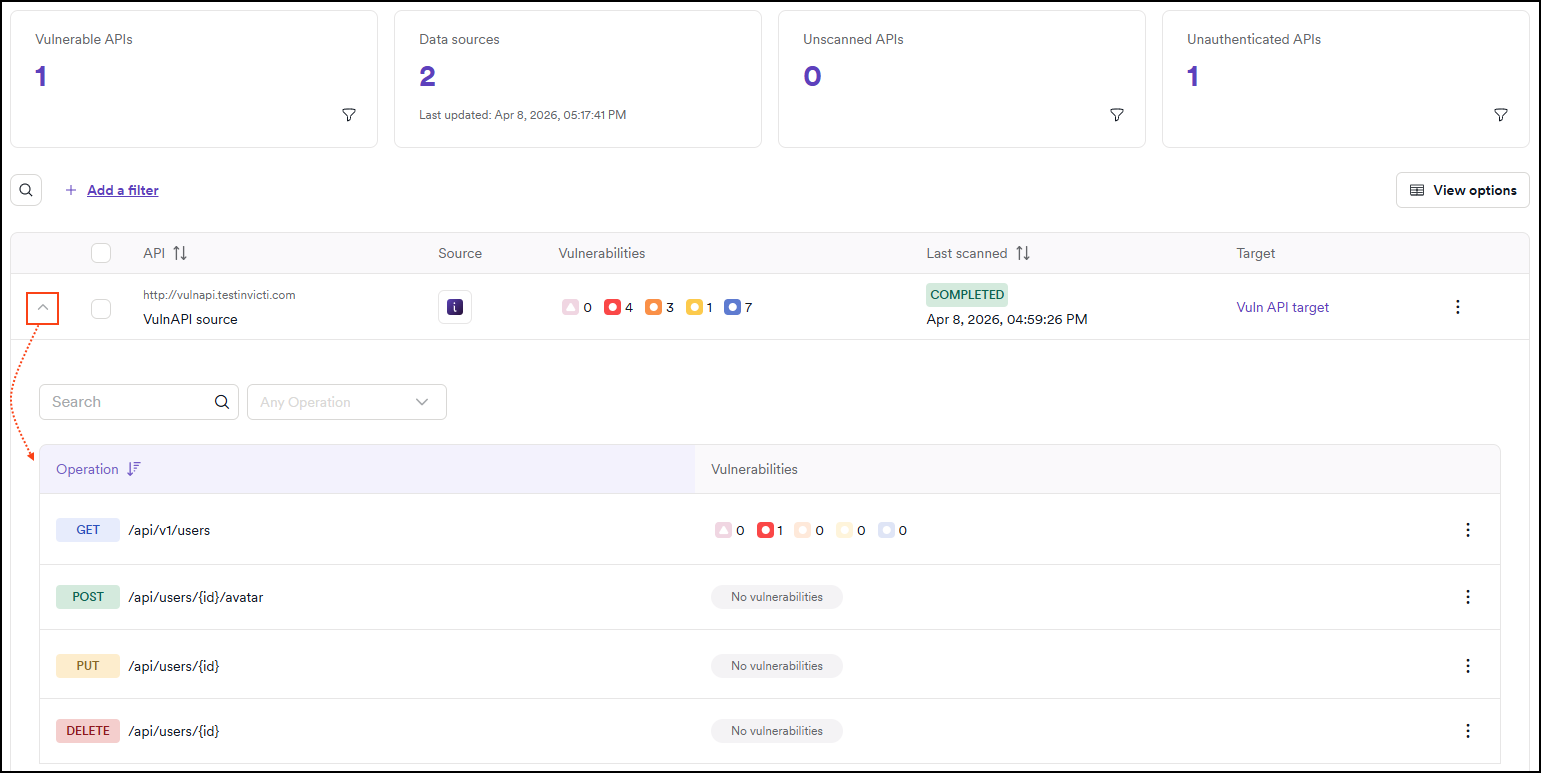
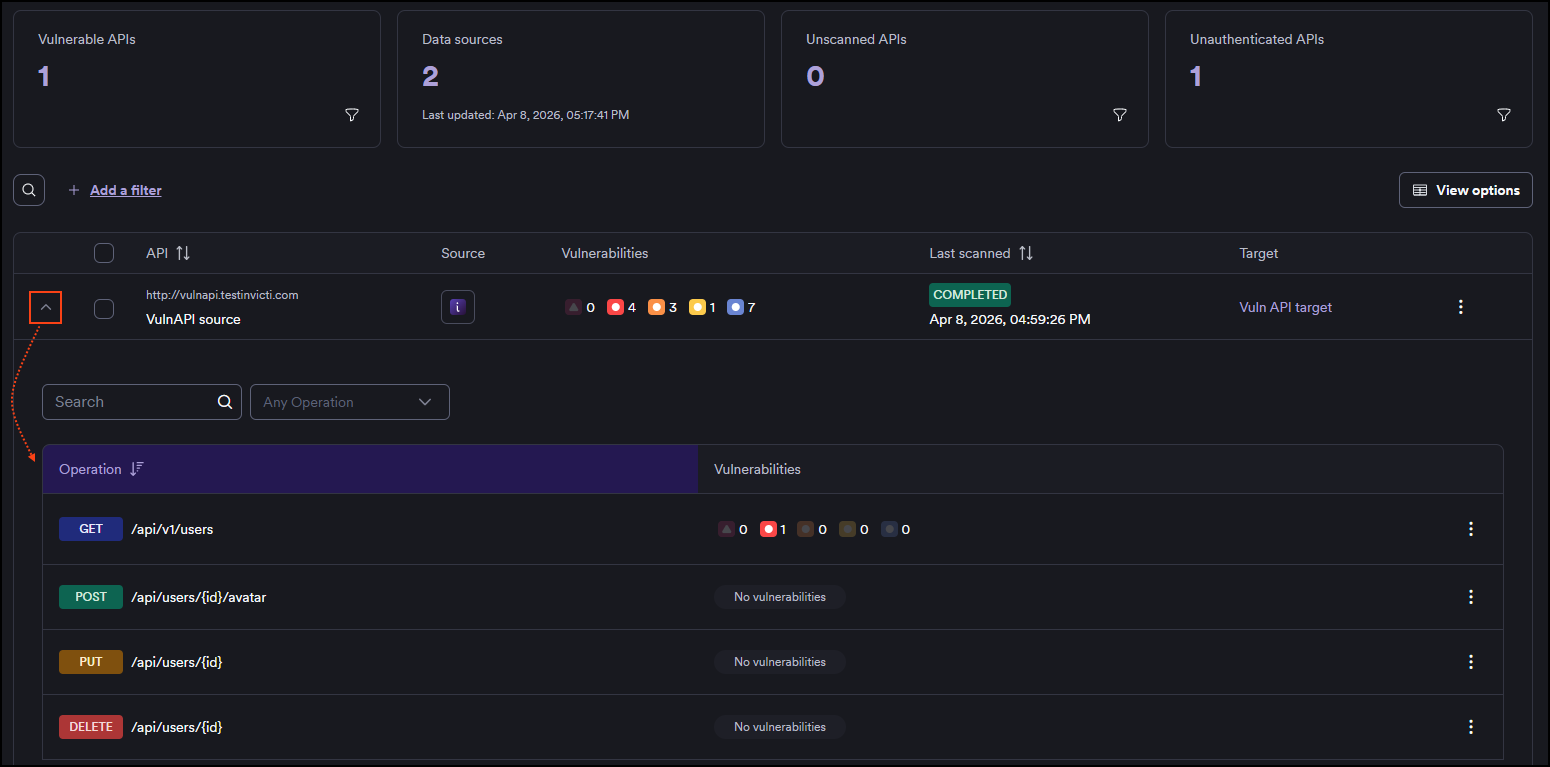
-
Click on any individual operation to open the operation details drawer. The drawer contains three tabs:
- Overview: general information about the operation.
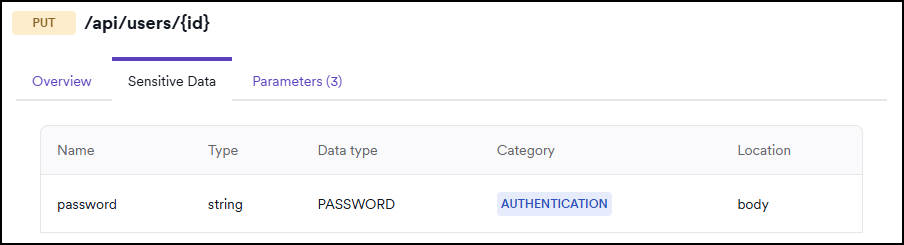
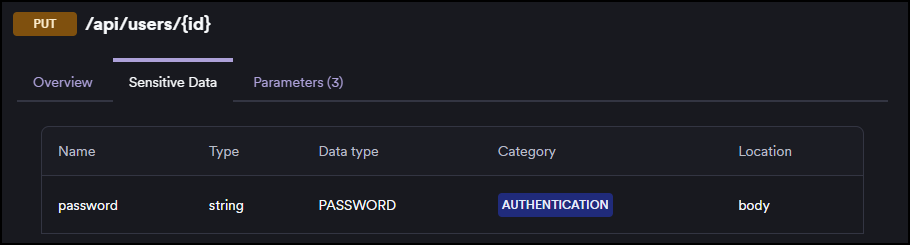
- Sensitive data: parameters identified as containing sensitive data.
- Parameters: a full list of parameters for the operation.
-
Using the three-dot menu (⋮), you can exclude or re-include individual operations from scanning. See Exclude API operations from scans for details.
View operation parameters
The Parameters tab in the operation details drawer lists all parameters for the selected API operation. This helps you quickly understand the input requirements and data flows of each endpoint, and verify whether sensitive data is being passed.
Parameters are shown for both existing and newly added API specs, regardless of specification format (OpenAPI, Swagger, and others).
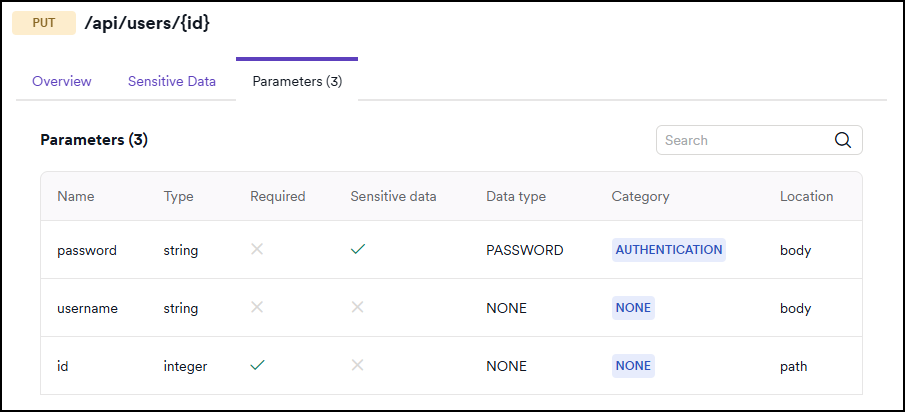
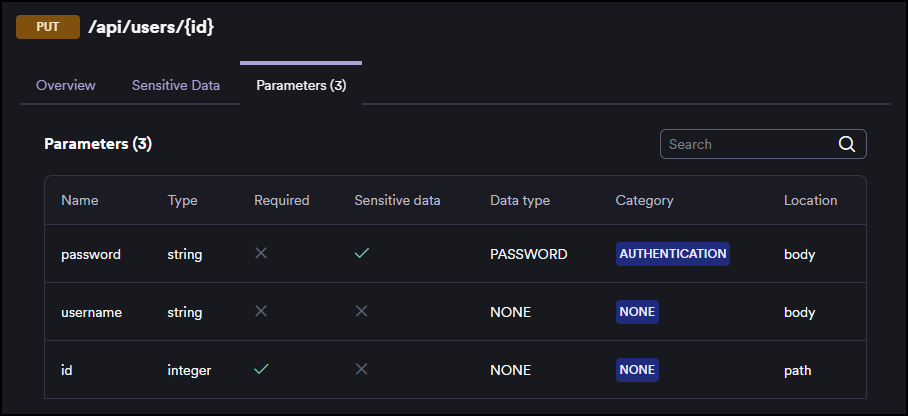
The parameters table includes the following columns:
| Column | Description |
|---|---|
| Name | The parameter name as defined in the API specification. |
| Type | The data type of the parameter (for example, string, integer). |
| Required | Whether the parameter is required for the operation. |
| Sensitive data | Whether the parameter has been identified as containing sensitive data. |
| Data type | The sensitive data category assigned to the parameter (for example, PASSWORD, NONE). |
| Category | The security category of the parameter (for example, AUTHENTICATION, NONE). |
| Location | Where the parameter is passed in the request: path, query, header, or body. |
If parameter descriptions are available from the API definition, they are shown as tooltips on hover.
If parameter information could not be parsed from the API definition, the tab indicates that no parameter data is available.
View sensitive data in operations
The Sensitive data tab in the operation details drawer shows only the parameters that have been identified as carrying sensitive data, giving you a focused view for security assessment.
Parameters that appear on the Sensitive data tab are also visible on the Parameters tab, where the Sensitive data column indicates their classification with a checkmark.
Steps to export API catalog endpoints
To view the endpoints of an API spec in an external application follow these steps:
- Select Inventory > API catalog from the left-side menu.
- Locate the APIs you want to explore and enable the checkboxes.
- Click Bulk actions at the top right and select Export CSV.
- In the Export to CSV dialog choose whether to include list of operations or just the high-level list of APIs.
- Click Export APIs to begin the download.
Need help?
The Support team is ready to provide you with technical help. Go to Help Center