Deployment: Invicti Platform on-demand, Invicti Platform on-premises
Access requirements: access to API Security in Invicti Platform requires either an Administrator, Owner, Security Analyst, Security Manager role, or a custom role with the API Security permission.
API catalog overview
Located under Inventory, the API catalog is the area within Invicti Platform Inventory that contains all your discovered and imported APIs. It's a list of all the API endpoints that can be scanned for vulnerabilities by linking the API specification files to an existing or newly created targets.
API discovery and API catalog are complementary views. API discovery shows APIs awaiting target assignment, while the API catalog shows APIs already linked to targets and ready for scanning.
This document provides an overview of the API catalog in Invicti Platform.
Features and actions
Use the API catalog overview page to access the following features.
API catalog table columns
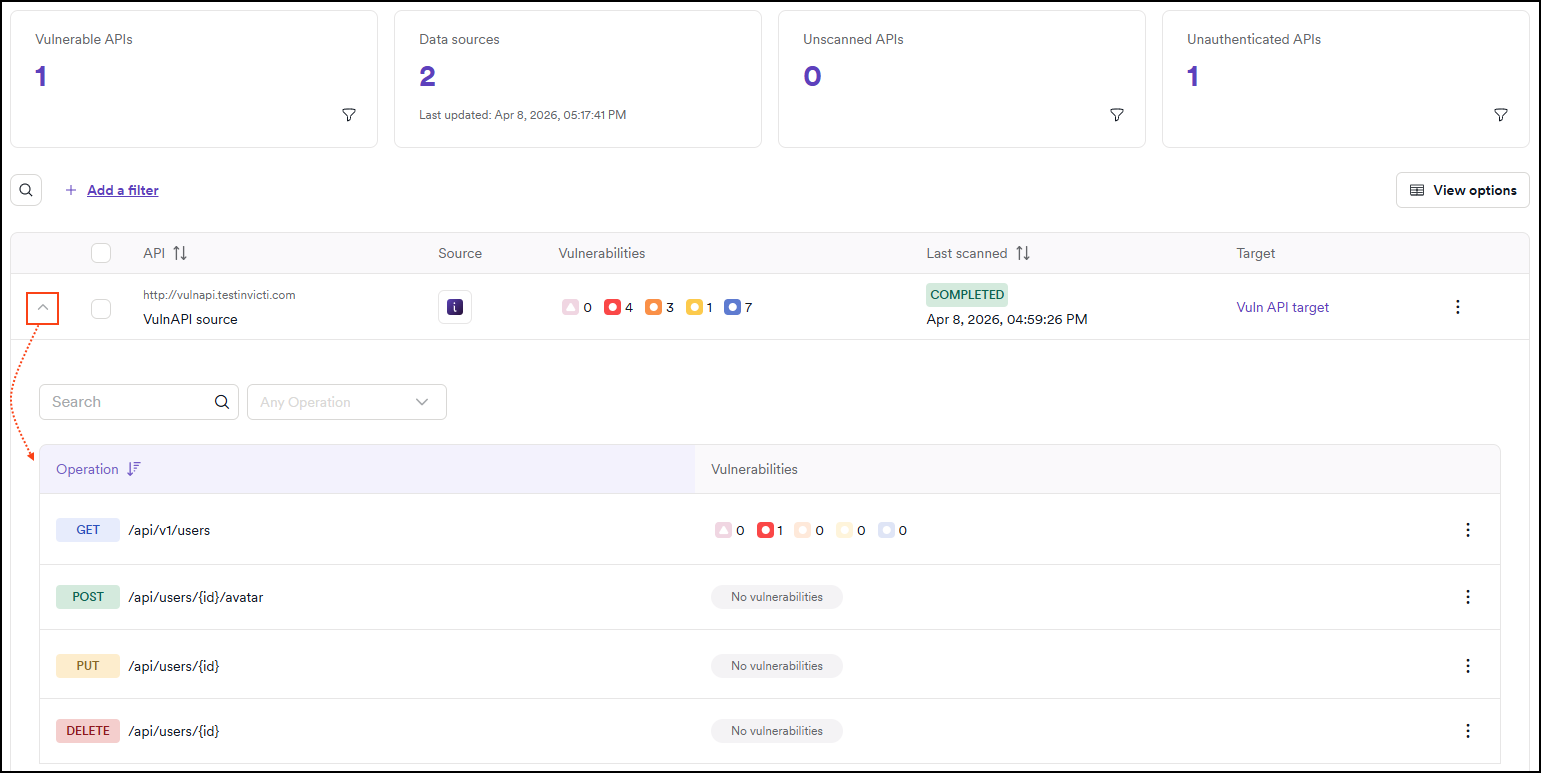
The API catalog table displays the following information for each API:
- API: the name/URL of each API.
- Source: how the API was discovered or imported (for example, via an integration, Invicti NTA, or API discovery).
- Vulnerabilities: the overall vulnerability count for the API (after it has been scanned) grouped by vulnerability severity.
- Last scanned: the date and time that the API was last scanned by Invicti.
- Target: whether the API is linked to a target for scanning capability.

Each row in the API catalog includes a three-dot (⋮) menu on the right. Selecting this menu opens additional actions you can perform on the selected API entry:
- Link/Unlink target: associate or disassociate the API definition with a specific scan target.
- Edit: modify the API's metadata such as name or description.
- Hide API: remove the API from the visible catalog without deleting it.
- Export CSV: export the API to a CSV file, with or without its operations.
- Delete API: permanently remove the API from the catalog.
- Scan target: initiate a vulnerability scan on the associated target. Clicking on the target name takes you to the Scan configure target.
- Add/Edit authorization: configure or update authentication settings required to scan the API securely.
To add an external integration, select Discovery > Configuration from the left-side menu and select API sources. To upload an API specification file, open the target in Inventory > Targets and select Scan configuration in the target's left navigation. For more information, refer to the Add new API source document. To generate an API specification from your application source code and upload it to Invicti Platform from your CI/CD pipeline, refer to the Invicti source scan document.
API endpoints
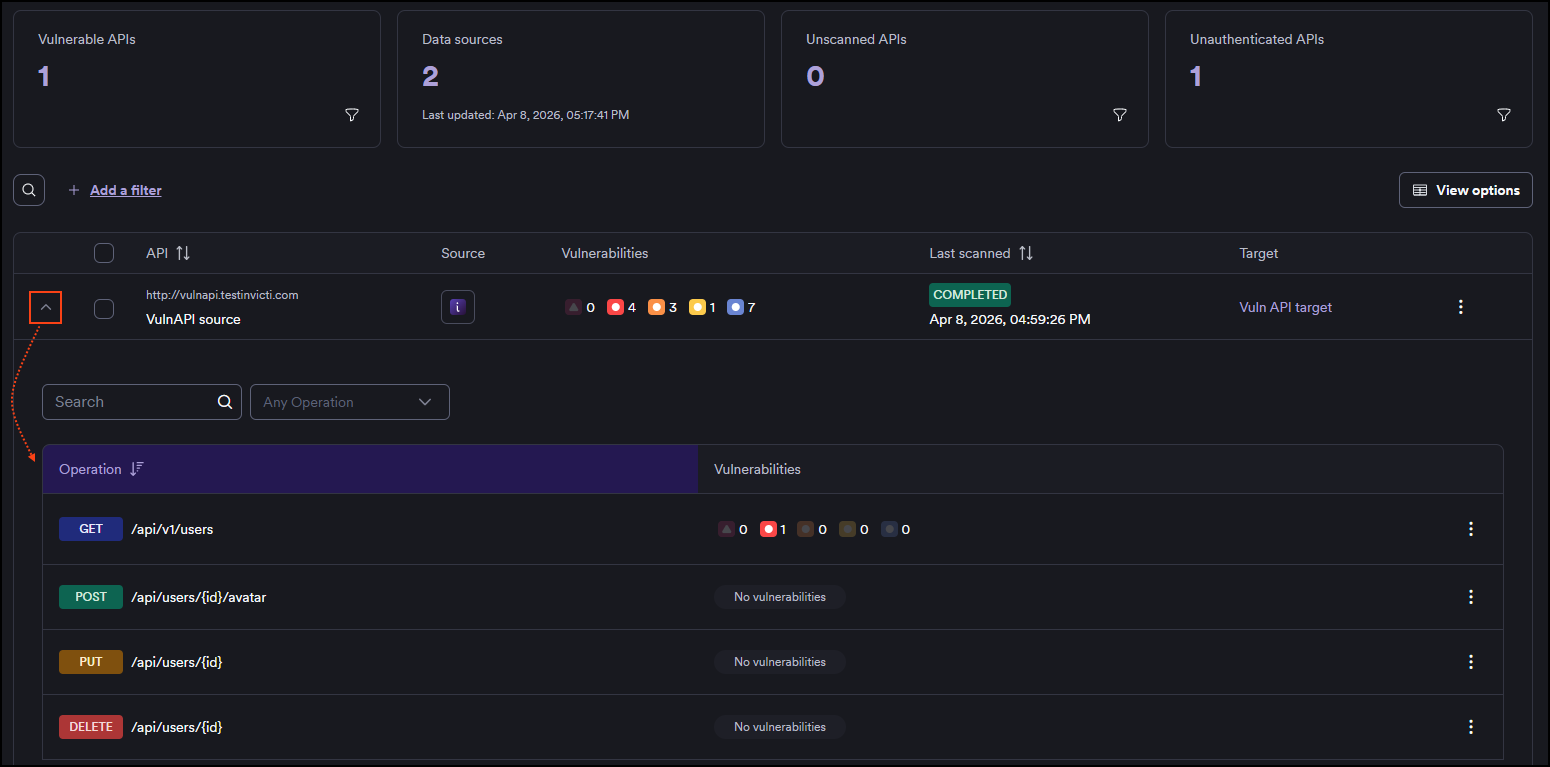
Each API listed in your API catalog can be expanded to show the individual endpoints it contains and their vulnerability count.
- Operation: the HTTP method and path for the endpoint (for example,
GET /api/administrator/products). - Vulnerabilities: the vulnerability count for each API endpoint (after it has been scanned), grouped by vulnerability severity. This provides quick insight into potential security risks for each endpoint. Endpoints with no detected vulnerabilities display No vulnerabilities.
- The three-dot (⋮) menu on the right gives the option to exclude from scan.
Operation details drawer
Click on any individual operation to open the operation details drawer. The drawer contains three tabs:
- Overview: general information about the operation.
- Sensitive data: parameters identified as carrying sensitive data, giving you a focused view for security assessment.
- Parameters: a full list of all parameters for the operation, including their name, type, location (path, query, header, or body), whether they are required, and their sensitive data classification.
For more information, see View and export API endpoints.
Bulk actions
Bulk actions allow you to manage multiple APIs at once. To use them, select one or more API using the checkboxes in the table, then choose an action from the Bulk Actions menu.
Available bulk actions include:
- Delete APIs: permanently delete the selected API. This action can't be undone.
- Export CSV: export the APIs to a CSV file, with or without their operations.
- Hide API: hide the APIs without deleting them.
View options
Click the View options menu to select or deselect table columns. This helps customize your view by showing only the information relevant to you.
You can also show/hide hidden APIs.
Filtering
You can refine the applications table using the Add a filter button.
Filtering options
Click Add a filter to narrow down the list of APIs based on specific criteria such as:
- Source
- Scan date
- Target
- Is vulnerable
For more information on advanced filtering options, please refer to the Filtering document.
API details drawer
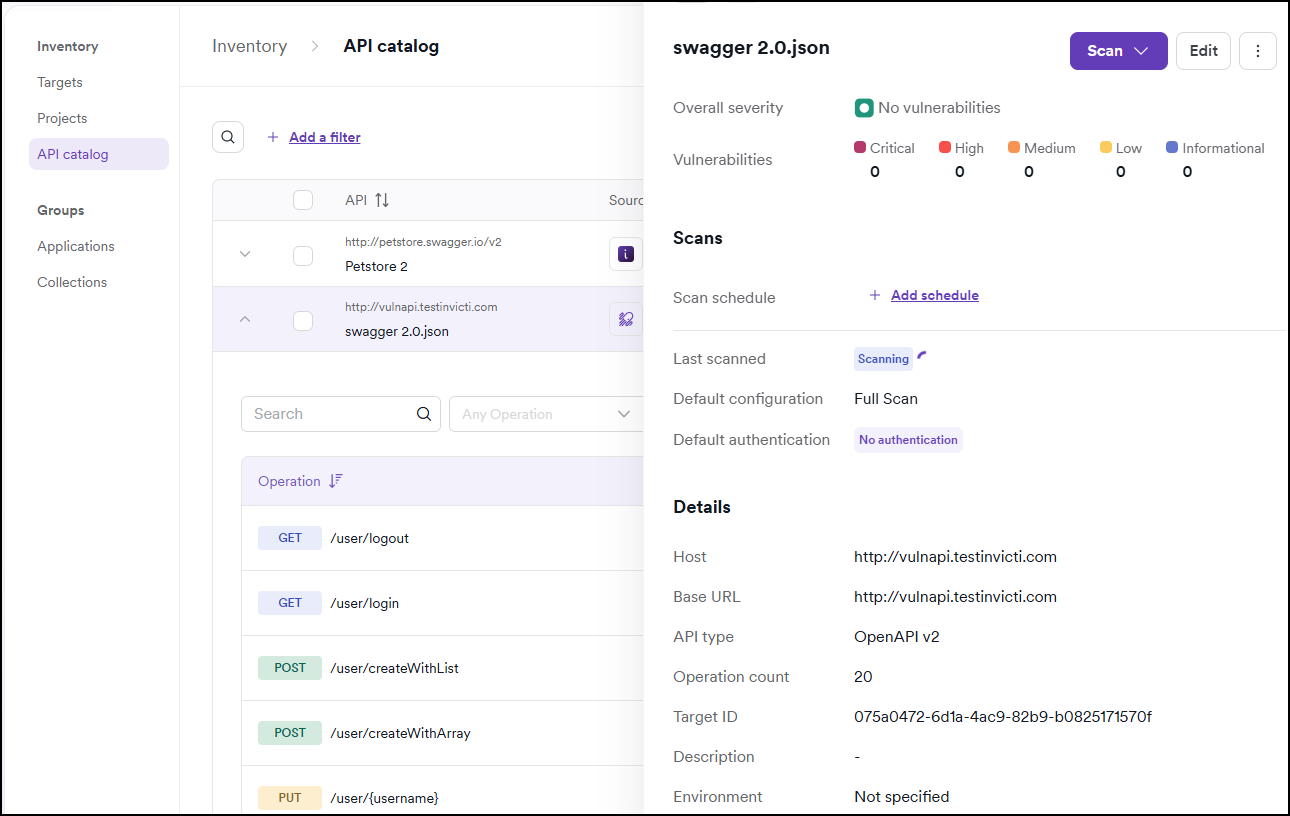
Click on any API in the catalog to open a detailed drawer view that provides comprehensive information about the API and its security posture.
Basic API information
The drawer displays the following general information about the API:
- API type: the type of API (REST, GraphQL, SOAP, gRPC, etc.)
- Authorization: whether authentication is required and if it has been configured
- Operations count: the total number of operations (endpoints) included in the API
- Location: the host where the API is deployed
- Base URL: the root URL for the API
- Tags: labels applied to the API for organization and filtering
- Comments: a section where you can add annotations and notes about the API
Security information
The drawer also provides security insights to help you quickly assess the API's security posture:
- Last scan: the date and time of the most recent scan, including whether authorization was used during the scan
- Newly discovered operations: recently found API operations that weren't present in previous scans
- Posture gaps: a list of identified vulnerabilities and security gaps found during scanning
- Shadow APIs: operations that were discovered but weren't documented in the original API specification
Quick actions
From the API details drawer, you can:
- Run a scan: initiate a vulnerability scan directly from the drawer
- Edit details: modify API information, tags, or comments
- Export reports and export to file: export files directly from the drawer
- View trend matrix: open the Trend Matrix for the target associated with this API to see how vulnerabilities have progressed across scans.
This comprehensive view allows you to assess an API's security status without navigating to multiple pages or diving into detailed scan results.
Need help?
The Support team is ready to provide you with technical help. Go to Help Center