Package: Invicti AppSec Enterprise (on-premise, on-demand)
CrowdStrike Infra
CrowdStrike Falcon Spotlight provides real-time vulnerability management for endpoints through the CrowdStrike cloud platform. In Invicti AppSec, the CrowdStrike Infra integration connects to your CrowdStrike account to import vulnerability findings from Spotlight reports into your projects.
Prerequisites
| Field | Description |
|---|---|
| Username | CrowdStrike API Client ID |
| Password | CrowdStrike API Client Secret |
Get API credentials (on CrowdStrike side)
- Log in to the CrowdStrike Falcon console.
- Navigate to Support & Resources > API Clients and Keys.
- Click Add new API client.
- Enter a name for the client and select the required scopes:
- Spotlight vulnerabilities: Read
- Click Add. Copy the Client ID and Client Secret immediately — the secret is shown only once.
Step 1: Navigate to Integrations
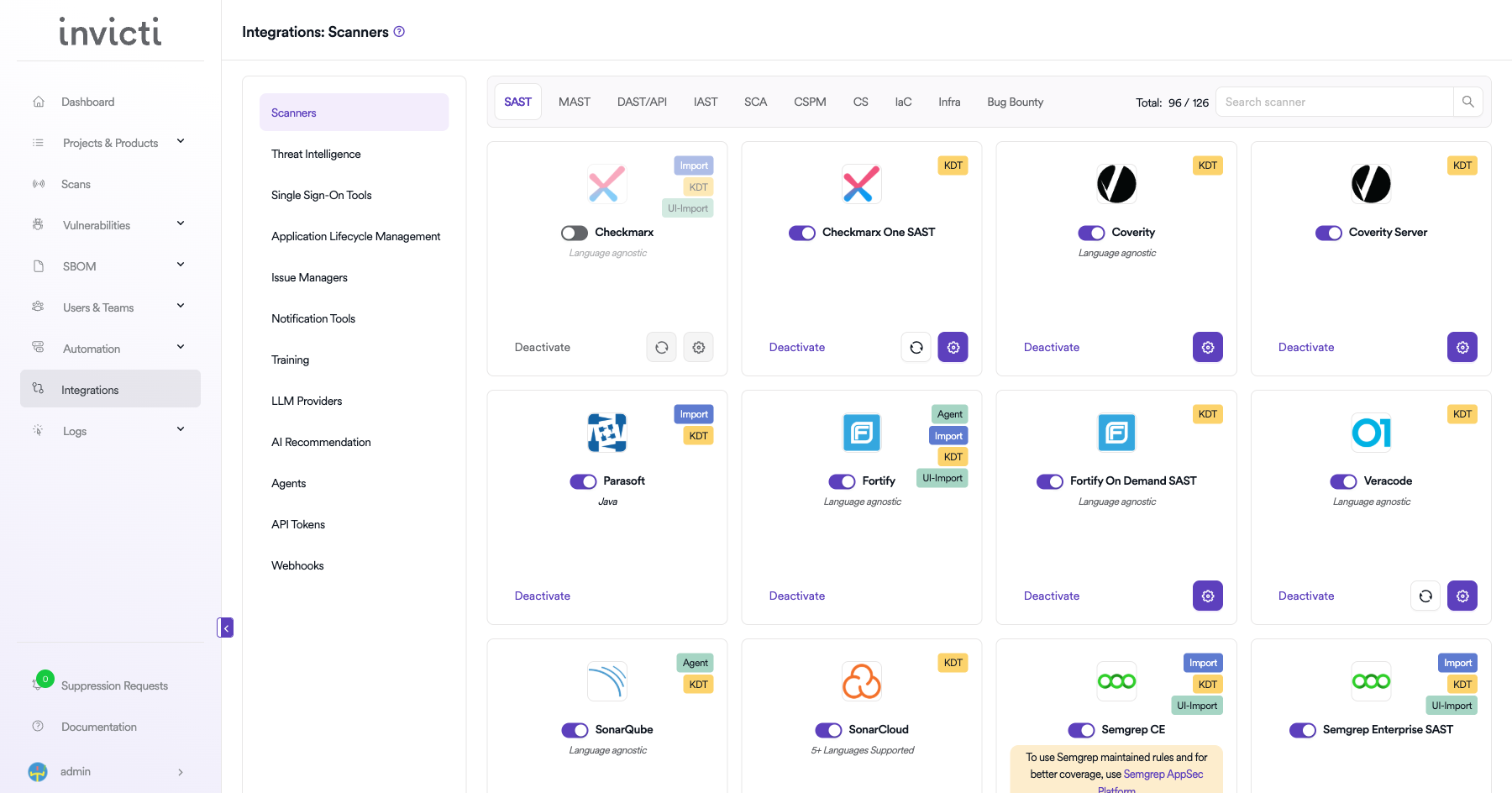
From the left sidebar menu, click Integrations.
Step 2: Select the Infra tab
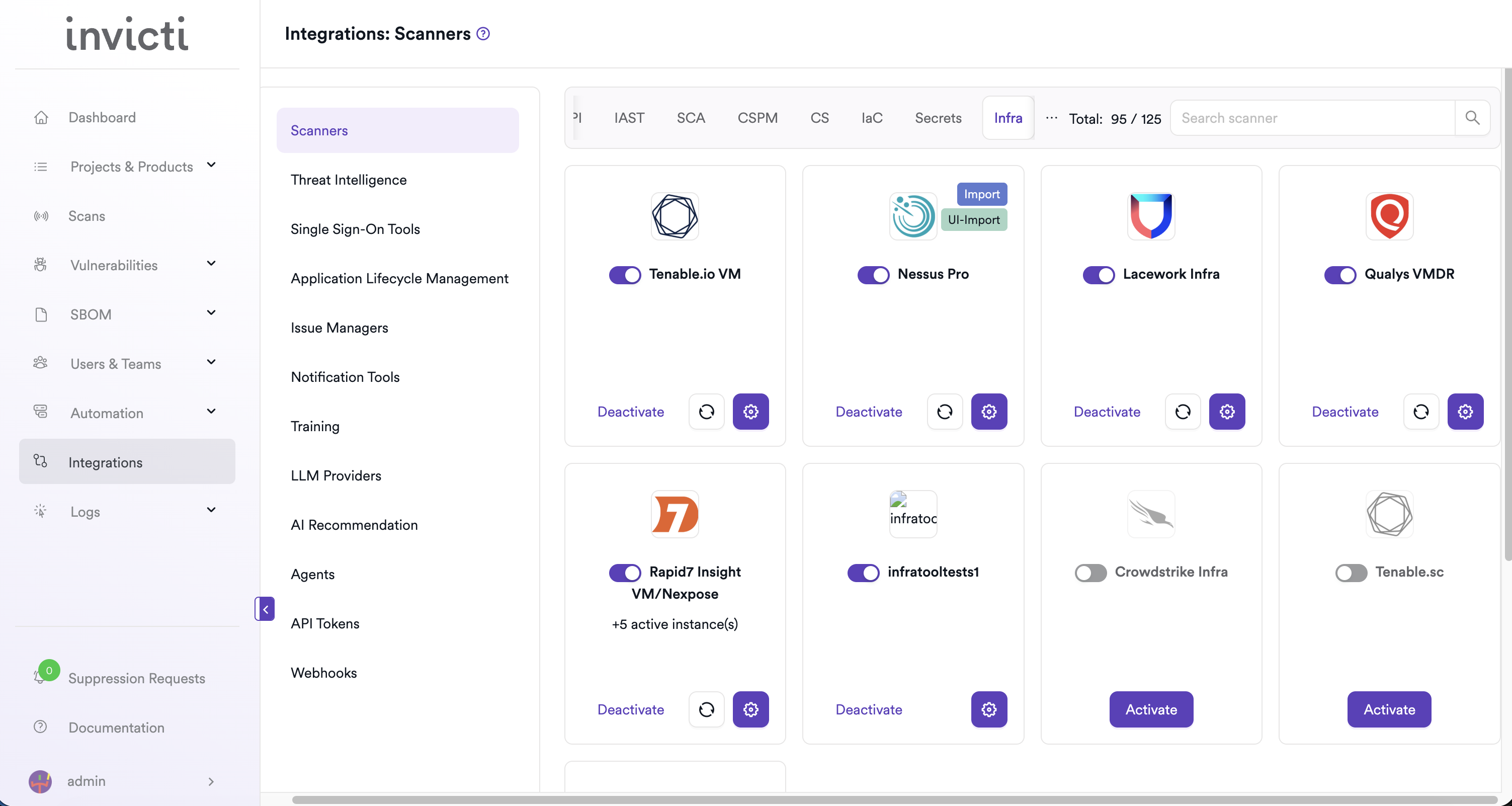
On the Integrations > Scanners page, click the Infra tab.
Step 3: Find and activate CrowdStrike Infra
Scroll through the list of Infra scanners to find Crowdstrike Infra.
- If CrowdStrike Infra is not activated, click Activate to enable the integration.
Step 4: Configure connection settings
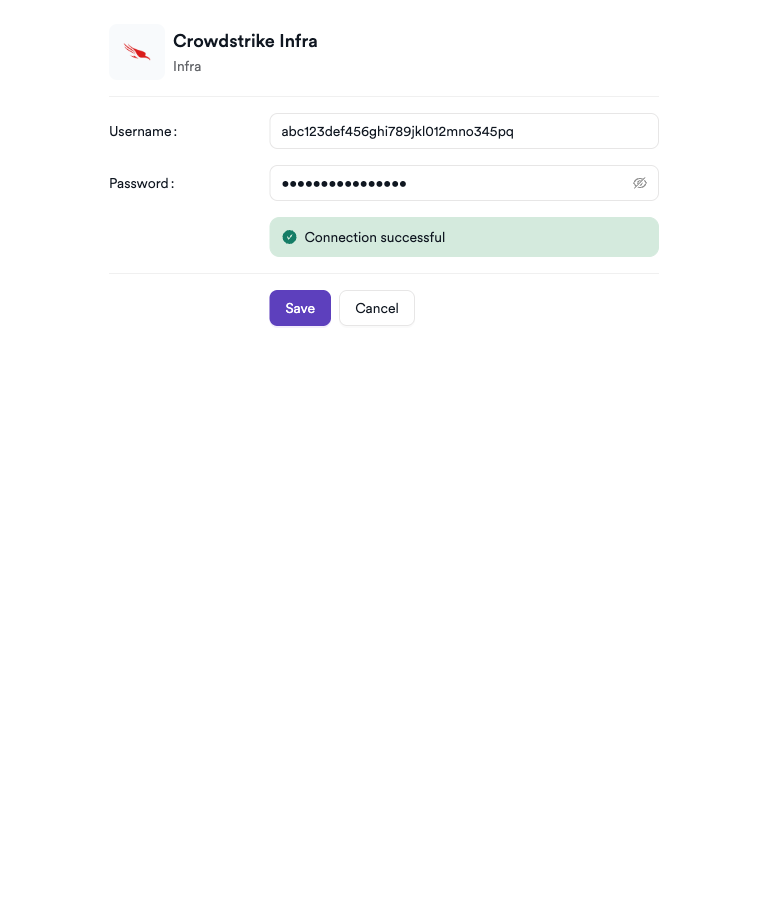
Click the gear icon on the CrowdStrike Infra card to open the settings panel. Fill in the required fields:
| Field | Description | Required |
|---|---|---|
| Username | CrowdStrike Falcon API Client ID | Yes |
| Password | CrowdStrike Falcon API Client Secret | Yes |
Step 5: Test the connection
Click Test Connection. A green Connection successful message confirms that Invicti AppSec can authenticate with the CrowdStrike Falcon API.
Summary
| Step | Action |
|---|---|
| 1 | Navigate to Integrations from the sidebar |
| 2 | Select the Infra tab |
| 3 | Activate CrowdStrike Infra |
| 4 | Enter Client ID (Username) and Client Secret (Password) |
| 5 | Test the connection |
Create a scan
Navigate to project scanners
- Open a project in Invicti AppSec.
- Go to Settings > Scanners.
- Click Add Scanner.
Add CrowdStrike Infra scanner
- Select Infra as the scanner type.
- Choose Crowdstrike Infra from the scanner list.
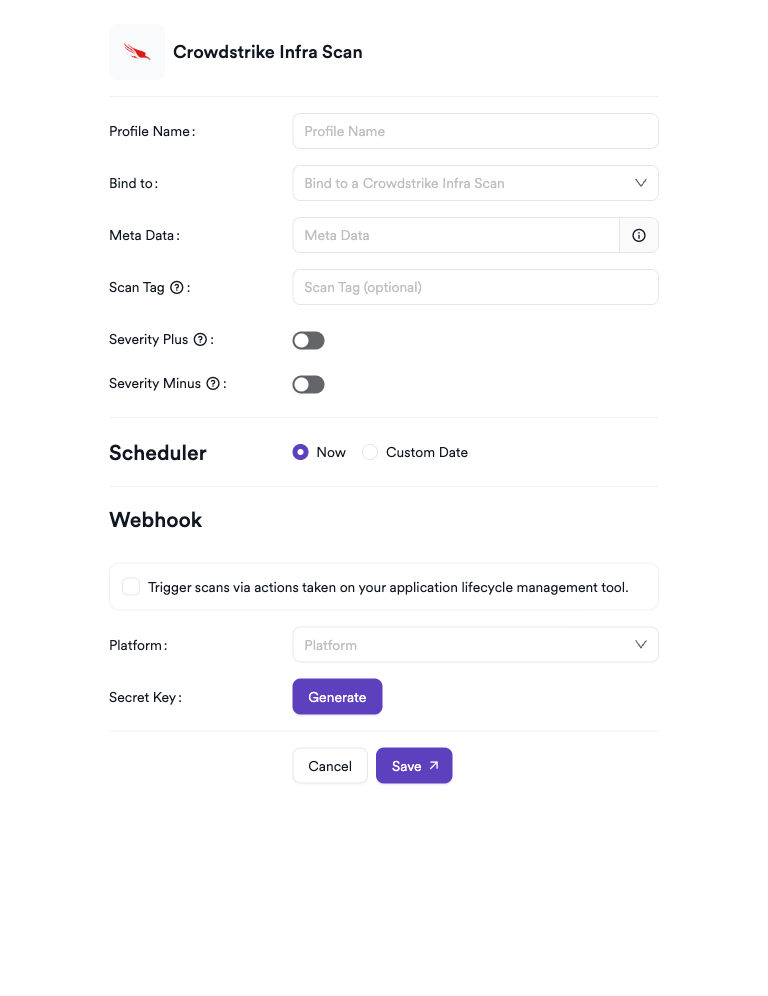
- Click Add to open the scan configuration drawer.
Scan configuration fields
| Field | Description | Required |
|---|---|---|
| Profile Name | a name to identify this scan configuration | Yes |
| Bind to | select the CrowdStrike Spotlight report to bind to | Yes |
| Meta Data | additional metadata to tag the scan | Yes |
| Scan Tag | free-text tag to identify or group scans | No |
| Severity+ | increase severity of imported findings by one level | No |
| Severity- | decrease severity of imported findings by one level | No |
Bind to links the Invicti AppSec project to a specific CrowdStrike Spotlight report. Vulnerability findings from that report are imported into the project. Severity+ and Severity- are mutually exclusive — only one can be enabled at a time.
Scheduler
Enable the Scheduler toggle to automatically run CrowdStrike Infra scans on a recurring schedule.
Webhook (optional)
Add a webhook URL to receive scan completion notifications.
KDT command
kdt scan -p <project_name> -t crowdstrikeinfra -b -
Troubleshooting
Connection fails
| Issue | Resolution |
|---|---|
| Invalid Client ID or Secret | verify the API credentials in the CrowdStrike Falcon console under Support & Resources > API Clients and Keys. |
| Insufficient permissions | ensure the API client has the Spotlight vulnerabilities: Read scope assigned. |
| Client Secret not available | the client secret is shown only at creation — create a new API client if the original wasn't saved. |
Scan issues
| Issue | Resolution |
|---|---|
| No reports available in Bind to dropdown | ensure Falcon Spotlight is enabled in your CrowdStrike subscription and that report data is available. |
| Scan shows no findings | the selected report may have no active vulnerabilities, or Falcon Spotlight may not have data for the associated hosts yet. |
| Scan not starting | verify the scanner is activated and the connection test passes in the integration settings. |
Best practices
- Use a dedicated API client for Invicti AppSec with only the Spotlight vulnerabilities: Read scope — don't grant broader permissions than necessary.
- Rotate the Client Secret periodically and update the integration settings in Invicti AppSec accordingly.
- Bind each Invicti AppSec project to the CrowdStrike report that covers its production endpoint fleet for accurate vulnerability data.
- Use the Scheduler to align scans with your endpoint detection cadence so findings always reflect the latest Spotlight state.
Limitations
- CrowdStrike Infra in Invicti AppSec imports vulnerability data from CrowdStrike Falcon Spotlight — it doesn't trigger new endpoint scans.
- Only reports accessible via the provided API client credentials are available for selection.
- Detection and response (EDR) alerts from CrowdStrike Falcon aren't surfaced in Invicti AppSec; only Spotlight vulnerability findings are imported.
- Requires an active CrowdStrike Falcon Spotlight subscription.
Need help?
Invicti Support team is ready to provide you with technical help. Go to Help Center