API source not showing APIs
After configuring your API target as a source in Invicti Enterprise, the API Inventory should show your APIs.
Here is an example source configured:
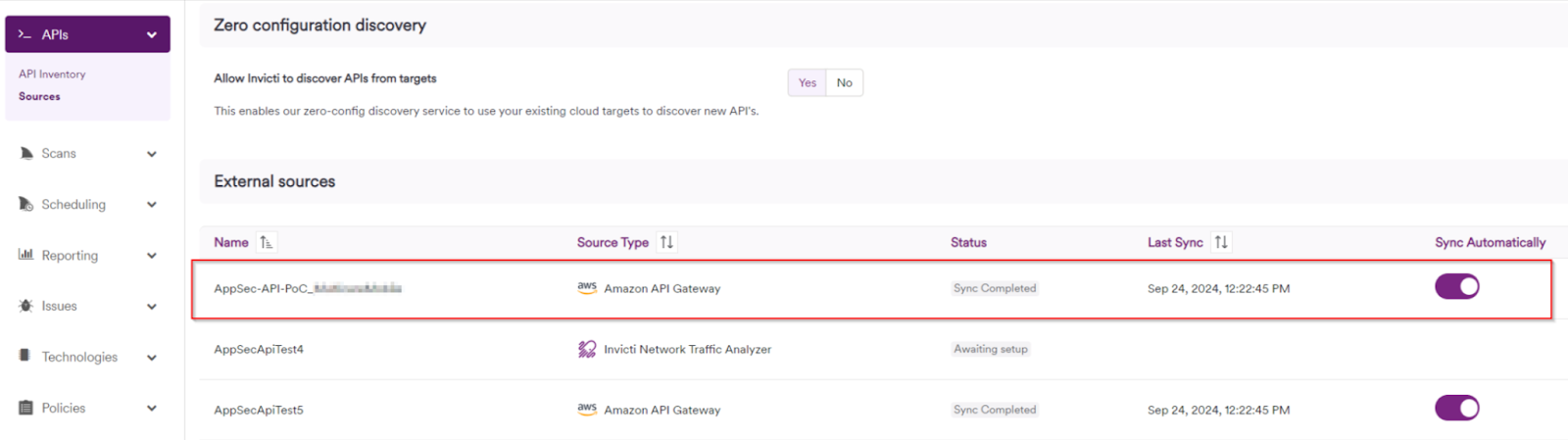
APIs not showing in your API Inventory
If no APIs show up in the API Inventory, like in the following screenshot:
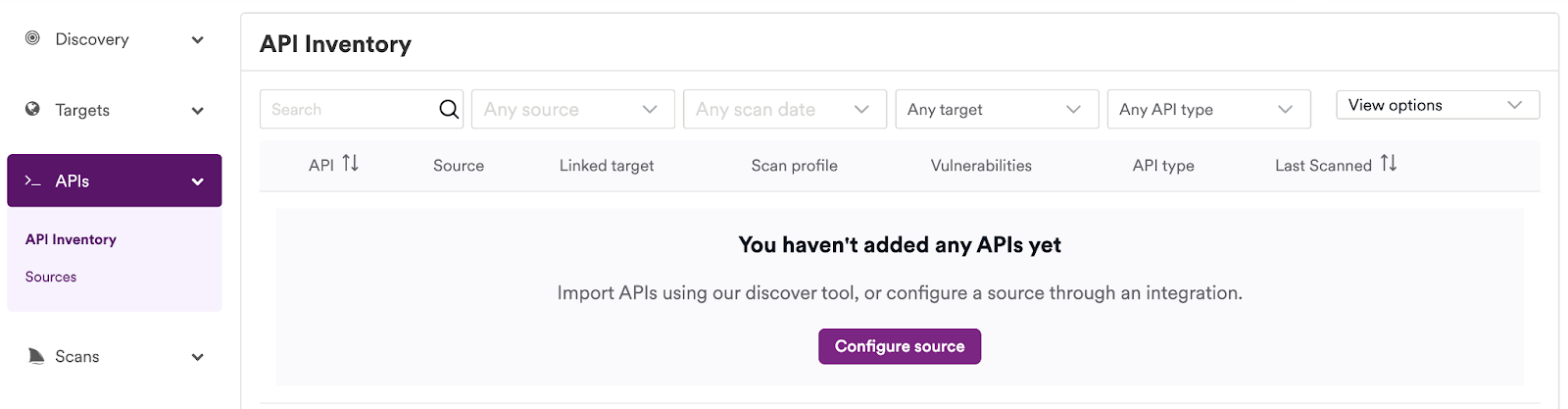
The root cause may be one of the following:
- Your API target doesn't contain any Swagger 2 or OpenAPI 3 specifications
- Your API target specifications may have syntax issues
- Your API target is RAML-based (RAML-based specifications are only usable with Mulesoft Anypoint Exchange)
- Your API target isn't reachable due to incorrect firewall settings
API source sync failure
If your API source fails to sync, like in the following screenshot:

The root cause might be:
- authentication issues
- network connectivity issues
- changes made to your API Discovery configuration
Resolution
For API Discovery to work, it is mandatory for the API specification to be present, in Swagger 2 or OpenAPI3 format. You can check syntax and/or formatting of your specifications with tools, such as this one: https://editor.swagger.io/.
You should also review your authentication credentials and/or parameters configured in your API source; if you made changes to the source configuration, this may also affect capability.
If your source requires an API key or client secret, you can also try to regenerate the key or secret and apply the new values to your source.
For instructions on how to configure your firewall with appropriate trustlist rules (to resolve network connectivity issues):
- Trustlist requirements for Invicti Enterprise on-demand - United States region
- Trustlist requirements for Invicti Enterprise on-demand - United States-2 region
- Trustlist requirements for Invicti Enterprise on-demand - EU region
- Trustlist requirements for Invicti Enterprise on-demand - CA region
- Trustlist requirements for Invicti Enterprise on-premises
Workarounds
You may be able to overcome some issues by manually exporting your API specifications from your API management platform, and importing them manually into Invicti Enterprise.
Need help?
Invicti Support team is ready to provide you with technical help. Go to Help Center