View and filter target groups
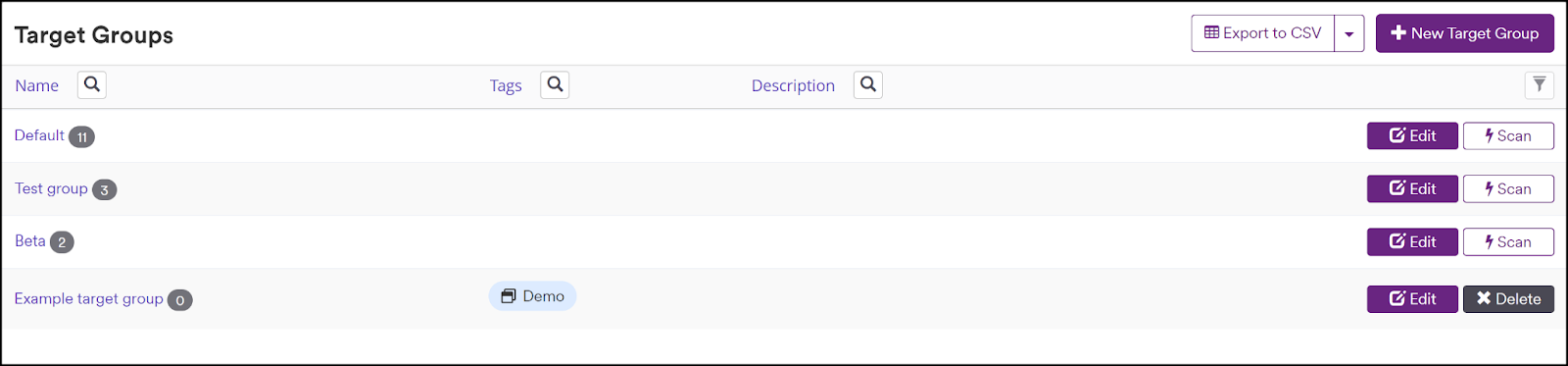
If you have a large number of Target Groups in Invicti Enterprise, it can be helpful to know how to filter to find the target group you are looking for more easily. This article explains how to view and filter the information available on the Target groups page.
Steps to view all target groups
- In Invicti Enterprise, select Targets then Manage groups from the left-side menu.
- All your target groups are now listed on the Target Groups page. From this page, you can edit, scan, or delete target groups. The number beside each target group indicates how many individual targets are assigned to the target group.
Steps to filter target groups
- Select Targets then Manage Groups from the left-side menu.
- Select the search icon next to any header column.
- Set your parameters using the Field, Operator, and Value fields.
- Click Apply.
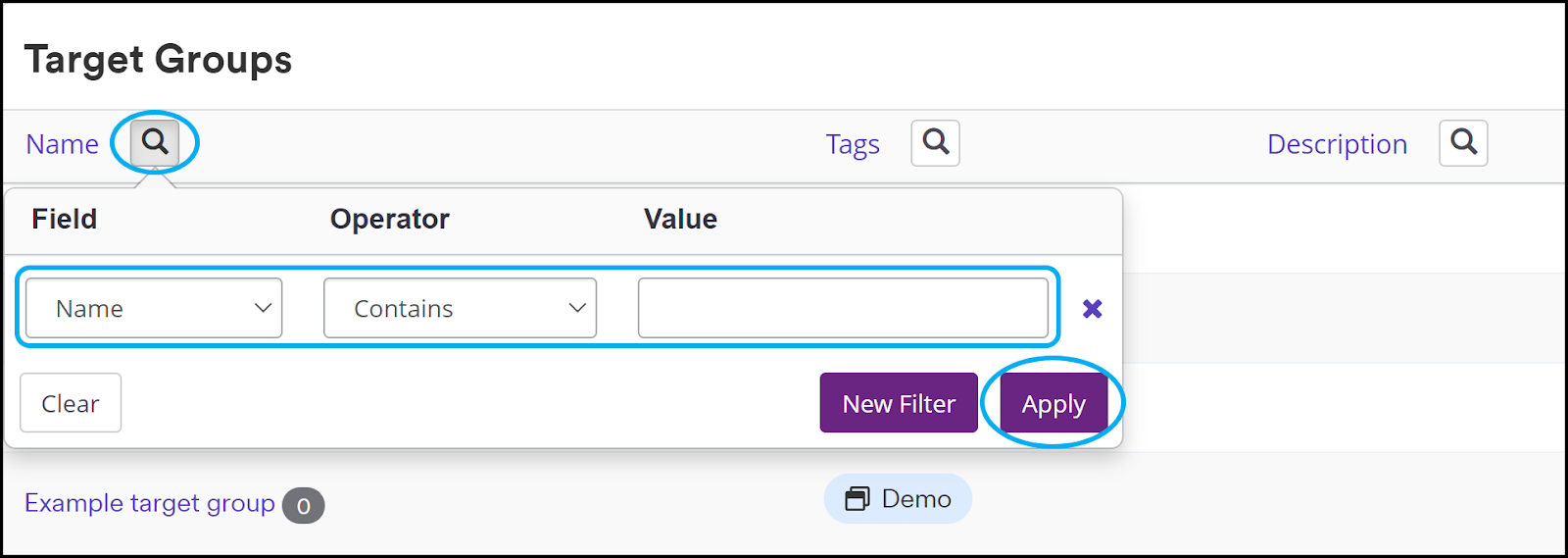
- The Target groups page now displays your target group information according to the filter you set.
tip
You can enter more than one filter at a time.
Filter operator options
| Operator | Description |
|---|---|
| Equal | This operator can be used for exact matching. For example, if you filtered by the Target URL http://www.example.com/, the filtered list of results would not also list http://api.example.com. |
| Not equal | This operator can be used to exclude some results based on exact matching. For example, if you filtered by the Target URL of http://www.example.com/, the filtered list of results would exclude scans for that target. |
| Contains | This operator can be used to include results if the filtered column contains the specified value. It doesn't matter where the value is. For example, you could filter for the word ‘production’ to show all results that contain this word. |
| Not contains | This operator can be used to exclude results if the filtered column doesn't contain the specified value. It doesn't matter where the value is. For example, you could filter for the word ‘production’ to show all results that don't contain this word. |
| Starts with | This operator can be used to filter for targets that begin with the specified value. For example, you could filter for target fields that begin with the https:// scheme. |
| Ends with | This operator can be used to filter for targets that end with the specified value. For example, you could filter for Target Name fields ending with Staging. |
Need help?
Invicti Support team is ready to provide you with technical help. Go to Help Center
Was this page useful?