Scan cache
Each target you add is by default configured to accumulate information about the target, such as URLs, vulnerabilities, and other relevant information. This data is stored in a scan cache for the target.
For each subsequent scan against the target, Invicti Platform makes use of the target's scan cache to give a head start to the scanner - for example, by providing a list of URLs that have been discovered in previous scans. This makes scans go slightly faster and improves the accuracy of the scanner over time as it collects "knowledge" about the web application, especially in the case of targets which use paths that aren't reachable in a predictable or consistent manner.
Turn off the scan cache
You can turn off the scan cache for future scans if you want the scanner to follow only the URLs that the crawler can reach during the current scan.
When you re-enable the scan cache, future scans will again use any data collected in previous scans.
To turn off the scan cache for a target:
- Select Inventory > Targets from the left-side menu.
- Locate the target you want to configure, select the three-dot menu (⋮) > Edit target.
- Click Advanced to navigate to the section.
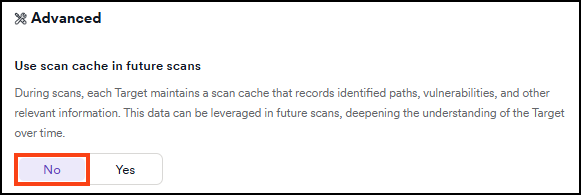
- Locate the Use scan cache in future scans setting and toggle it to No.
- Click Save at the bottom of the page.
Delete the scan cache
This removes any scan data held and can result in longer scan times in the short term.
To delete all scan cache data for a target:
- Select Inventory > Targets from the left-side menu.
- Locate the target you want to configure, select the three-dot menu (⋮) > Edit target.
- Click Advanced to navigate to the section.
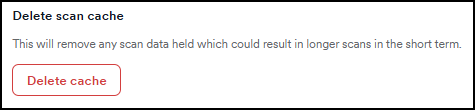
- Click Delete cache.
Need help?
Invicti Support team is ready to provide you with technical help. Go to Help Center