availability
Package: Invicti API Security Standalone or Bundle
Access requirements: access to API Security in Invicti Platform requires either an Administrator, Owner, Security Analyst, Security Manager role, or a custom role with the API Security permission.
View discovered API endpoints
Expand any discovered API to view its individual endpoints and inspect the available operations.
Steps to view discovered API endpoints
To view the endpoints of an API spec in your API Discovery follow these steps:
- Select Discovery > API discovery from the left-side menu.
- Locate the API you want to explore and, using the down arrow next to an API, expand the endpoints and operations list.

Steps to export discovered API endpoints
To view the endpoints of an API spec in an external application follow these steps:
- Select Discovery > API discovery from the left-side menu.
- Locate the APIs you want to explore and enable the checkboxes.
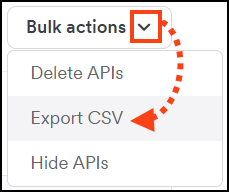
- Click Bulk actions at the top right and select Export CSV.
- In the Export to CSV dialog choose whether to include list of operations or just the high-level list of APIs.
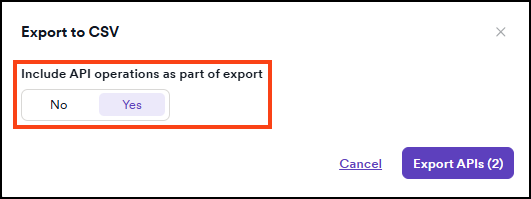
- Click Export APIs to begin the download.
Need help?
Invicti Support team is ready to provide you with technical help. Go to Help Center
Was this page useful?