Package: Invicti AppSec Core (on-demand)
General settings
The General settings page controls how Invicti AppSec Core matches discovered domains against the targets in your account. By adjusting the domain matching options here, you can broaden or narrow the set of domains that Website discovery surfaces for you.
This document explains what domain matching is, what each toggle controls, and how to configure these options.
Why this matters
Website discovery relies on matching logic to decide which domains are likely associated with your organization. If the matching criteria are too broad, you may see a high volume of irrelevant results. If they're too narrow, you may miss assets that genuinely belong to you.
The four toggles on this page let you control exactly which signals Invicti AppSec uses when matching domains to your targets. Disabling a toggle removes that signal from the matching process, which reduces the number of domains surfaced from that source. Enabling all four gives you the widest possible coverage.
Domain matching
Domain matching is the mechanism Website discovery uses to associate discovered domains with your organization. Invicti AppSec evaluates each discovered domain against the criteria you enable here, and only surfaces domains that match at least one active criterion.
By default, all four matching options are enabled. You can disable any option that isn't relevant to your organization.
Configure domain matching options
- Select Discovery > Website configuration > General settings from the left-side menu.
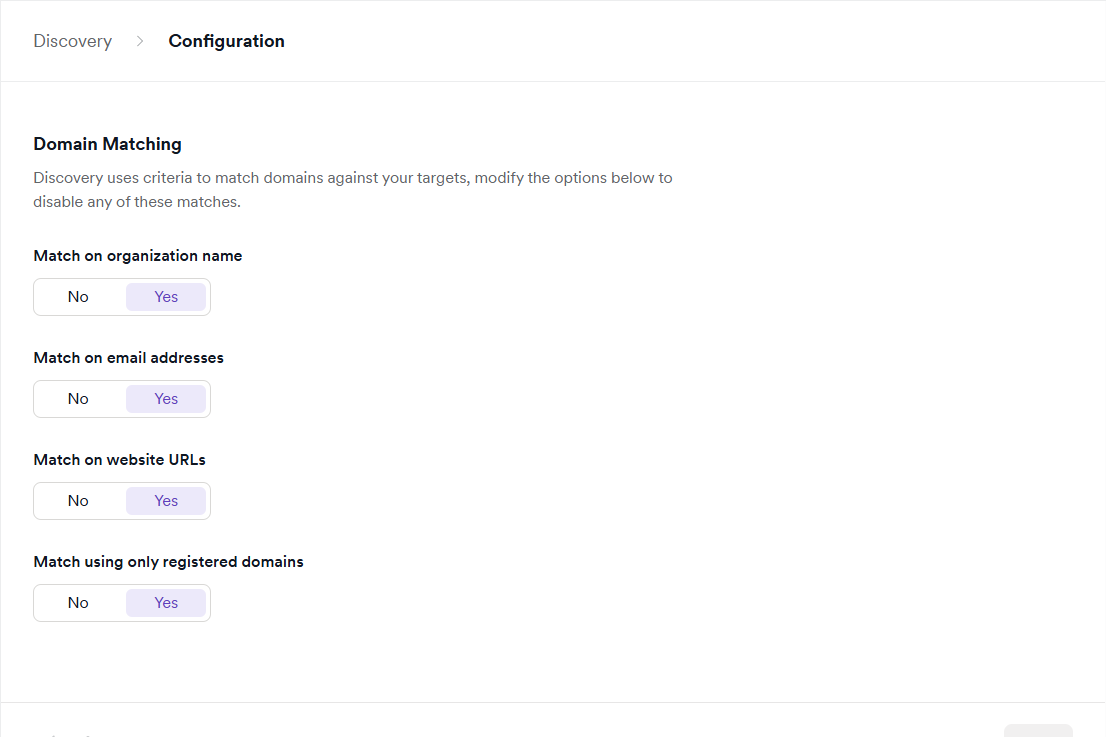
- Under Domain matching, review the available toggles:
- Match on organization name - matches discovered domains against the organization name associated with your targets. Enable this to surface domains that share a name with your registered organization.
- Match on email addresses - matches discovered domains against email addresses linked to your targets. Enable this to surface domains associated with contact emails on your target records.
- Match on website URLs - matches discovered domains against the website URLs of your targets. Enable this to surface domains that are related to URLs you've already added as targets.
- Match using only registered domains - restricts matching to registered domains only, ignoring subdomains and other variations. Enable this to reduce noise from subdomains that may not belong to your organization.
- Click the toggle next to any option to enable or disable it.
Changes to domain matching settings trigger a refresh of the discovery list. Updates can take up to approximately one hour to appear. For more information, refer to the Introduction to Website discovery document.
Need help?
Invicti Support team is ready to provide you with technical help. Go to Help Center