Scanning single-tab targets with Invicti Standard
If a target website does not maintain sessions via cookies or local storage, users will be required to log in again when opening the site in a new tab.
Invicti Standard accelerates scans by running multiple sessions or threads to crawl targets and execute attacks.
If your site does not support multi-tab sessions, the scanner may encounter authentication failures, resulting in errors or inconsistent results.
This document explains how to amend the configuration settings to simulate single-tab browser behaviour during a scan in Invicti Standard.
How to enable single-tab scanning
Follow the instructions below to enable single-tab target scanning:
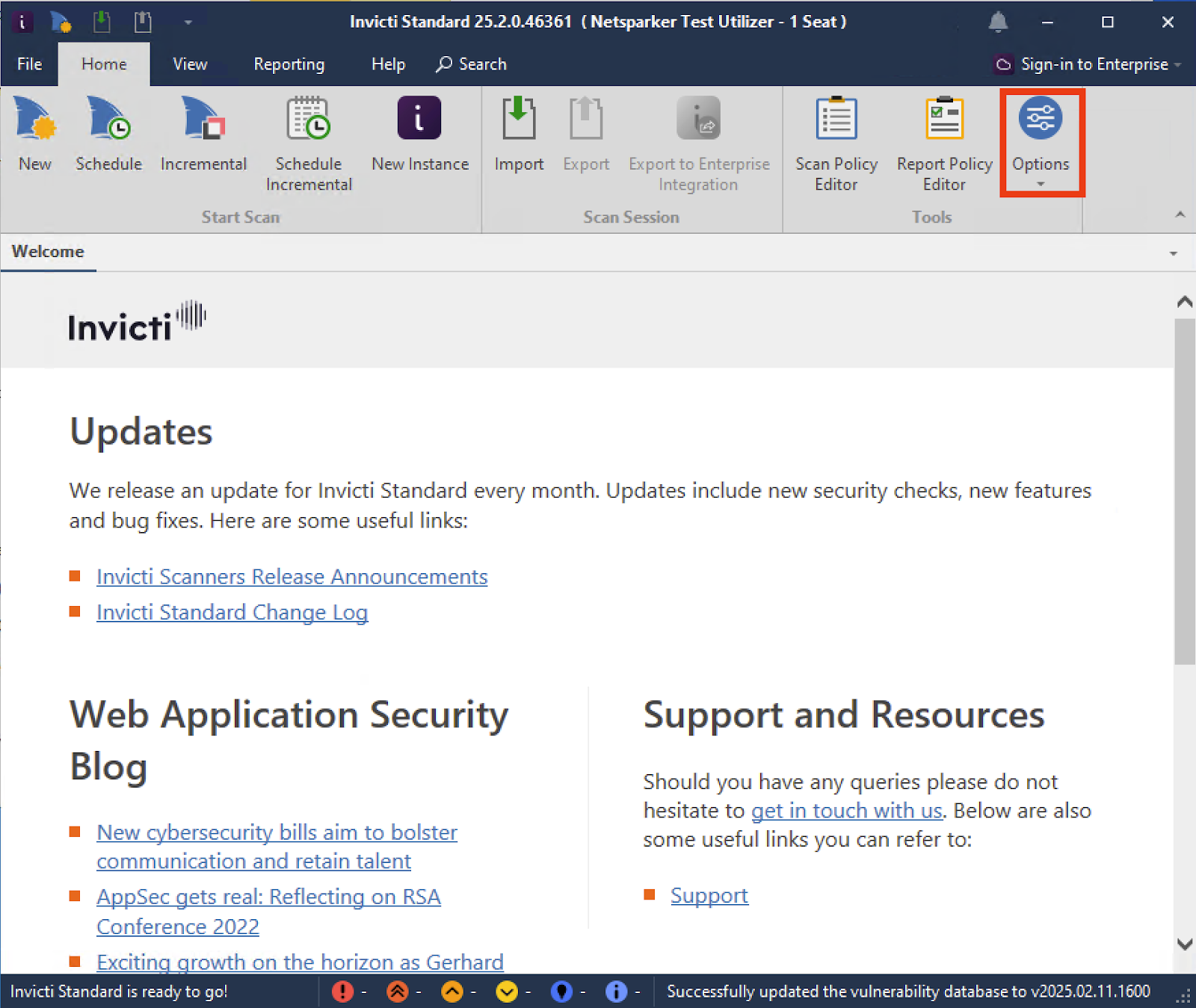
- Hold Left-CTRL and click the Options button
- Select the Advanced tab in the sidebar, scroll down to the RunSimulationInSingleTab option, and set the value to True
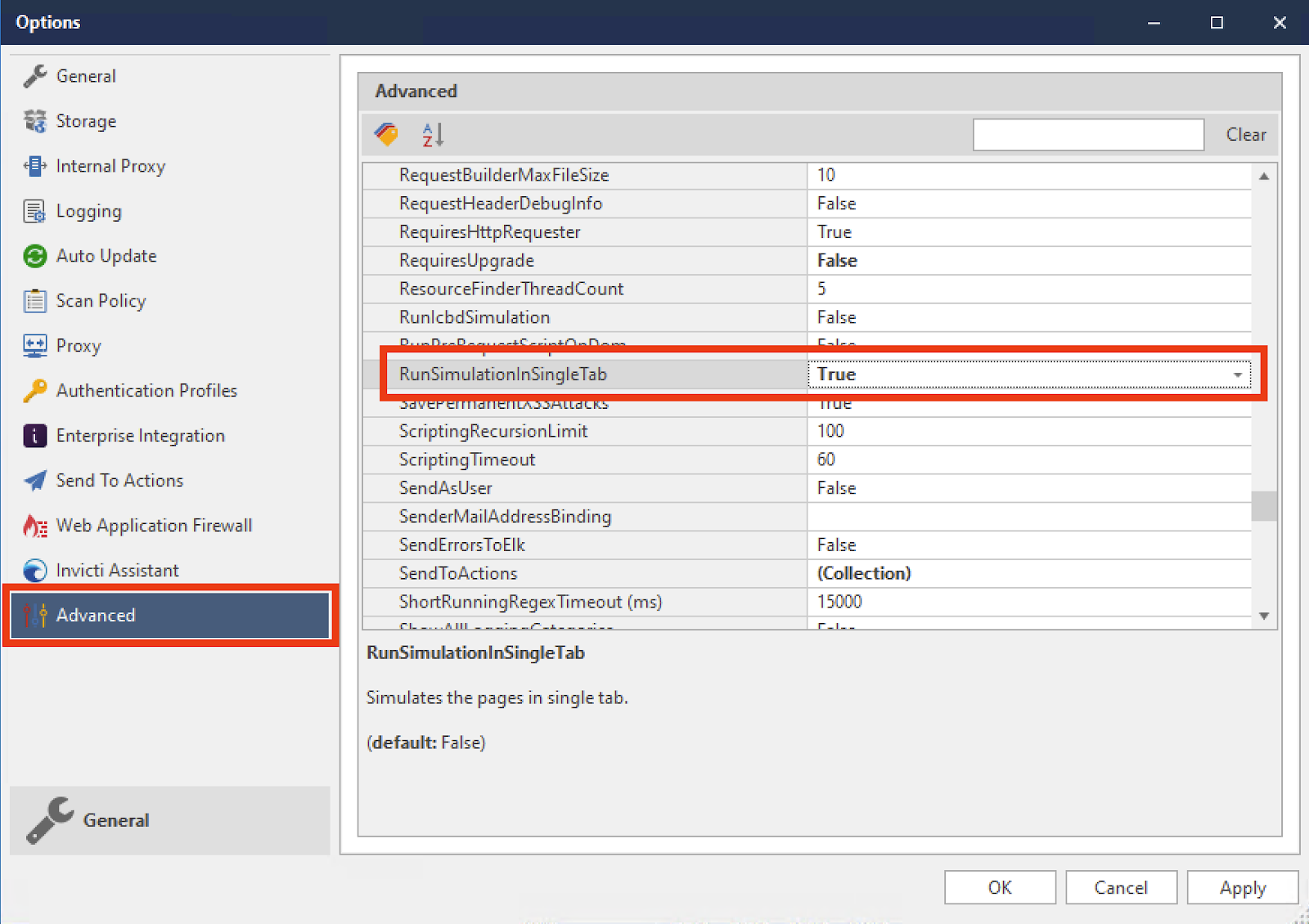
- Click Apply to store the settings
Keep in mind that this is a system-wide setting; use it with caution.
Need help?
Invicti Support team is ready to provide you with technical help. Go to Help Center