Viewing the Crawling Performance Node in Invicti Enterprise
This document describes how to view the Crawling Performance node in Invicti Enterprise.
For more information about the Crawling Performance node and a list of sources Invicti Enterprise uses to calculate the number of links, see our Crawling Performance documentation.
How to View the Crawling Performance Node in Invicti Enterprise
- In Invicti Enterprise, select Scans > Recent Scans from the left-side menu.
- Next to the relevant website, click Report.
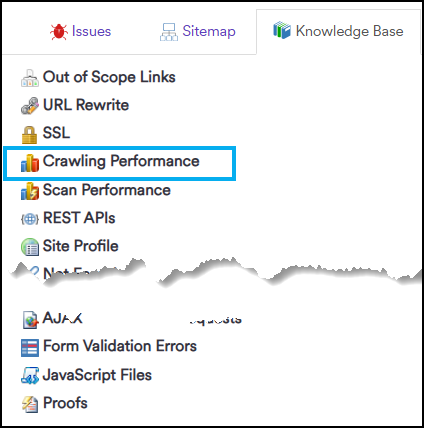
- From the Technical Report section, click the Knowledge Base tab.

- Click Crawling Performance.
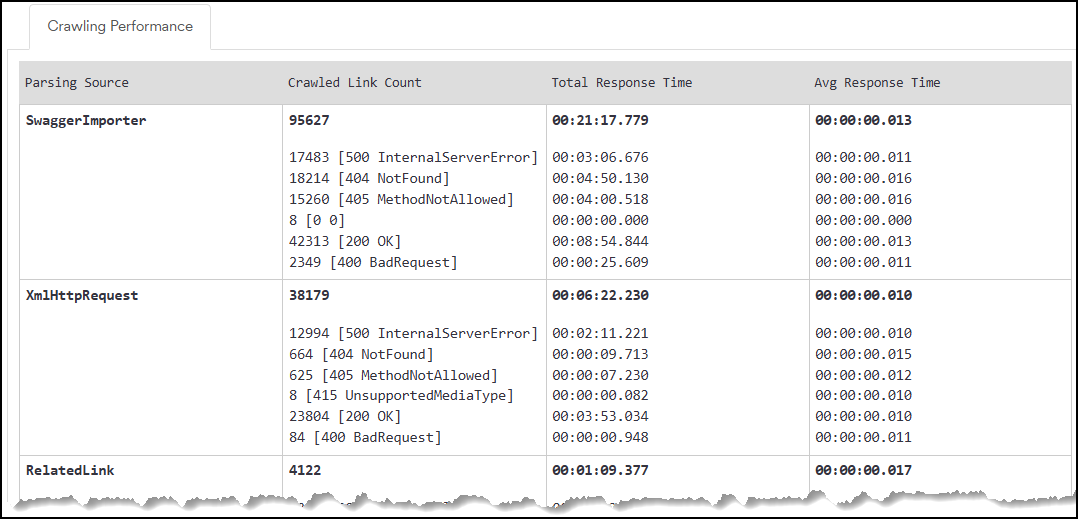
- The Crawling Performance report is displayed on the right.
Need help?
Invicti Support team is ready to provide you with technical help. Go to Help Center
Was this page useful?