Viewing the Crawling Performance Node in Invicti Standard
This document describes how to view the Crawling performance node in Invicti Standard. For more information about the Crawling performance node and a list of sources Invicti Standard uses to calculate the number of links, see our Crawling performance documentation.
How to View the Crawling Performance Node in Invicti Standard
- In Invicti Standard, start a new scan or open any previous scan.
- The Knowledge base is displayed on the right of the Scan summary dashboard.
note
If the Crawling performance node is hidden, you can make it visible again by selecting the Knowledge base icon on the View tab in the ribbon. Alternatively, click the Reset Layout icon on the View tab, then close the Activity, Progress, and Logs panes to maximize the viewing area.
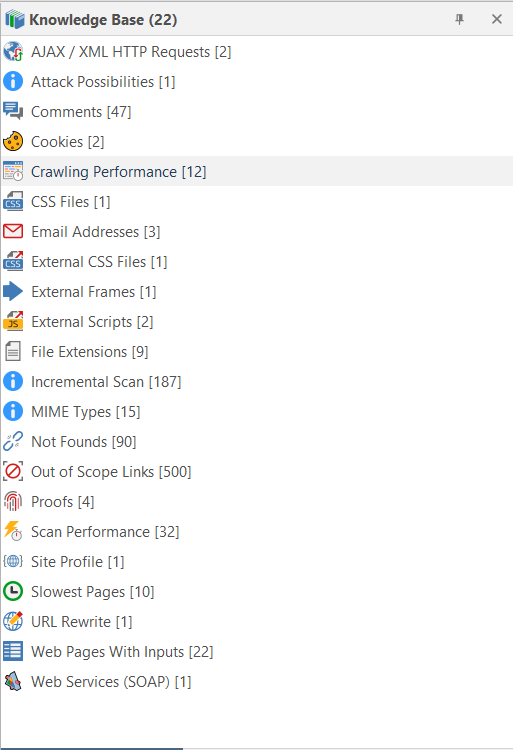
- Ensure that the Knowledge Base Viewer is also displayed. (If it is hidden, you can display it again using the Knowledge Base Viewer button on the View tab. You may also want to close the Activity/Progress/Logs panes.)
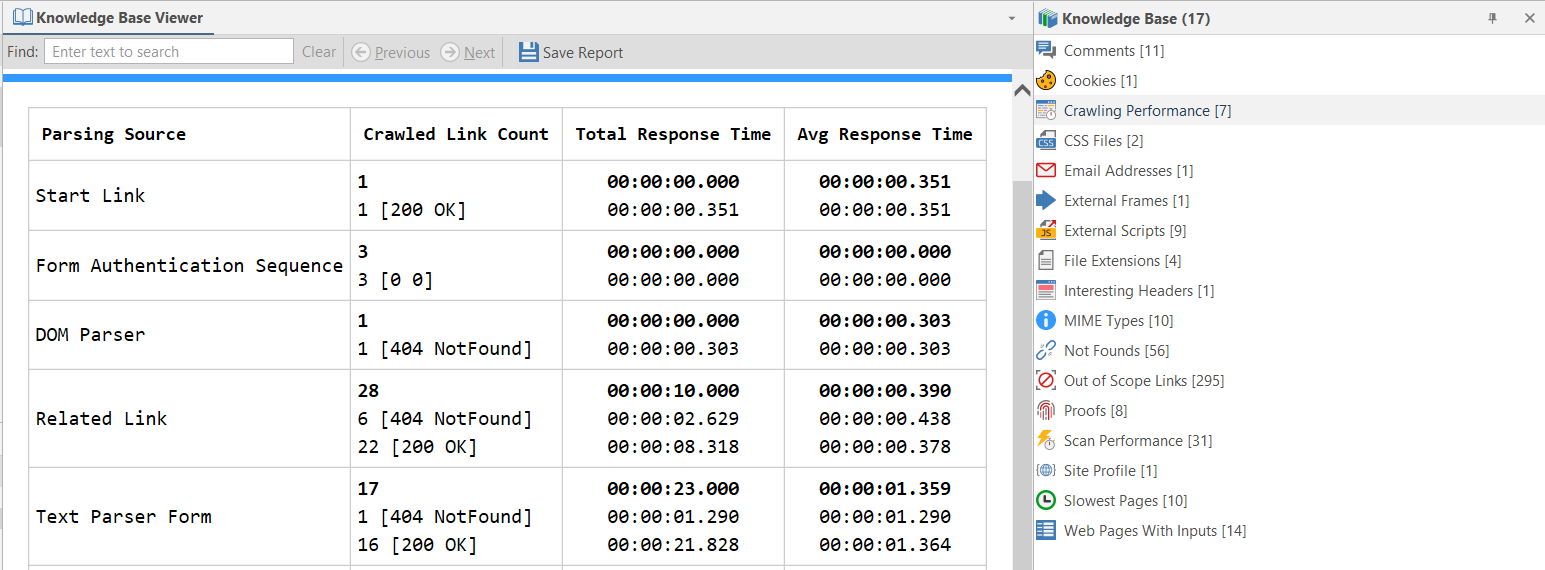
- Click the Crawling Performance node in the Knowledge Base. All detected Crawling Performance information is displayed in the Knowledge Base Viewer.
Need help?
Invicti Support team is ready to provide you with technical help. Go to Help Center
Was this page useful?