Assign a vulnerability to a user
Assign a vulnerability to a specific user to indicate who is responsible for resolving it.
Steps to assign a vulnerability
- Select Vulnerabilities from the left-side menu.
- Find the vulnerability to assign.
- Open its detail view.
- In the detail drawer, click Add assignee and optionally, Add comment.
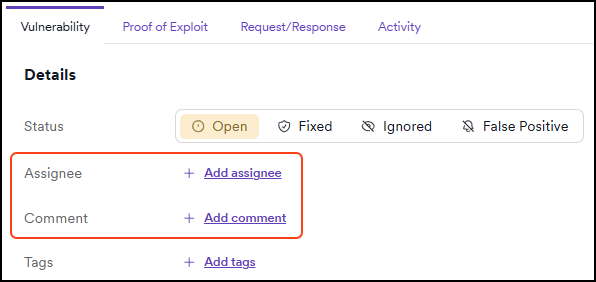
- In the dialog, type the assignee's name, select the user, and click Save changes.
- The vulnerability is now assigned to the selected user. The assignee is visible on the Vulnerabilities page in the Assignee column. If the column is not visible, click the Columns button and add it.
Things to keep in mind
- The Activity tab shows the previous assignment and that the user is now None.
- You must manually reassign vulnerabilities when users are reactivated or re-added.
Need help?
Invicti Support team is ready to provide you with technical help. Go to Help Center
Was this page useful?