Review and report
Deployment: Invicti Platform on-demand, Invicti Platform on-premises
This is part 4 of 4 in the API scanning workflows series.
Previous: Launch
This document explains how to analyze completed scan results, investigate individual vulnerabilities, and generate detailed security reports using the Invicti Platform API.
Prerequisites
Before following this document, ensure you have completed:
- Get started - API key and testing tools
- Configure - Target creation and configuration
- Launch - Completed scan execution
Step 1: Review scan activity (optional)
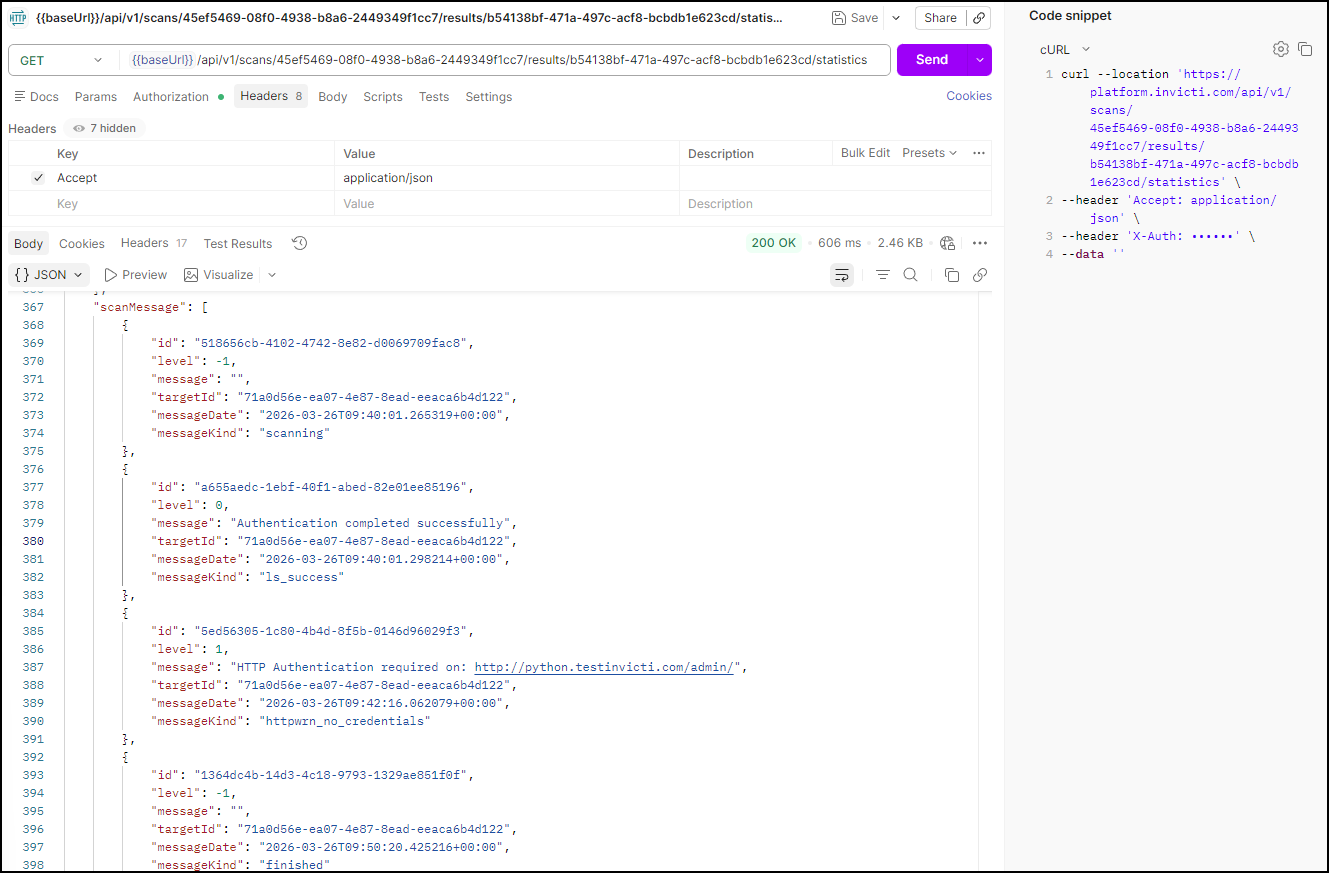
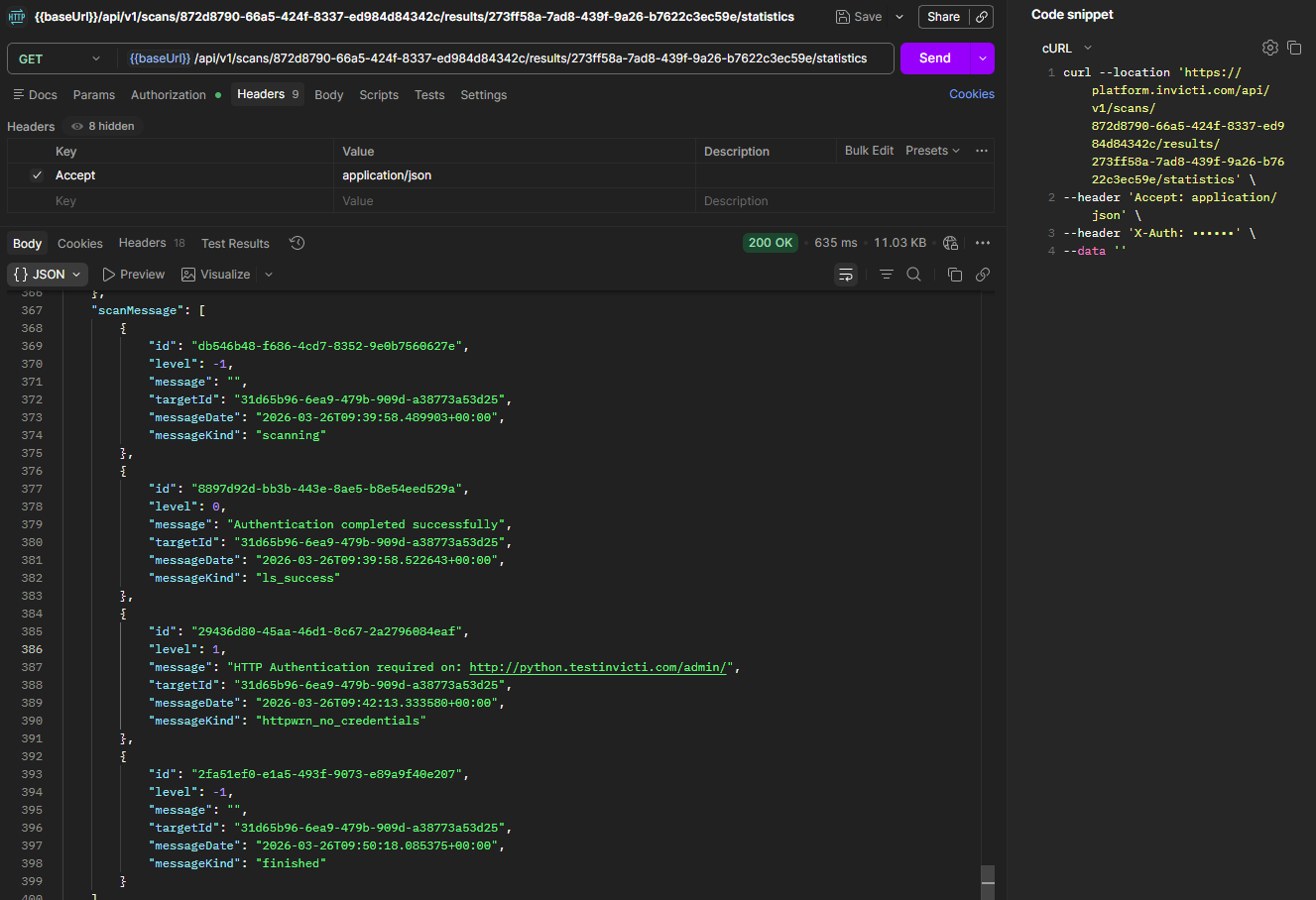
This step retrieves the scan activity log - the same messages shown in the UI during scanning. For a completed scan, most messages are informational (scan started, scan finished). The main reason to run this request is to investigate warnings such as authentication issues encountered during the scan. If you're not debugging scan behavior, you can skip to Step 2.
Run this request to review scan statistics and activity
Using the DAST API, retrieve scan statistics using the scan_id and scan_session_id from your completed scan:
GET <base-url>/api/v1/scans/<your-scan-id>/results/<your-scan-session-id>/statistics
Headers:
  accept: application/json
  X-Auth: <your-api-token>
| Placeholder | Required | Description | Example |
|---|---|---|---|
<base-url> | Yes | Your regional platform URL. Refer to Platform URLs | https://platform.invicti.com |
<your-api-token> | Yes | Your API key from User settings | a1b2c3d4-e5f6-... |
<your-scan-id> | Yes | The scan ID from the Launch workflow | cda0f3cf-5a2d-41eb-a9fb-5fa661167fd9 |
<your-scan-session-id> | Yes | The scan session ID from the Launch workflow | d54012e4-9a9e-4b18-8cd7-f48bb7206225 |
Expected response: HTTP 200 with scan activity data. The scanMessage array contains the same scan activity data you see in the UI.
{
  "scanMessage": [
    {
      "id": "28370a1d-b0b2-47b6-93e2-e4a4cf72f192",
      "level": -1,
      "message": "",
      "targetId": "2df49409-ee21-4080-9640-eb46f4610054",
      "messageDate": "2026-03-17T12:50:41.325829+00:00",
      "messageKind": "scanning"
    },
    {
      "id": "ea4568b9-874f-45c6-897a-0929e4877a12",
      "level": 1,
      "message": "HTTP Authentication required on: http://python.testinvicti.com/admin/",
      "targetId": "2df49409-ee21-4080-9640-eb46f4610054",
      "messageDate": "2026-03-17T12:52:50.301137+00:00",
      "messageKind": "httpwrn_no_credentials"
    },
    {
      "id": "4c2cca47-f42b-40f1-9b41-955c623a8441",
      "level": -1,
      "message": "",
      "targetId": "2df49409-ee21-4080-9640-eb46f4610054",
      "messageDate": "2026-03-17T12:57:38.650641+00:00",
      "messageKind": "finished"
    }
  ]
}
Interpret scan messages
| Message Kind | Description | Action Required |
|---|---|---|
scanning | Scan started | Information only |
finished | Scan completed | Information only |
httpwrn_no_credentials | Authentication issue encountered | Consider configuring authentication |
warning | Non-critical scan warning | Review scan configuration |
error | Scan error occurred | Investigate and resolve |
Step 2: Review discovered vulnerabilities
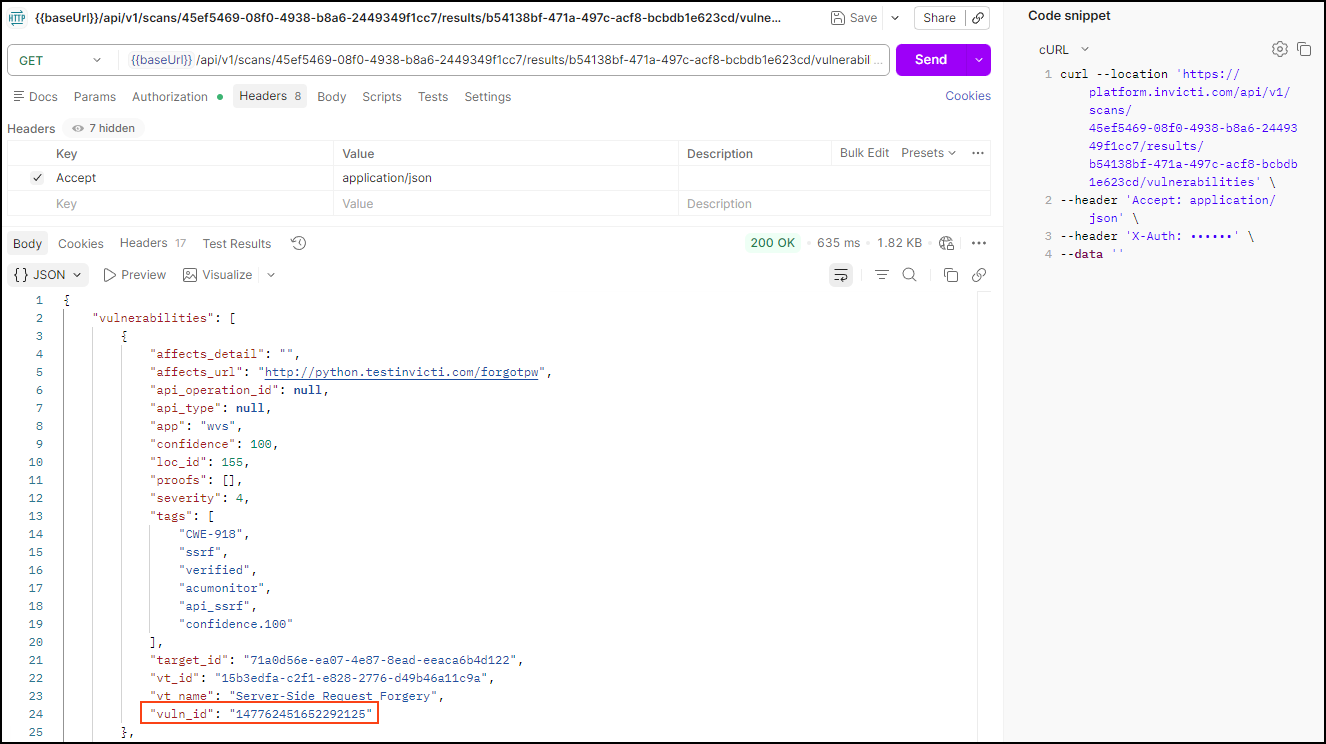
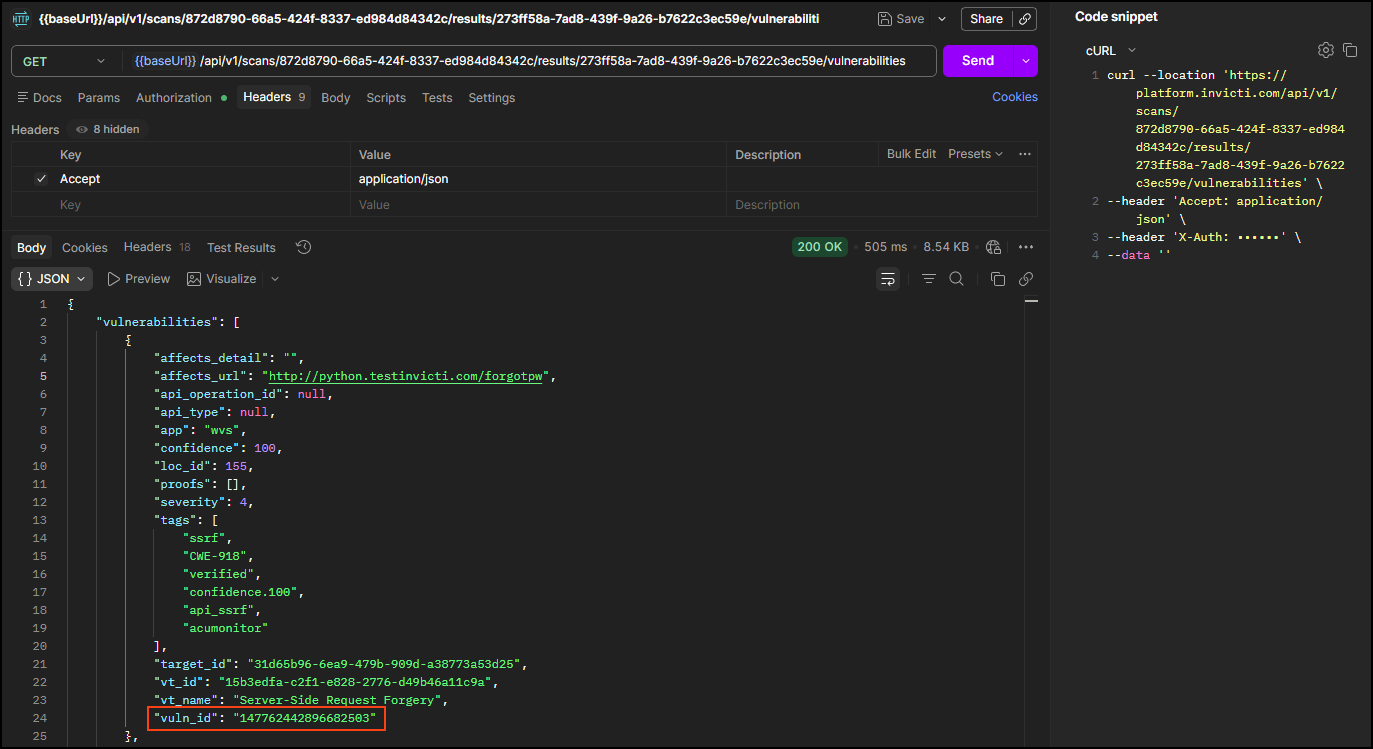
This step retrieves the full list of vulnerabilities found during the scan. Each vulnerability includes a severity rating, the affected URL, and a vuln_id you need for detailed analysis in Step 3.
Run this request to get vulnerability summary
Once the scan is completed, retrieve the found vulnerabilities using the scan_id and scan_session_id:
GET <base-url>/api/v1/scans/<your-scan-id>/results/<your-scan-session-id>/vulnerabilities
Headers:
  accept: application/json
  X-Auth: <your-api-token>
| Placeholder | Required | Description | Example |
|---|---|---|---|
<base-url> | Yes | Your regional platform URL. Refer to Platform URLs | https://platform.invicti.com |
<your-api-token> | Yes | Your API key from User settings | a1b2c3d4-e5f6-... |
<your-scan-id> | Yes | The scan ID from the Launch workflow | cda0f3cf-... |
<your-scan-session-id> | Yes | The scan session ID from the Launch workflow | d54012e4-... |
Expected response: HTTP 200 with a list of vulnerabilities. Note the vuln_id for each vulnerability - you'll need these for detailed analysis.
{
  "vulnerabilities": [
    {
      "affects_detail": "",
      "affects_url": "http://python.testinvicti.com/forgotpw",
      "api_operation_id": null,
      "api_type": null,
      "app": "wvs",
      "confidence": 100,
      "loc_id": 121,
      "proofs": [],
      "severity": 4,
      "tags": [
        "ssrf",
        "CWE-918",
        "verified",
        "confidence.100",
        "api_ssrf",
        "acumonitor"
      ],
      "target_id": "2df49409-ee21-4080-9640-eb46f4610054",
      "vt_id": "15b3edfa-c2f1-e828-2776-d49b46a11c9a",
      "vt_name": "Server-Side Request Forgery",
      "vuln_id": "146155269760494467"
    }
  ]
}
Understand vulnerability fields
| Field | Description | Importance |
|---|---|---|
vuln_id | Unique identifier for this vulnerability instance | Required for detailed investigation |
vt_name | Vulnerability type name | Describes the security issue |
severity | Severity level (1=Low to 5=Critical) | Risk prioritization |
confidence | Detection confidence (0-100) | Reliability indicator |
affects_url | Specific URL where vulnerability was found | Location for remediation |
tags | Vulnerability classification tags | Context and categorization |
Step 3: Analyze individual vulnerabilities
This step retrieves the full technical detail for a single vulnerability using its vuln_id from Step 2. Run this request once per vulnerability you want to investigate. The response includes a description, impact assessment, proof of concept, and remediation guidance.
Run this request to get detailed vulnerability information
With the vuln_id from Step 2, you can review each vulnerability in detail to understand the security issue and remediation steps:
GET <base-url>/api/v1/scan_vulnerabilities/<your-vuln-id>
Headers:
  accept: application/json
  X-Auth: <your-api-token>
| Placeholder | Required | Description | Example |
|---|---|---|---|
<base-url> | Yes | Your regional platform URL. Refer to Platform URLs | https://platform.invicti.com |
<your-api-token> | Yes | Your API key from User settings | a1b2c3d4-e5f6-... |
<your-vuln-id> | Yes | The vulnerability ID from Step 2 | 146155269760494467 |
Expected response: HTTP 200 with comprehensive vulnerability details including:
- Description: Detailed explanation of the security issue
- Impact: Potential consequences if exploited
- Proof of concept: Evidence demonstrating the vulnerability
- Remediation: Specific steps to fix the issue
- References: Links to security standards and documentation
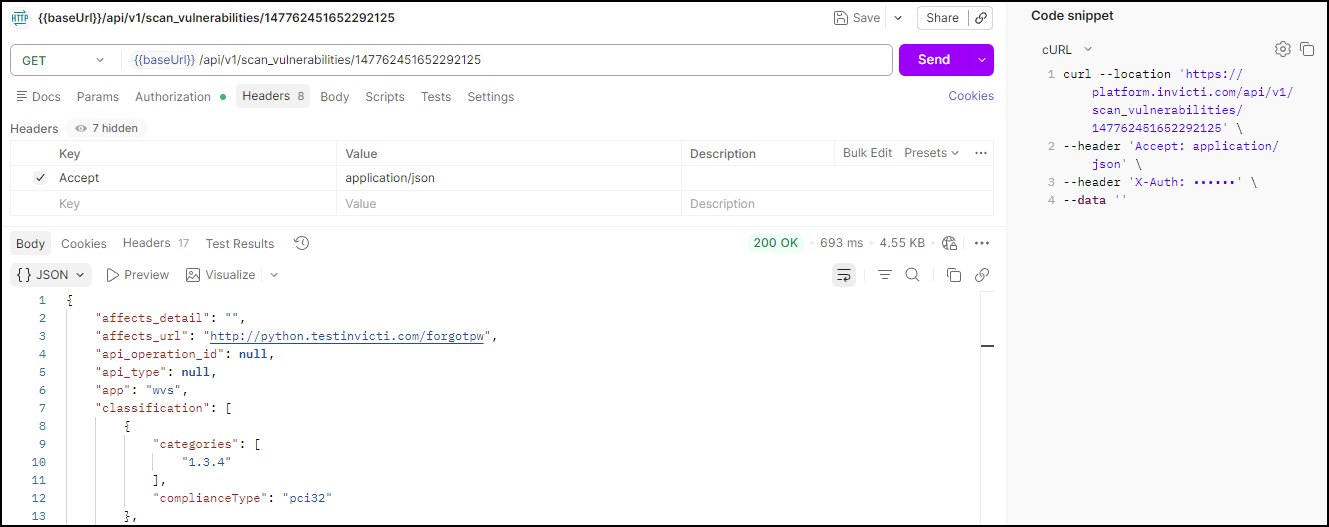
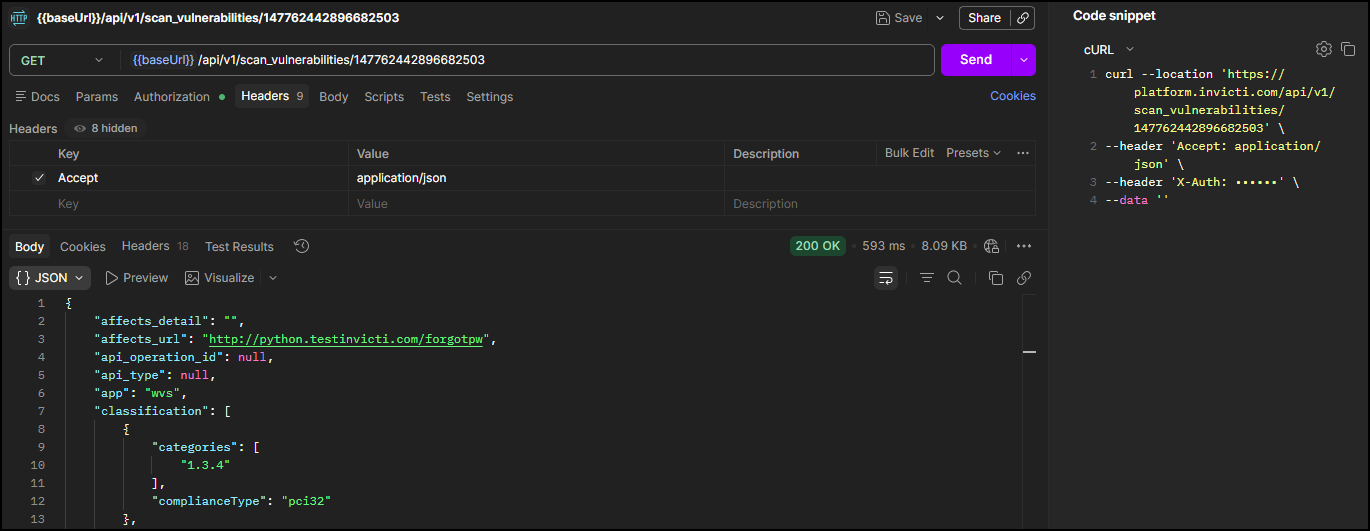
This detailed information enables development teams to understand and remediate security issues effectively.
Step 4: Specify report template (optional)
This step retrieves the list of available report templates and their IDs. If you want to use the Comprehensive template (recommended for most use cases), you can skip this step - the template ID is provided directly in Step 5.
Run this request to browse available report templates
If you want to use the Comprehensive report template (recommended), you can skip this step and use template ID 11111111-1111-1111-1111-111111111126.
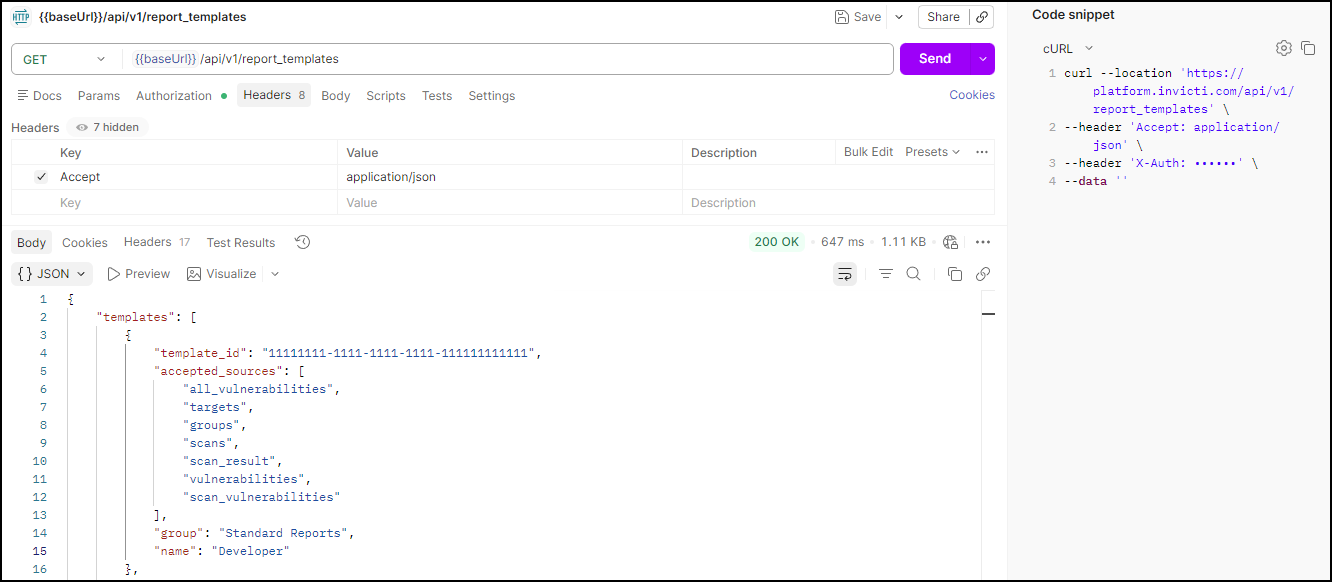
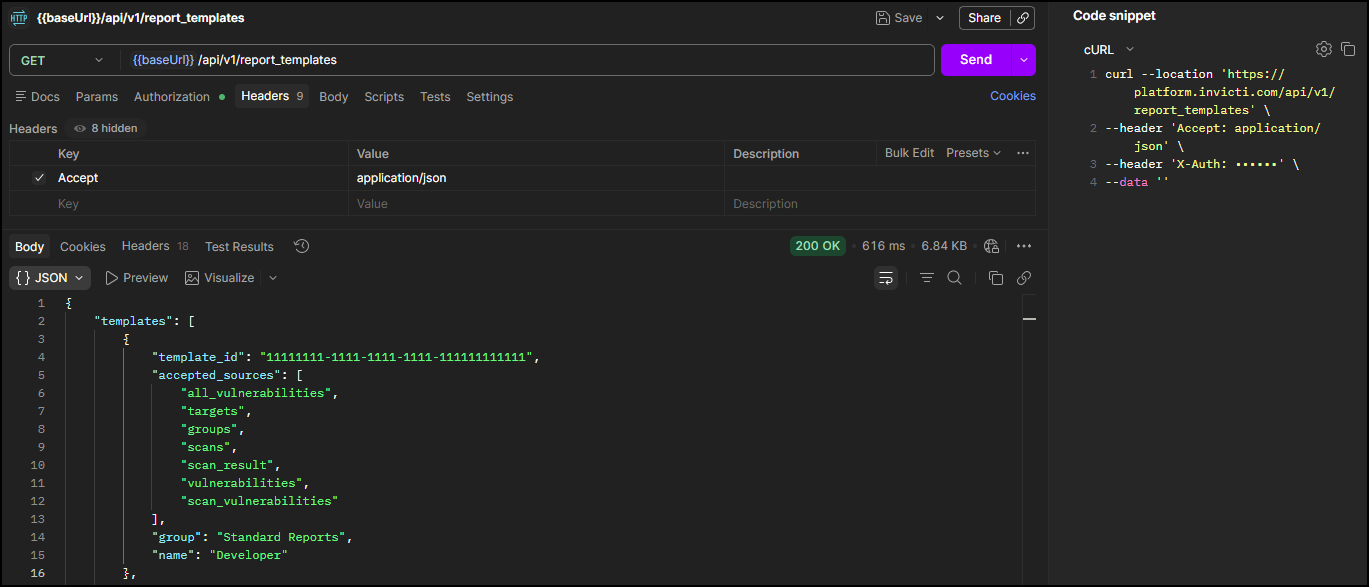
To explore other templates, run this request to retrieve all available options:
GET <base-url>/api/v1/report_templates
Headers:
  accept: application/json
  X-Auth: <your-api-token>
| Placeholder | Required | Description | Example |
|---|---|---|---|
<base-url> | Yes | Your regional platform URL. Refer to Platform URLs | https://platform.invicti.com |
<your-api-token> | Yes | Your API key from User settings | a1b2c3d4-e5f6-... |
Expected response: HTTP 200 with a list of all template IDs, accepted sources, and names.
Standard report templates
| Name | Template ID | Use Case |
|---|---|---|
| Affected Items | 11111111-1111-1111-1111-111111111115 | Focus on vulnerable URLs and parameters |
| Comprehensive | 11111111-1111-1111-1111-111111111126 | Complete technical analysis (recommended) |
| Developer | 11111111-1111-1111-1111-111111111111 | Developer-focused remediation guidance |
| Executive Summary | 11111111-1111-1111-1111-111111111113 | High-level security overview for management |
| SCA | 11111111-1111-1111-1111-111111111142 | Software composition analysis |
Compliance report templates
| Standard | Template ID | Use Case |
|---|---|---|
| CWE/SANS Top 25 | 11111111-1111-1111-1111-111111111116 | Most dangerous software weaknesses |
| DISA STIG | 11111111-1111-1111-1111-111111111122 | Defense Information Systems Agency security requirements |
| HIPAA | 11111111-1111-1111-1111-111111111114 | Healthcare data protection compliance |
| ISO 27001 | 11111111-1111-1111-1111-111111111117 | Information security management |
| NIST SP 800-53 | 11111111-1111-1111-1111-111111111118 | Federal security controls |
| OWASP ASVS 5.0 | 11111111-1111-1111-1111-111112025003 | Application security verification standard |
| OWASP Top 10 2025 | 11111111-1111-1111-1111-111111111131 | Latest web application security standard |
| OWASP Top 10 API Security Risks 2023 | 11111111-1111-1111-1111-111112025002 | API-specific security risks |
| OWASP Top 10 for LLM Applications 2025 | 11111111-1111-1111-1111-111112025001 | AI and LLM application security |
| PCI DSS 4.0 | 11111111-1111-1111-1111-111111111130 | Payment card industry compliance |
Step 5: Generate a report
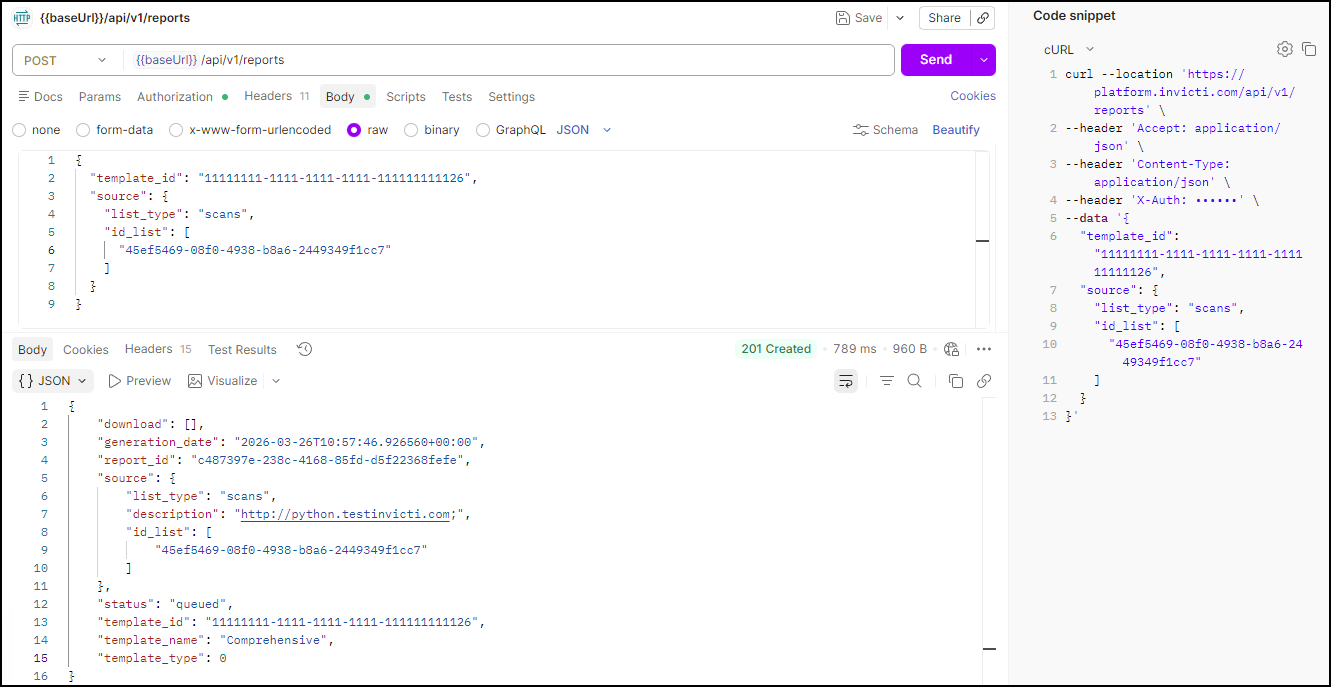
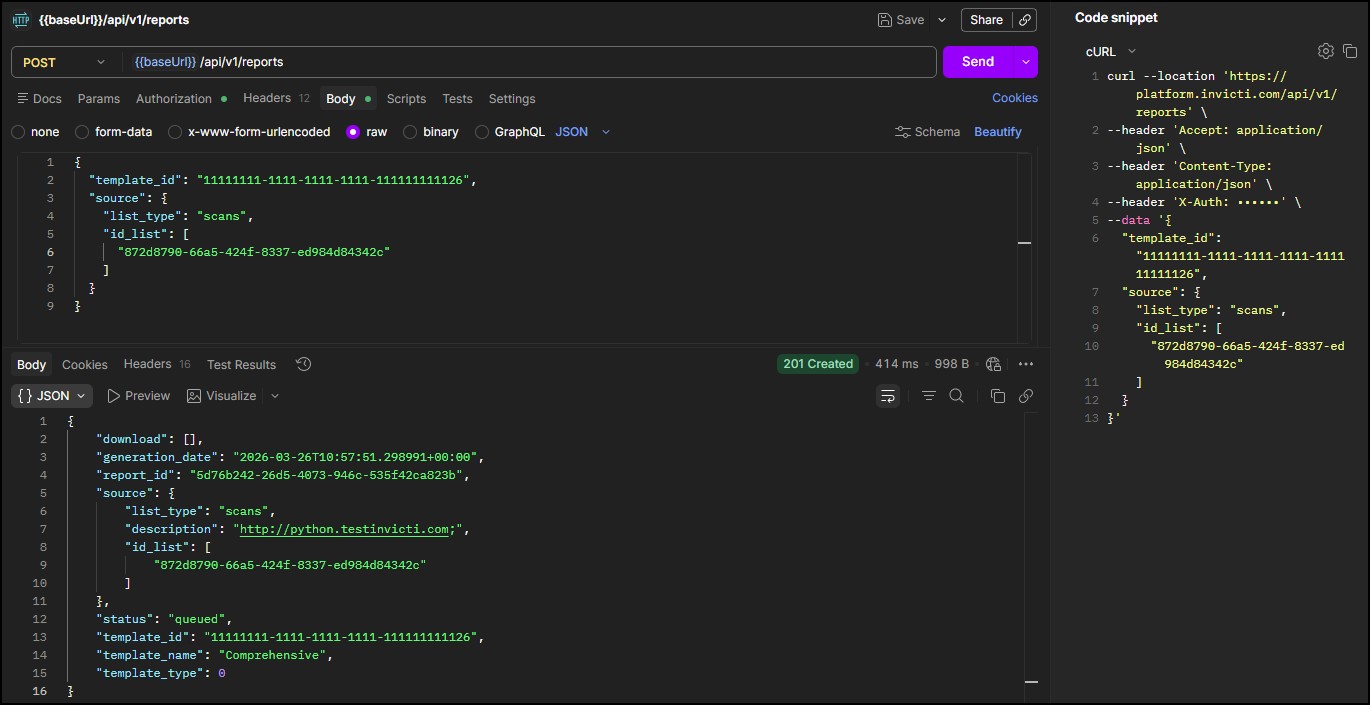
This step submits the report generation request. The API returns a report_id immediately - report generation happens asynchronously, so the report won't be ready yet. Use the report_id in Step 6 to poll for completion and retrieve the download links.
Run this request to initiate report generation
Using the DAST API, generate a comprehensive report for your scan:
POST <base-url>/api/v1/reports
Headers:
  accept: application/json
  content-type: application/json
  X-Auth: <your-api-token>
Body:
{
  "template_id": "<your-template-id>",
  "source": {
    "list_type": "scans",
    "id_list": [
      "<your-scan-id>"
    ]
  }
}
| Placeholder | Required | Description | Example |
|---|---|---|---|
<base-url> | Yes | Your regional platform URL. Refer to Platform URLs | https://platform.invicti.com |
<your-api-token> | Yes | Your API key from User settings | a1b2c3d4-e5f6-... |
<your-template-id> | Yes | The template ID from Step 4 | 11111111-1111-... |
<your-scan-id> | Yes | The scan ID from the Launch workflow | cda0f3cf-... |
Expected response: HTTP 201 with report generation details. Note the report_id - you need it in Step 6.
{
  "download": [],
  "generation_date": "2026-03-17T13:14:16.318052+00:00",
  "report_id": "1777d3d2-f4c8-4051-a36d-c0a9a7c0ed53",
  "source": {
    "list_type": "scans",
    "description": "http://python.testinvicti.com;",
    "id_list": [
      "21e8c7ab-0ad9-4453-ae24-a1fe1d5ebab8"
    ]
  },
  "status": "queued",
  "template_id": "11111111-1111-1111-1111-111111111126",
  "template_name": "Comprehensive",
  "template_type": 0
}
Note: The download array is empty and status is queued because the report is still being generated. Download links appear once generation is complete (Step 6).
Step 6: Download completed report
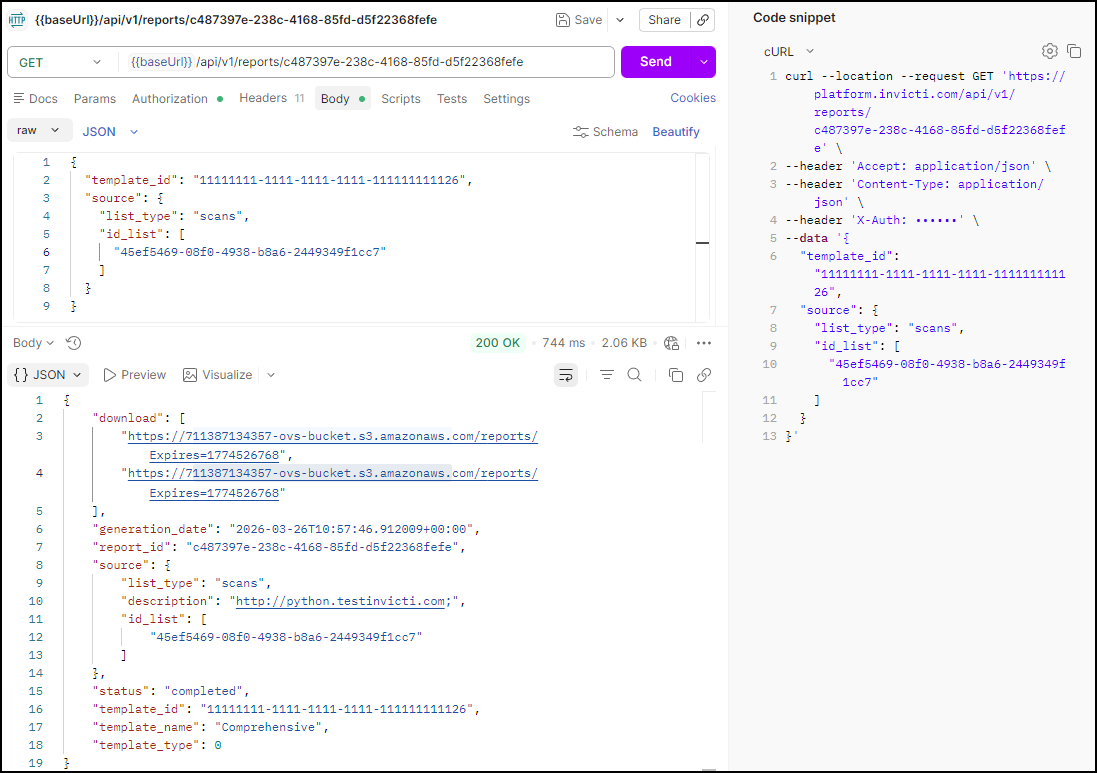
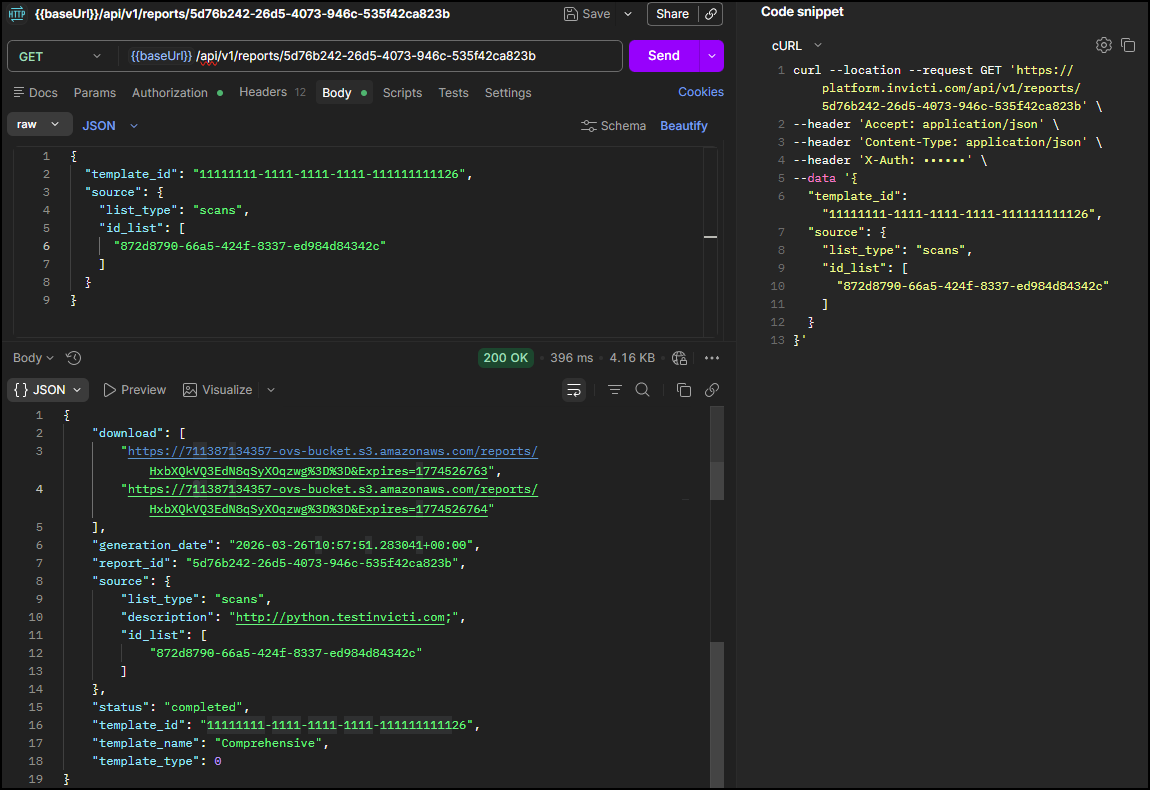
This step polls the report status using the report_id from Step 5. Once the status field shows completed, the response includes download URLs for both HTML and PDF versions of the report.
Run this request to get report download links
Using the DAST API, retrieve your completed report using the report_id from Step 5:
GET <base-url>/api/v1/reports/<your-report-id>
Headers:
  accept: application/json
  X-Auth: <your-api-token>
| Placeholder | Required | Description | Example |
|---|---|---|---|
<base-url> | Yes | Your regional platform URL. Refer to Platform URLs | https://platform.invicti.com |
<your-api-token> | Yes | Your API key from User settings | a1b2c3d4-e5f6-... |
<your-report-id> | Yes | The report ID from Step 5 | 1777d3d2-... |
Expected response: HTTP 200. Once status is completed, the download array contains download links.
{
  "download": [
    "https://reports.example.com/20260317_Comprehensive_http_python_testinvicti_com.html",
    "https://reports.example.com/20260317_Comprehensive_http_python_testinvicti_com.pdf"
  ],
  "generation_date": "2026-03-17T13:14:16.304859+00:00",
  "report_id": "1777d3d2-f4c8-4051-a36d-c0a9a7c0ed53",
  "source": {
    "list_type": "scans",
    "description": "http://python.testinvicti.com;",
    "id_list": [
      "21e8c7ab-0ad9-4453-ae24-a1fe1d5ebab8"
    ]
  },
  "status": "completed",
  "template_id": "11111111-1111-1111-1111-111111111126",
  "template_name": "Comprehensive",
  "template_type": 0
}
Report formats available
- HTML Report: Interactive web format with clickable navigation
- PDF Report: Print-ready format for stakeholder distribution
Download recommendation: Use the provided URLs to download reports directly, or integrate download automation into your CI/CD pipeline.
Summary
You have successfully completed the full API-driven security scanning workflow:
✅ Scan activity reviewed - Scan log inspected for warnings and errors (optional)
✅ Vulnerabilities identified - Security issues listed and filtered by severity
✅ Detailed analysis performed - Individual vulnerabilities inspected for technical detail
✅ Report generated - Security report created and download URLs retrieved
Key deliverables
- Scan statistics: Performance and coverage metrics
- Vulnerability inventory: Complete list of security issues by severity
- Detailed findings: Technical analysis with proof of concept
- Compliance reports: Standards-aligned documentation (HTML & PDF)
Next steps
With completed results analysis, you can now:
- Integrate into CI/CD: Automate the same API workflow using CI-driven scans
- Handle API errors: Implement robust error handling with API response patterns and error handling
- Scale operations: Apply this workflow across multiple applications and environments
Complete workflow series
- Overview
- Part 1: Get started
- Part 2: Configure
- Part 3: Launch
- Part 4: Review and report ← You are here
You have mastered the complete Invicti Platform API workflow. You can now implement automated security scanning at scale.
Need help?
Invicti Support team is ready to provide you with technical help. Go to Help Center