Session detection
Session detection is the final step in the configuration of the Login Sequence Recorder (LSR) which is used for complex form-based authentication.
To access the LSR, follow these steps:
- Select Inventory > Targets from the left-side menu.
- Click the three-dot menu (⋮) > Edit target by the target where you want to use the LSR.
- Click Authentication and select Login Sequence Recorder in the drop-down.
- Create or upload a new login sequence. For an existing file, click the edit icon to open it.
For more information about recording a new sequence, refer to the Record a login sequence document.
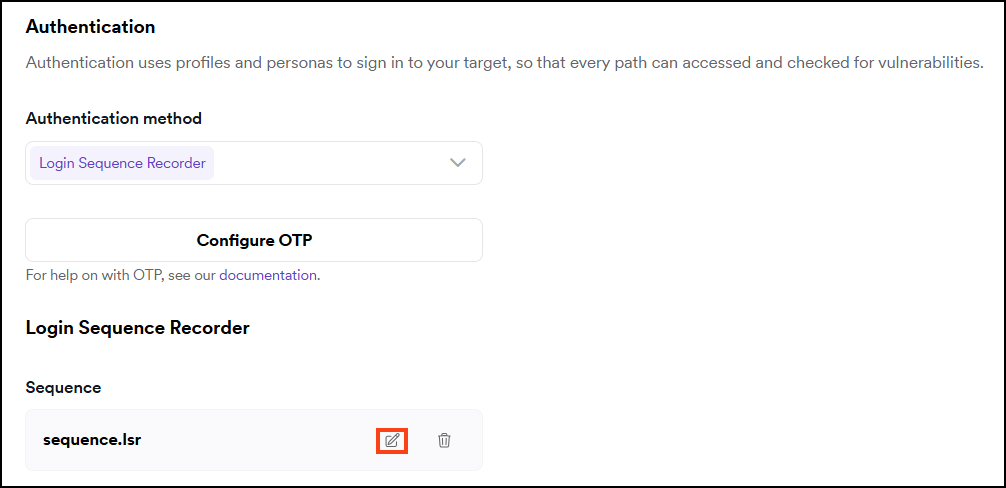
A valid session pattern is vital for a successful scan, as with it the scanner is able to identify whether it's authenticated or not.
During a scan, the session detection request is sent continuously. When successful, the scanner progresses; if unsuccessful, the scanner replays the recorded steps in the LSR, authenticates itself, and keep running the scan from where it left off. It's therefore vital that session detection is configured correctly.
This document explains how to confirm if the session detection is configured correctly and what to do if LSR fails to identify a session pattern.
Session detection
The session detection is made up of the following:
- Session validation request.
- Session validation pattern.
Session validation request
This is the HTTP request the Login Sequence Recorder sends, against which it checks the pattern. For example:
GET http://testphp.vulnweb.com/userinfo.php HTTP/1.1
Session validation pattern
This is the pattern to match the response of the request. For example, if the request only responds with an HTTP 200 OK status code when you’re logged in, you can set the validation pattern to: Session VALID IF status code is 200.
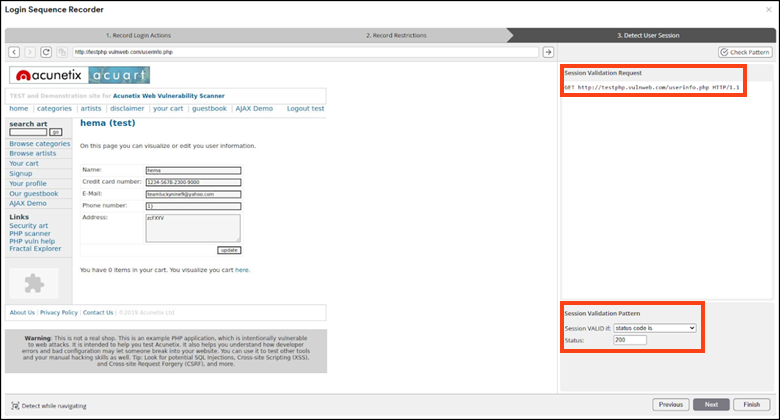
In most cases during the configuration of the LSR, a valid Session Pattern is automatically identified when advancing to the Session Detection step.
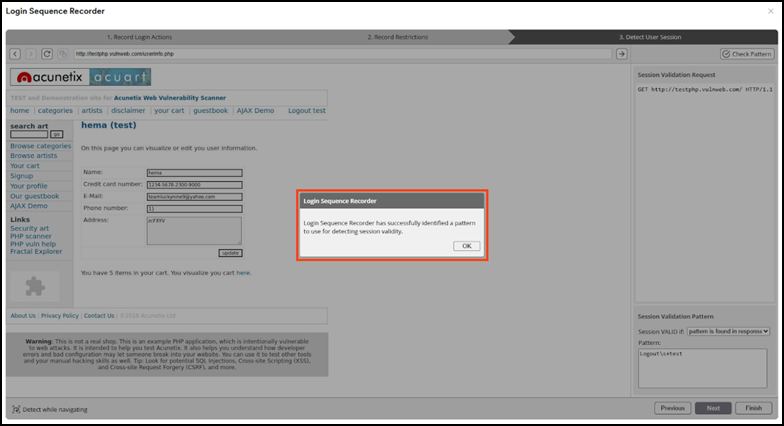
Detect session validity
Invicti attempts to use the requests sent during the login stage to determine a valid session detection request. Sometimes, the requests sent to login aren't enough to detect the session detection request automatically. In these cases the LSR prompts you if a session pattern isn't found.
Detect while navigating
Should a valid pattern not be found, select the option to Detect while navigating. With this option selected, navigate to pages/paths which are accessible only through an authenticated session, for example a user profile page. Keep navigating to similar pages until a valid session pattern is identified.
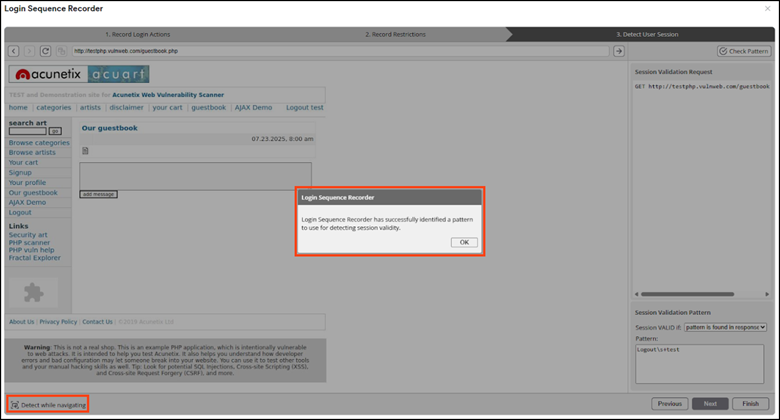
You can verify the session pattern by clicking Check Pattern at the top of the right-hand-side panel.
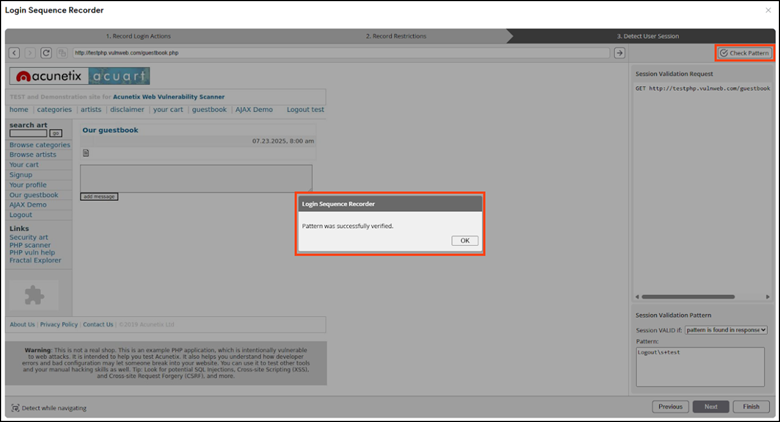
Invalid Session Patterns occur when the LSR can't identify a difference between the responses received for a chosen session detection request. For example a request to http://testphp.vulnweb.com/index.php always returns a status code of 200 and contain the same response body, irrespective of whether it's authenticated or not. This would make this pattern invalid. For such cases, use the Detect while navigation option and navigate to a page only accessible when authenticated.
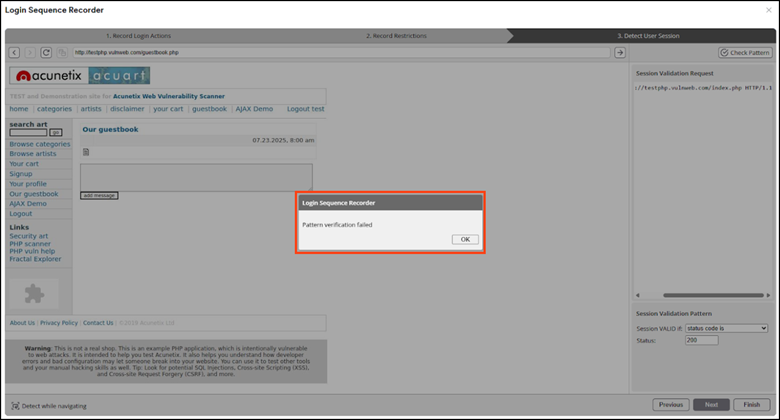
Pattern verification failed
A common cause for an unsuccessful session pattern is a Session ID or Session Token (or any other value which isn't static) sent with the request. For example:
GET http://testphp.vulnweb.com/userinfo.php?SESSIONID=ABAD1D HTTP1/1
Session IDs or tokens normally expire after a period of time. Since the LSR is played back after a period of time during a scan, this session pattern would most likely have expired. In this case the application responds with the same response, both when logged in and not. This results in a status code of 404 Not Found as this URL no longer exists.
For more information on the session pattern failure troubleshooting, refer to the LSR advanced troubleshooting document.
If your scan is already running but shows the login sequence is invalid alert, refer to the Login sequence is invalid document.
Need help?
Invicti Support team is ready to provide you with technical help. Go to Help Center