Package: Invicti AppSec Core (on-demand)
Link discovered APIs to targets
Why this matters
Most organizations have more APIs than they're aware of—internal services, legacy endpoints, and third-party integrations that aren't tracked in any central inventory. Manually keeping up with these is time-consuming and error-prone.
Linking discovered APIs to existing targets automates this process. It ensures APIs are always included in scans, so you never miss new or changed endpoints. This helps you close visibility gaps, maintain accurate coverage, and reduce the risk of unmonitored or forgotten APIs introducing vulnerabilities—all without having to track every API yourself.
If you want to create new targets from discovered APIs, refer to Create assets from API discovery.
URL requirements
When linking an API to a target, the API base URL must be a subset of the target URL.
- For example, if
www.example.comis the target URL, the API base URL must be something likewww.example.com/api/v1. - If the API base URL is on a different domain (for example,
api.example.comwhen the target iswww.example.com), you need to create a new target for that domain instead.
Link an API to a target
- Select Discovery > API discovery from the left-side menu.
- Locate the API you want to link.
- In the Target column for that API, click Link.
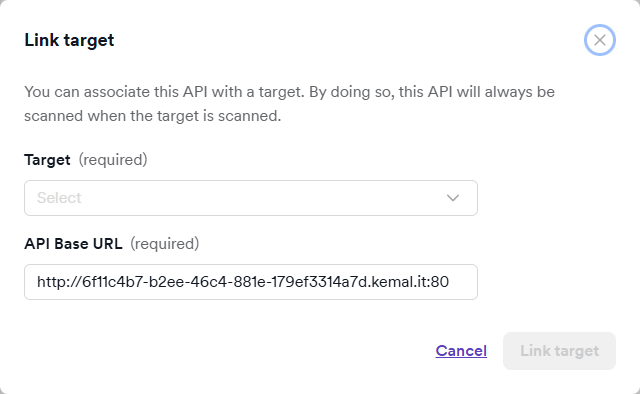
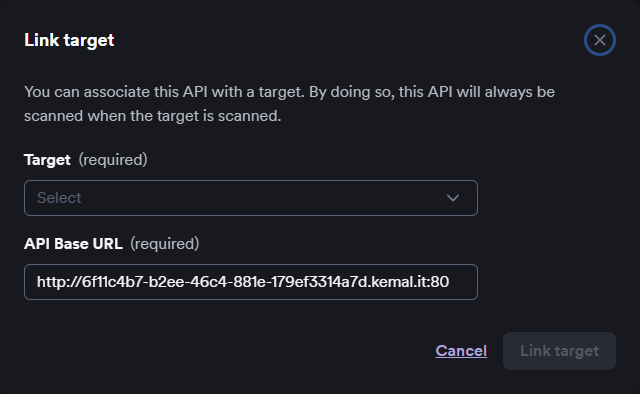
- In the Link target dialog, use the dropdown menus to select the target and the API base URL.
- Click Link target.
The target name now appears in the Target column for that API. The next time the linked target is scanned, the associated API specification is also scanned automatically.
After scanning a target linked to an API, Invicti AppSec Core tags API-sourced vulnerabilities with an "API" label in the scan details, so you can identify which findings came from the API specification.
After linking
Once an API is linked to a target:
- The API moves from API discovery to the API catalog.
- Invicti AppSec Core automatically includes the API in future scans of the linked target.
- You can manage the linked API from Inventory > API catalog.
Need help?
Invicti Support team is ready to provide you with technical help. Go to Help Center