Add a delay to custom script
The custom scripts you configure may run and finish before loading pages, or the transition time between pages may be delayed. Depending on the situation, you can solve this problem by inserting a delay script between the pages you use or adding delays individually to the commands.
For example, authentication may fail due to inadequate page load times or because of the incorrect execution order of the commands.
To resolve the issue, you can try to put the await command between the custom script pages. Refer to Custom Scripts for Form Authentication for more information.
The await command has the following format:
await invicti.auth.waitTimeoutAsync(2000);
The duration is specified in milliseconds - 2 seconds in this example.
Example customer script with delay
For this example, you are going to create a custom script for one of the testing websites (http://php.testsparker.com/auth/login.php):
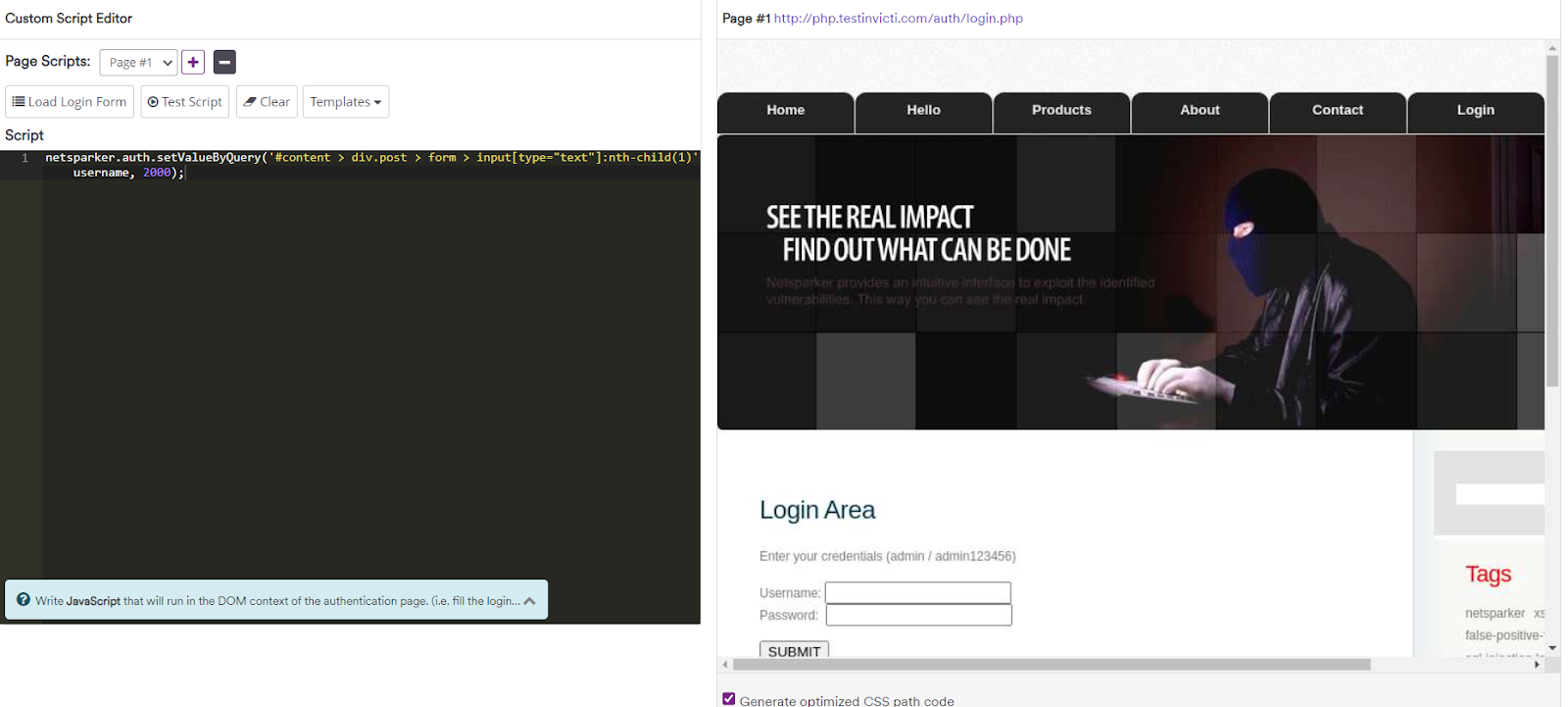
Add a wait for the first page to load up:
await invicti.auth.waitTimeoutAsync(2000);
Set login information for the second page:
var username = "myusername";

var password = "mypassword";

invicti.auth.setValueByQuery(
  '#content > div.post > form > input[type="text"]:nth-child(1)',
  username, 1000);

invicti.auth.setValueByQuery(
  '#content > div.post > form > input[type="password"]:nth-child(3)',
  password, 1000);
Each field value is set with a 1000 ms (1 second) delay. The username field is populated first, followed by the password field, both with the same delay.
Introduce a further delay of 2 seconds before submitting the information to the login process:
await invicti.auth.waitTimeoutAsync(2000);
As the last step click the Submit button, including another delay of 2 seconds after clicking:
invicti.auth.clickByQuery(
  '#content > div.post > form > input[type="submit"]:nth-child(7)',
  2000);
This example makes the scanner wait for an additional 2000 ms before executing the commands for the first page, and then wait another 2000 ms before the second one.
Need help?
Invicti Support team is ready to provide you with technical help. Go to Help Center