Install Invicti API Security on-premises
Invicti API Security Standalone or Bundle for on-premises instances is a separate installation file. Once installed, the API Discovery component is visible in your Invicti Enterprise on-premises instance. This document explains how to install Invicti API Security as an Invicti Enterprise on-premises installation component.
The API Hub installs:
- PostgreSQL (version 16)
- .NET Runtime 8.0.4
- ASP.NET Core 8.0.4 Hosting bundle
Install API Security for Invicti Enterprise on-premises
To install Invicti API Security on-premises, first, ensure you have established the preceding prerequisites, then follow these steps:
- Update your Invicti Enterprise on-premises installation to the latest version, including updating the Authentication Verifier Agent.
- Refer to How to update Invicti Enterprise on-premises for instructions.
The authentication verifier agent is required for Zero Configuration API Discovery. For authentication verifier installation instructions, refer to the Installing Authentication Verifier Agents document.
- Run the
ApiHubServiceSetup.exefile from the folder where you extracted the .zip file after downloading the latest version of Invicti Enterprise on-premises. - Select Next to start the Invicti Enterprise API Hub Service Setup Wizard and select an installation folder.
- Select Install to begin the installation.
- Follow the on-screen instructions in the Invicti Enterprise API Hub Service Setup Wizard to complete the installation.
If you don't have the prerequisite applications installed, the setup wizard prompts you to install them during the configuring prerequisite software stage of the installation.
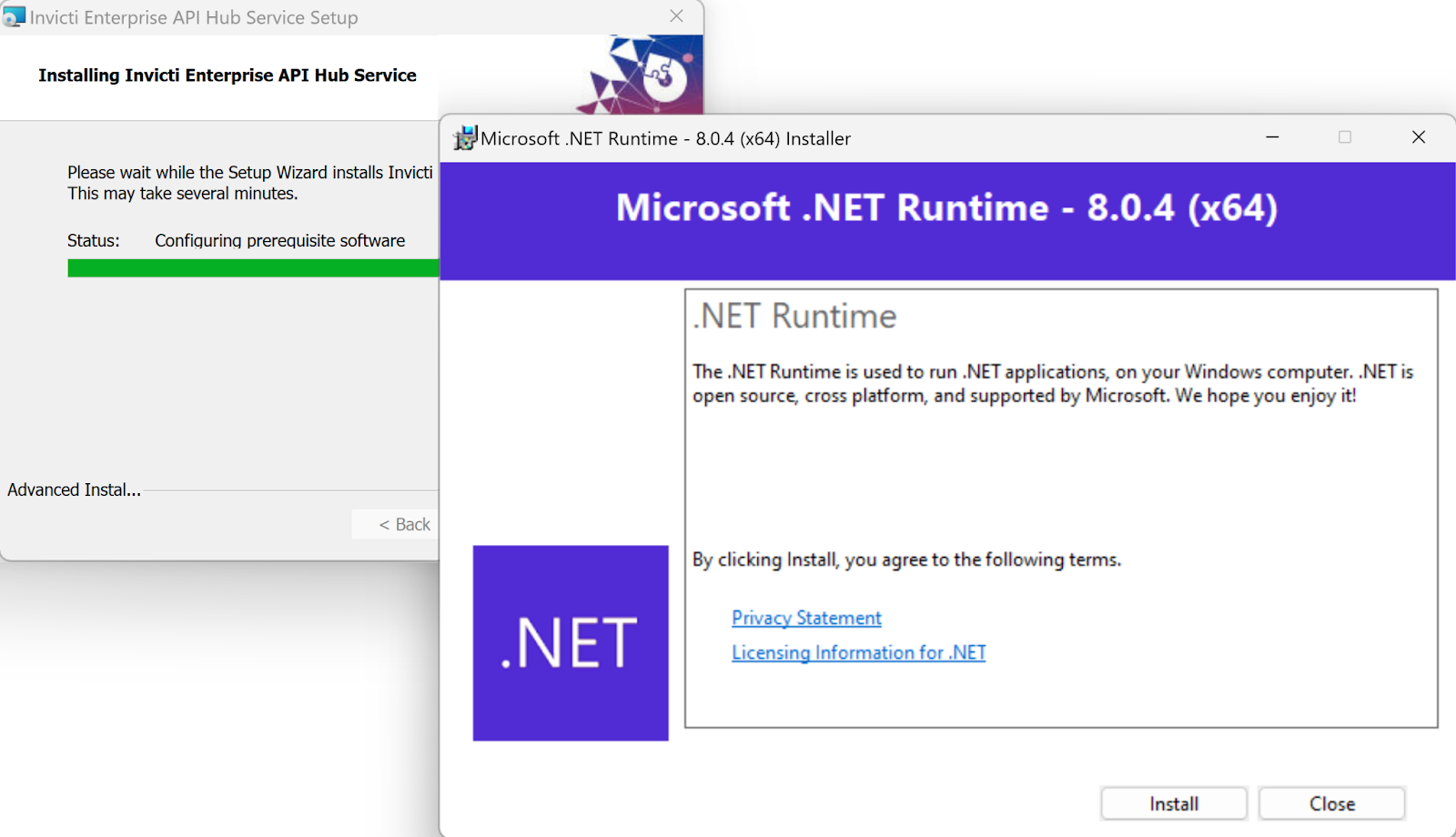
- Select Finish to exit the Setup Wizard.
Invicti API Security is now installed as part of your Invicti Enterprise on-premises instance.
For more information about Invicti API Security and API Discovery, refer to the following documentation:
Need help?
Invicti Support team is ready to provide you with technical help. Go to Help Center