NIST SP 800-53 compliance report
This document explains how to generate a NIST SP 800-53 report in Invicti Enterprise and Invicti Standard.
For more information about reports, refer to the Overview of reports, Report templates, and Built-in reports documents.
What is a NIST SP 800-53 compliance report
The NIST (National Institute of Standards and Technology) SP 800-53 report in Invicti provides information about issues in a target web application that infringe the information security standards established by the National Institute of Standards and Technology Special Publication 800-53 (NIST SP 800-53).
- NIST SP 800-53 develops information security standards and guidelines for federal information systems and organizations. Anyone who does business with United States federal agencies is also required to follow this guideline.
- It's recommended that enterprises adhere to the NIST's standards to manage information security. Nevertheless, NIST SP 800-53 doesn't cover the country's national security.
- The aim of the NIST SP 800-53 is to protect organizational operations and assets, individuals, and other organizations from hostile attacks, natural disasters, and human errors.
There can be other security issues found in your web applications but not listed in the NIST SP 800-53 compliance report.
Understand the NIST SP 800-53 compliance report
There are four sections in the NIST SP 800-53 compliance report. The content of each section is explained in the following sections.
Scan metadata
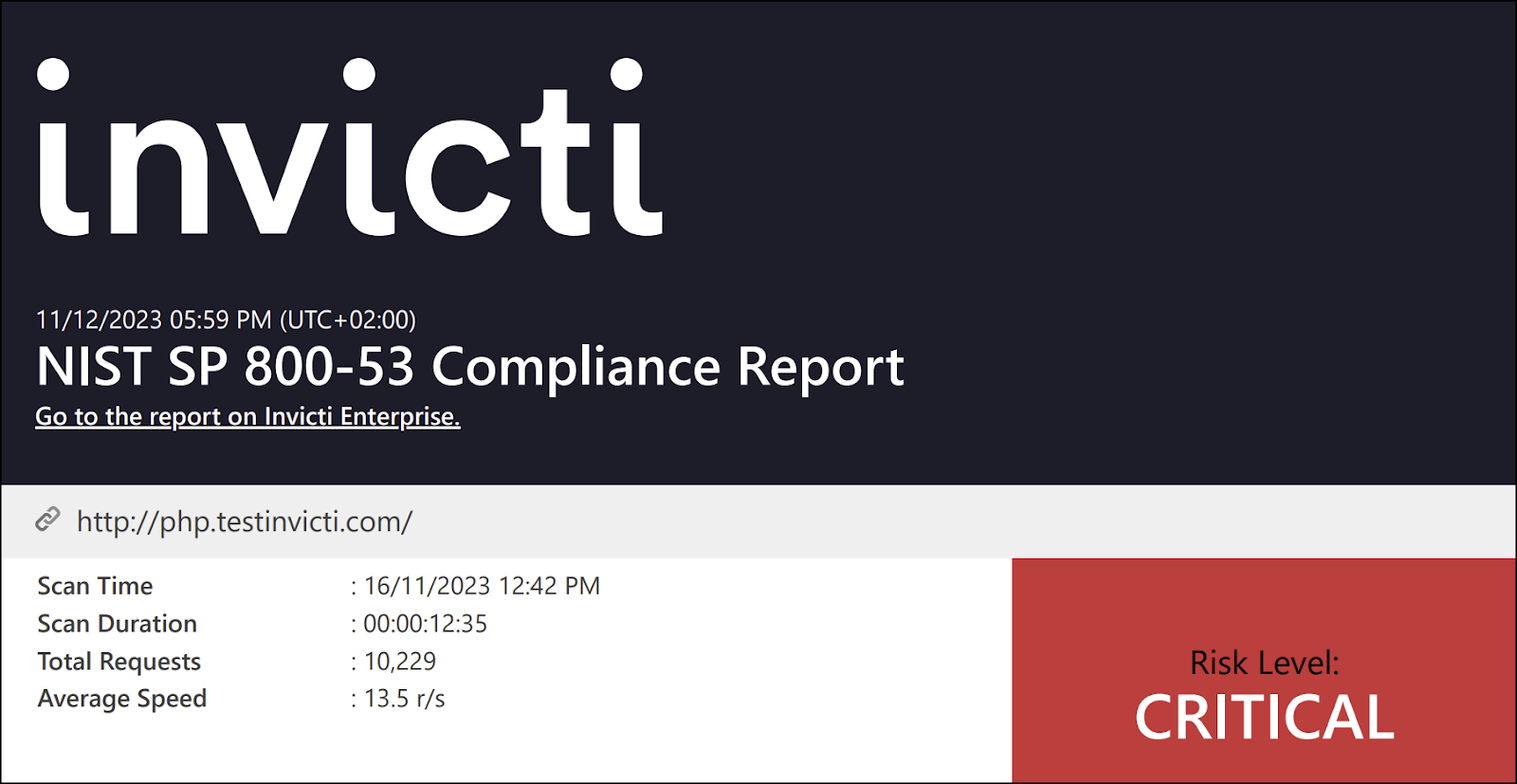
This section provides basic details about the scan, such as scan duration, total requests, average speed, and overall risk level.
Vulnerabilities
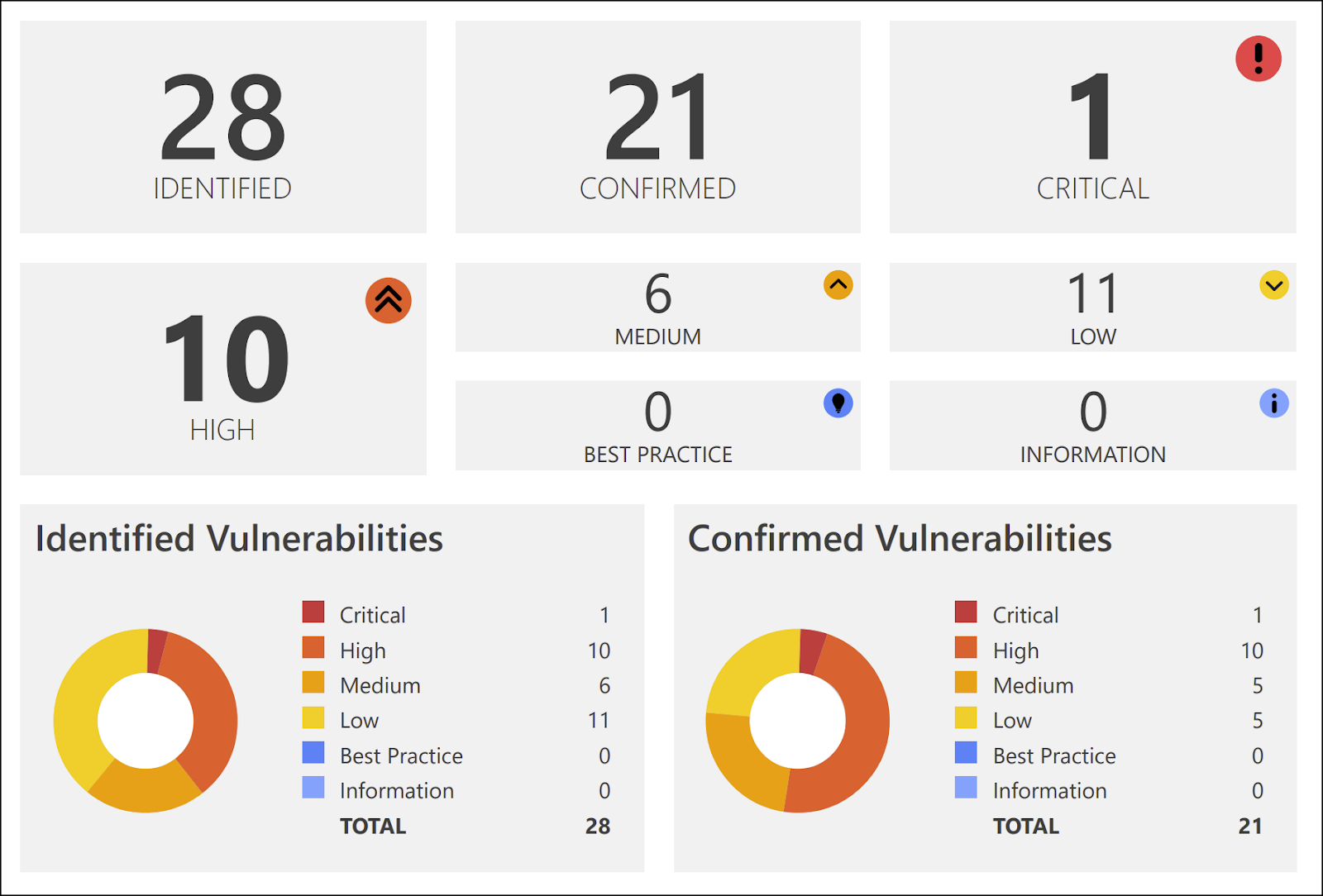
This section provides a numerical and graphical overview of:
- Numbers: the numbers of issues detected at various vulnerability severity levels.
- Identified vulnerabilities: the total number of detected vulnerabilities.
- Confirmed vulnerabilities: the total number of vulnerabilities that Invicti verified by taking extra steps such as extracting some data from the target.
For more information, refer to the Vulnerability severity levels document.
Vulnerability details
This section describes all identified issues and vulnerabilities, along with their impact and proof of exploit. It also explains what actions to take and a remedy for each one, including external references for more information.
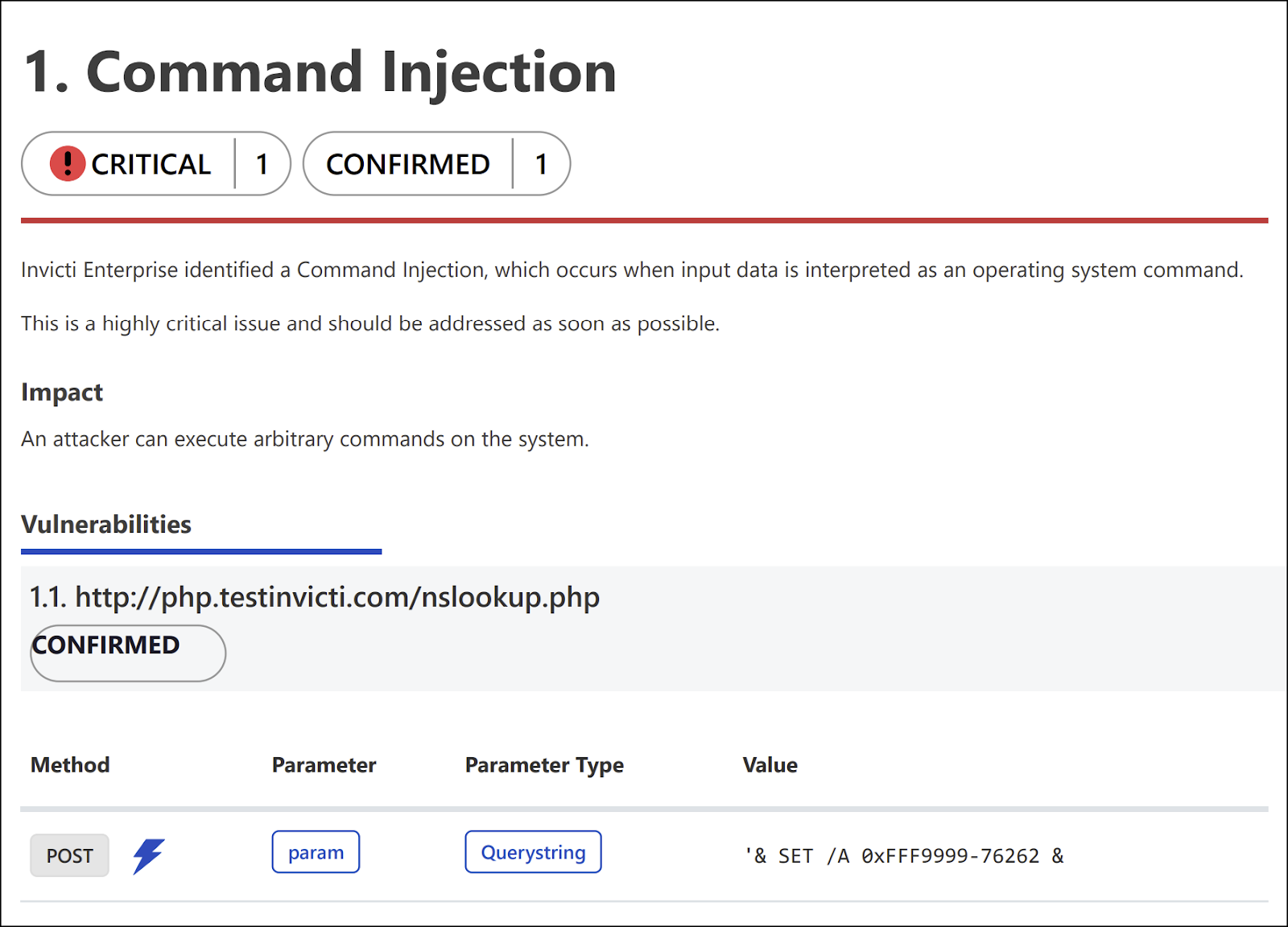
The following list describes the headings in the Vulnerability Details section:
- Name: this is the name of the identified issue.
- Proof of exploit: this is a piece of evidence supplied to prove that the vulnerability exists, showing information that's extracted from the target using the vulnerability. For more information, refer to the Benefits of Proof-Based Scanning™ Technology document.
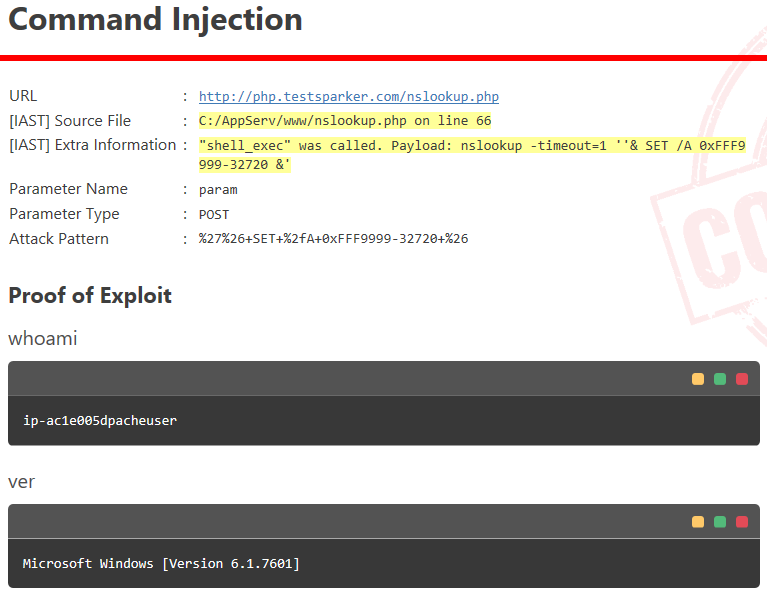
- Vulnerability details: this displays further details about the vulnerability.
- Certainty value: this indicates how sure Invicti is about the vulnerability.
- Impact: this shows the effect of the issue or vulnerability on the Target URL.
- Required skills for successful exploitation: this gives details on how malicious hackers could exploit this issue.
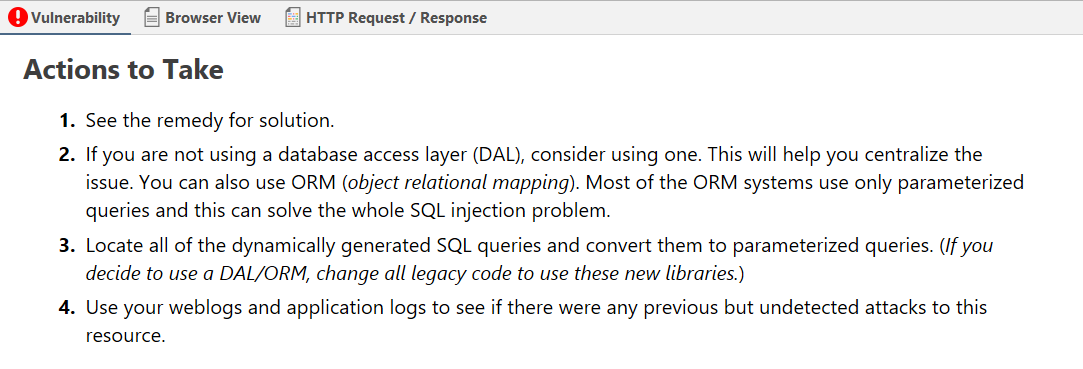
- Actions to take: these are the immediate steps you can take to decrease the impact or prevent exploitation.
- Remedy: this offers further steps to resolve the identified issue.
- External references: this provides links to other websites where you can find more information.
- Classification: this includes NIST SP 800-53 classifications:
- NIST SP 800-53: this provides further information about this vulnerability according to the National Institute of Standards and Technology Special Publication 800-53.
- CVSS 4.0: this shows the severity score of vulnerability based on the 4.0 edition of the Common Vulnerability Scoring System.
- CVSS 3.0: this shows the severity score of vulnerability based on the 3.0 edition of the Common Vulnerability Scoring System.
- CVSS 3.1: this shows the severity score of vulnerability based on the 3.1 edition of the Common Vulnerability Scoring System.
- Remedy references: this provides further information on the solution for identified issues.
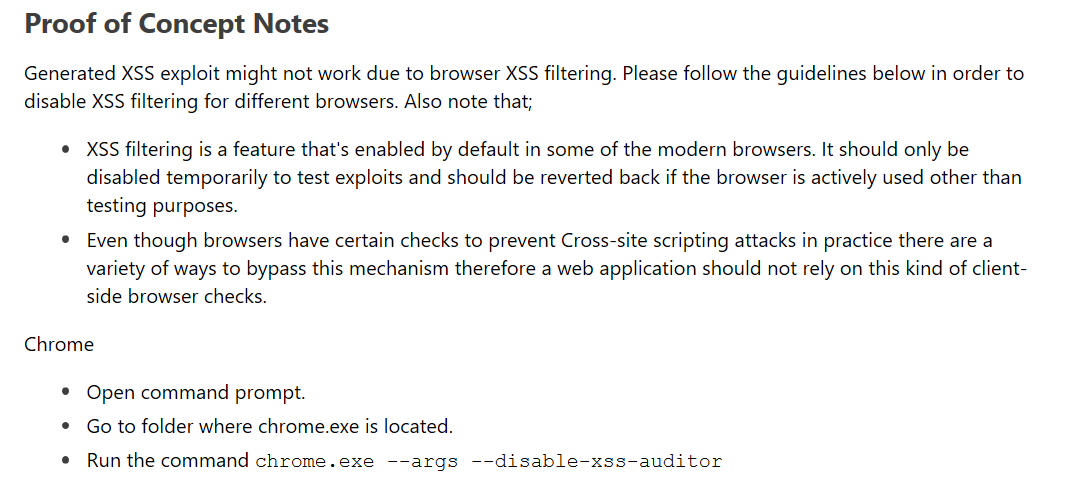
- Proof of concept notes: these notes demonstrate in principle how a system may be compromised.
- Request: this is the whole HTTP request that Invicti sent to detect the issue.
- Response: this is the reply from the system against the payload.
Show/hide scan details
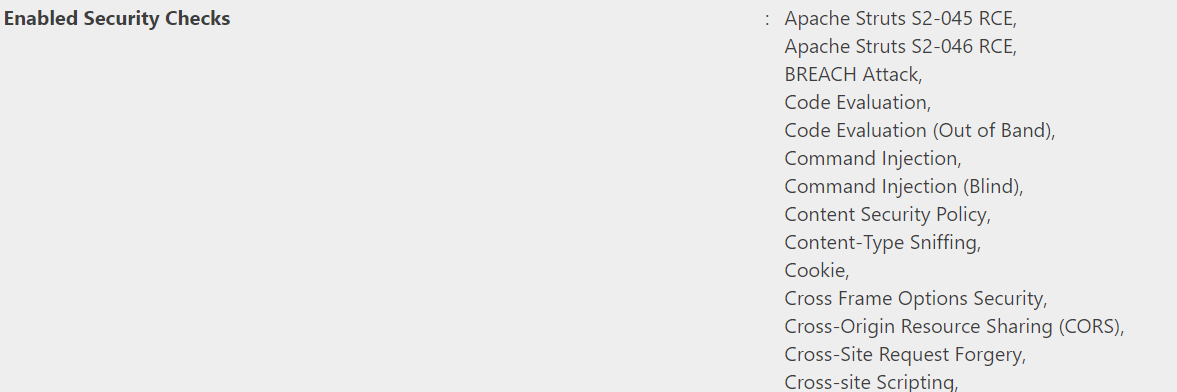
This section provides information on the profile and policy settings that Invicti used to adjust its scan to achieve better scan coverage. For example, it lists all enabled security checks. This information gives developers more details on how the scan was run.
For more information, refer to the Security Checks document.
Generate NIST SP 800-53 compliance reports
This section provides instructions for how to generate a NIST SP 800-53 compliance report for a completed scan in Invicti Enterprise and Invicti Standard. Generating the report results in exporting either an HTML or PDF file.
Generate a NIST SP 800-53 compliance report in Invicti Enterprise
- Select Scans > Recent Scans from the left-side menu.
- Next to the relevant scan, choose Report.
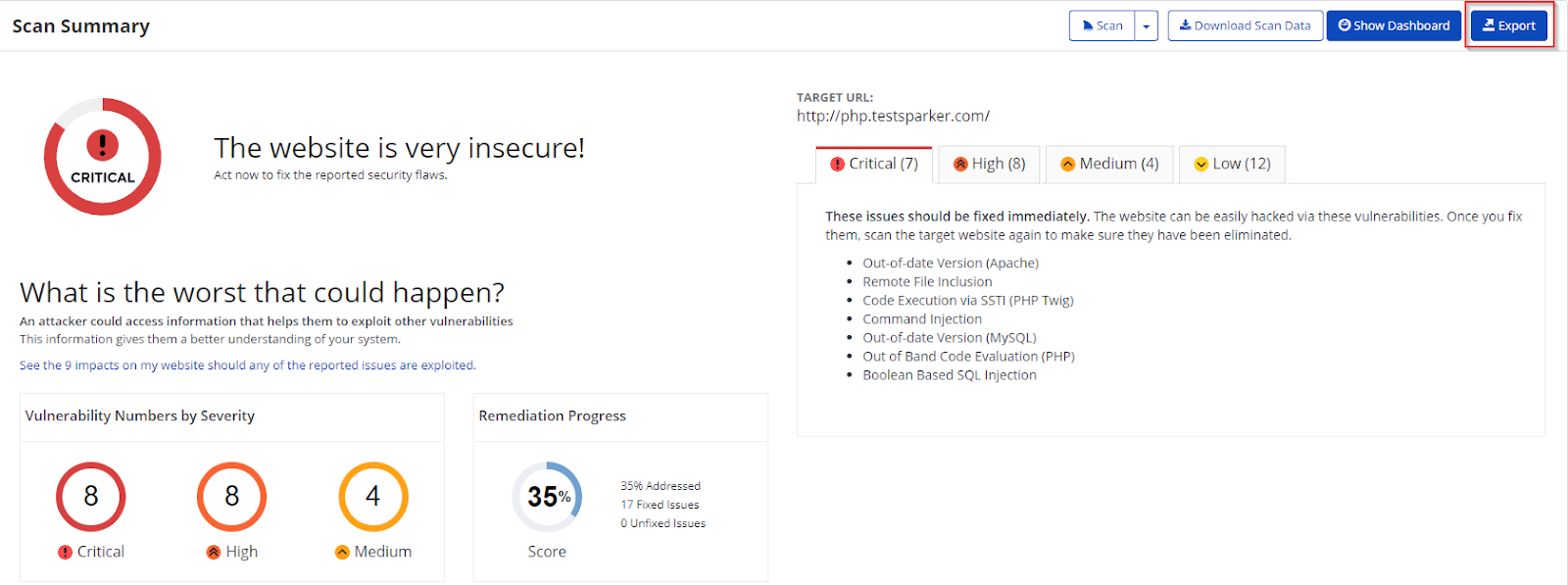
- Choose Export.
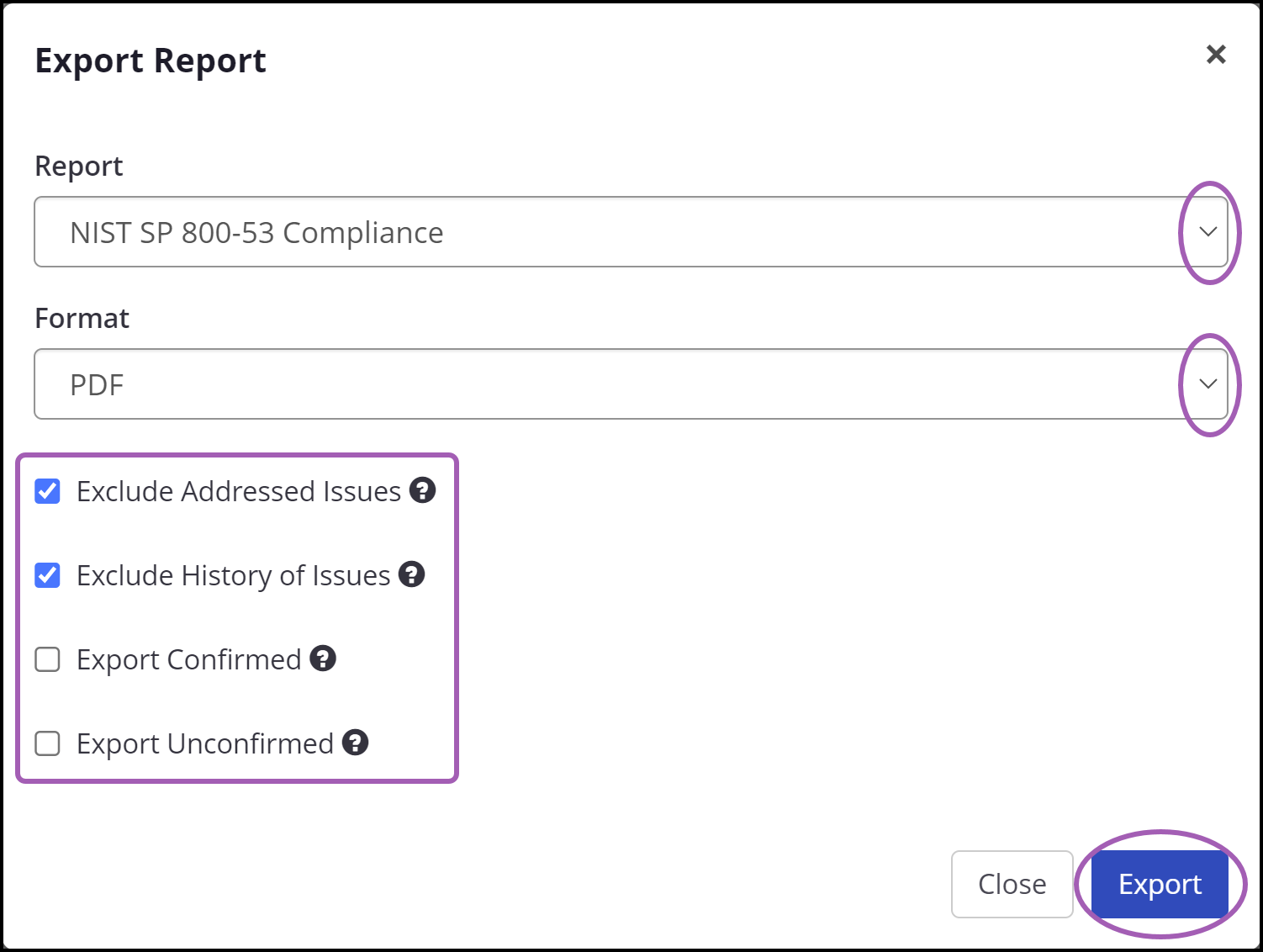
- From the Report drop-down, choose NIST SP 800-53 Compliance.
- From the Format drop-down, choose HTML or PDF according to your report format preference.
- Configure your report by choosing or deselecting the following options:
- Exclude addressed issues excludes those issues on which you've already taken action. (All Information level findings are marked as accepted risk automatically by default. To change this behavior, see Do not mark Information issues as accepted risks in the General settings document).
- Exclude history of issues excludes the issue history from the report. If unselected, only the last 10 history items appear in the report. For more information, refer to the Viewing issues in Invicti Enterprise document.
- Export confirmed includes only confirmed vulnerabilities in the report.
- Export unconfirmed includes only unconfirmed vulnerabilities in the report.
- Choose Export.
Your report automatically starts downloading and can be viewed from your default download location.
Generate a NIST SP 800-53 compliance report in Invicti Standard
- From the ribbon, choose the File tab. Local Scans are displayed. Double-click the relevant scan to display its results.
- From the Reporting tab, choose NIST SP 800-53 Compliance Report. The Save Report As dialog box is displayed.

- Choose a save location, then choose Save.
- The Export report dialog is also displayed at this point, with the Path field already populated from the previous dialog.
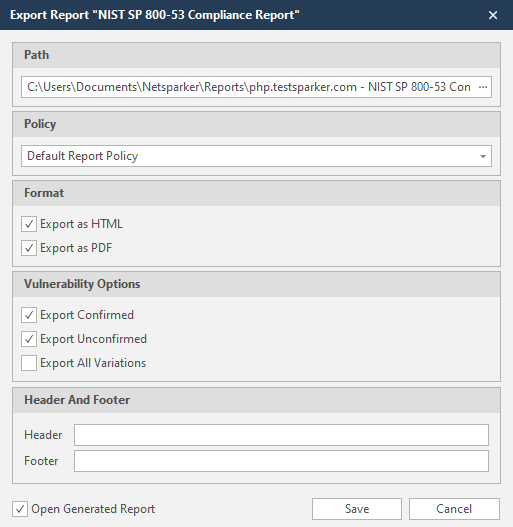
- From the Export Report dialog, you can decide on:
- Policy: choose the default report policy or customized report policy. For more information, refer to the Custom Report Policies document.
- Format: choose HTML and/or PDF format.
- Vulnerability options (choose one or all):
- Export confirmed: when selected, the report includes confirmed vulnerabilities.
- Export unconfirmed: when selected, the report also includes unconfirmed vulnerabilities.
- Export all variations: variations mean that if Invicti identified some passive or Information level issues on more than one page, it doesn't show all these variations. However, users can change this by enabling or disabling this option.
- Header and Footer: enter relevant information that appears in the header and footer section of the report.
- Open generated report: when selected, your reports are shown when you choose Save.
- Click Save.
When you click the plus sign under Vulnerabilities, you can access more information on the issue. Also, you can Hide or Show Remediation.
Need help?
Invicti Support team is ready to provide you with technical help. Go to Help Center