Delete target
You may need to delete a target if it's no longer in use, has been decommissioned, or needs to be removed for security or organizational reasons. Deleting a target helps keep your environment clean and ensures that only active, relevant targets remain in your Invicti Platform.
When you delete a target from your Invicti portal, the associated FQDN isn't immediately released back into your license pool. This is intentional and governed by the licensing policy. Refer to Understand FQDN usage in Invicti Platform for more information.
Follow the steps below to safely delete a target.
Steps to delete an individual target
Keep in mind that deleting a target removes its associations with any linked APIs, collections, and applications and deletes its related configurations. Any scans, past issues, and scan history are also lost upon deletion.
- Select Inventory > Targets from the left-side menu.
- Find the target you would like to delete, select the three-dot menu (⋮) on the right, and select Delete target.

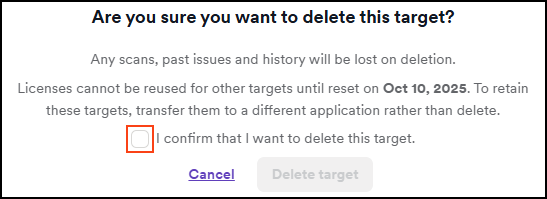
- Select the I confirm that I want to delete this target checkbox.
- Select Delete target to confirm the deletion.
Steps to delete multiple targets
Keep in mind that deleting a target removes its associations with any linked APIs, collections, and applications and deletes its related configurations. Any scans, past issues, and scan history are also lost upon deletion.
To delete multiple targets at the same time, follow these steps:
- Select Inventory > Targets from the left-side menu.
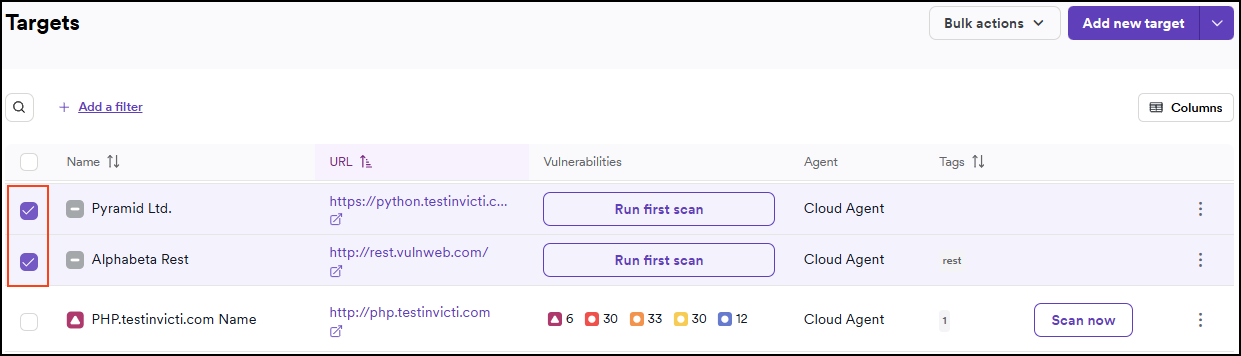
- Enable the checkboxes to mark what targets you would like to delete.
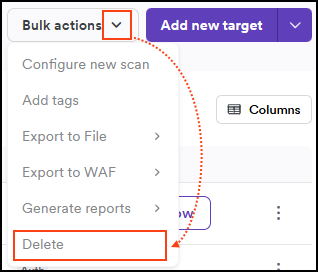
- Select Bulk actions and select Delete from the dropdown menu.
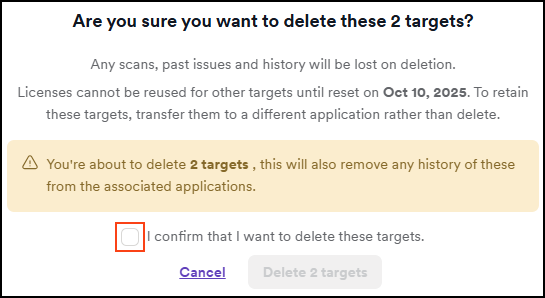
- Enable the I confirm that I want to delete these targets checkbox.
- Select Delete [n] targets to confirm the deletion.
Need help?
Invicti Support team is ready to provide you with technical help. Go to Help Center