Edit target
Editing a target allows you to update its configuration, such as environment, scan settings, and organizational attributes like tags, collections, or associated applications. This is useful when your web application changes, your scan strategy evolves, or you need to reclassify assets. This document explains how to access and modify target details through the Invicti Platform.
This document guides you through the process of editing the general target settings such as the name and description, parent application, and tags.
For documents on how to configure the remaining target options, refer to the linked documents:
- Scan configuration
- Exclude elements from scanning (if enabled in Settings)
- Debug scans
- Enable proxy
- Delete target
- Assign Excluded hours profile to target
- Custom headers and cookies
- Exclude paths from scanning
- Crawling options
Steps to edit an existing target
- Select Inventory > Targets from the left-side menu.
- Find the target you want to edit and select anywhere on its row to open the target drawer.

- In the drawer, select Edit.
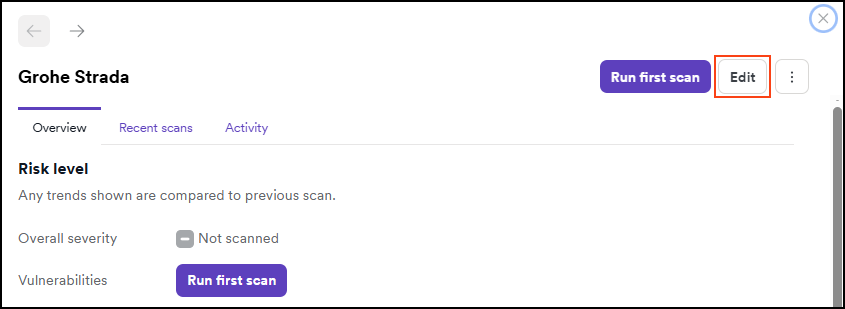
- On the Target settings tab, make amendments as needed.
If your organization has enabled advanced scan configuration in Settings > Scanning, you'll also see an Advanced settings tab with additional options including element exclusions.
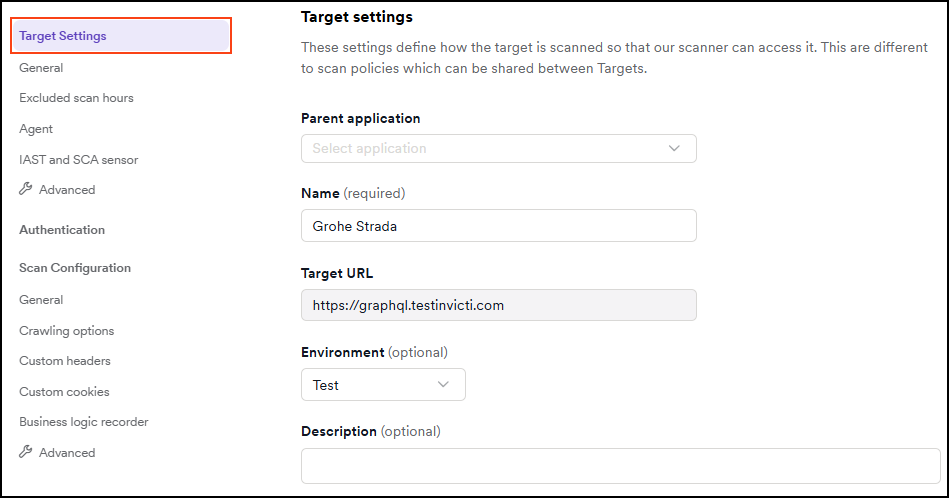
- Select Save target configuration to apply your updates.

Before running your first scan, make sure to read the authorized target scan policy. To get started safely with the Invicti Platform, you can use our testing website, which allows you to explore scanning features without using your own FQDNs or affecting live environments.
Need help?
Invicti Support team is ready to provide you with technical help. Go to Help Center