Deployment: Invicti Platform on-demand, Invicti Platform on-premises
Package: Invicti API Security Standalone or Bundle
Reuse NTA importer
The NTA registration token authenticates your Network Traffic Analyzer (NTA) deployments with the Invicti Platform. When deploying NTA with Helm charts, you need this token so the analyzer can connect to your platform instance.
If you've already created an NTA integration, you can reuse the existing registration token for new deployments or redeployments. You don't need to create a new integration or generate a new token each time.
Retrieve an existing registration token
Follow these steps to retrieve a token you've already generated:
- Select Discovery > API sources from the left-side menu.
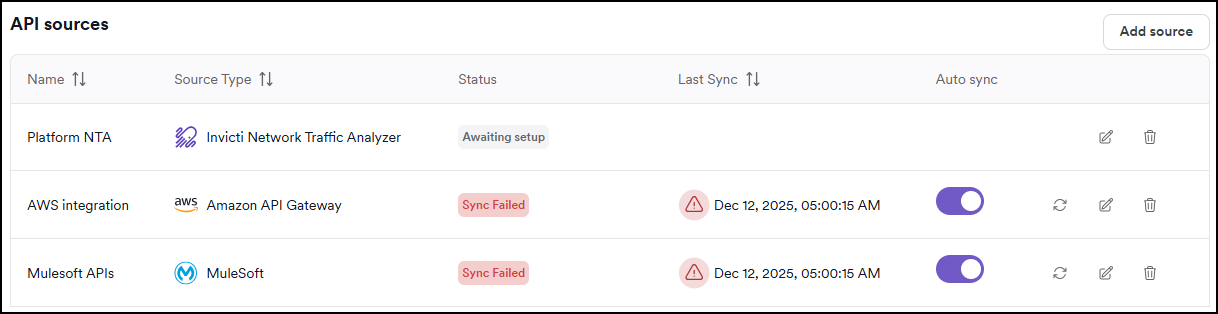
- Locate the NTA source for which you want to copy the token and click Edit.
- Click the copy icon next to the registration token.
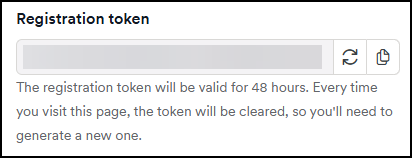
You can now use this token in your NTA deployment configuration.
Save your registration tokens securely when first generated (in a password manager or secure documentation) to avoid needing to retrieve them later.
Understanding token behavior
Token validity and expiration
- Tokens never expire - Once generated, registration tokens remain valid indefinitely
- All tokens stay active - Generating a new token doesn't invalidate previously generated ones
- Reuse across deployments - You can use the same token for multiple NTA instances in different environments
Token display in the UI
- Tokens are visible in the UI for 48 hours after generation
- After 48 hours, the token field appears empty for security reasons
- This only affects the UI display - tokens remain functional regardless
Each time you click "Generate token" in the UI, a new unique token is created. However, all previously generated tokens continue to work. If you only need to copy an existing token, use the copy icon instead of generating a new one.
When to generate a new token vs. reuse
Generate a new token when:
- Setting up NTA for the first time
- You've lost access to all previously generated tokens
- You need a separate token for organizational or security tracking purposes
Reuse an existing token when:
- You saved the token from a previous deployment
- You're deploying NTA in additional environments
- You're redeploying NTA after configuration changes
Reusing tokens simplifies management and reduces the number of active tokens in your system.
Need help?
Invicti Support team is ready to provide you with technical help. Go to Help Center