Deployment: Invicti Platform on-demand, Invicti Platform on-premises
Scan SOAP APIs
Invicti Platform can scan SOAP APIs. This document explains how you can import a WSDL (web services definition file) or link to a hosted location where your SOAP API definitions are held, and then scan for vulnerabilities in your SOAP APIs. For information about SOAP, refer to the section at the end of this document.
Why this matters
SOAP services often run quietly in the background between systems, so their security gets overlooked - yet they process the same sensitive data as any other API. Giving Invicti your WSDL lets it discover every operation the service exposes and attack them directly, so vulnerabilities in your SOAP API surface before an attacker finds them.
Scanning production APIs should be conducted with care. Some scanning methods may result in data deletion. It's recommended to:
- Carefully consider the permissions (authentication) you provide and which methods you use (PUT, POST, DELETE).
- Manually exclude API operations (methods with endpoints) from the uploaded/linked file to prevent destroying or making undesirable changes to the production application.
If your API requires authentication, configure the credentials in the target's Authentication settings before scanning. API targets also support IDOR / BOLA authentication for multi-session access control testing. For details, refer to the IDOR/BOLA authentication document.
How to scan a SOAP API for vulnerabilities
To scan a SOAP API for vulnerabilities with Invicti Platform, you must provide the scanner with access to the API definitions. There are two ways to do this:
-
Option A: Import from a file
- This method involves uploading a WSDL to a target.
-
Option B: Link to a URL
- This method adds a link from a target to the URL that holds the API definitions.
Once you start a scan of that target, Invicti Platform parses the imported WSDL or accesses the linked URL and adds the necessary SOAP requests to the scanner. The following sections outline each method and provide instructions for starting a scan of your SOAP APIs.
Option A: Import from a file
Importing a WSDL to a target means that whenever you update your SOAP API, you need to replace the imported WSDL file to ensure you're scanning the latest version of your SOAP API.
How to import a WSDL to a target
-
Ensure your WSDL file is accessible for upload on the machine where you're accessing Invicti Platform.
- Invicti supports this file format: .wsdl.
-
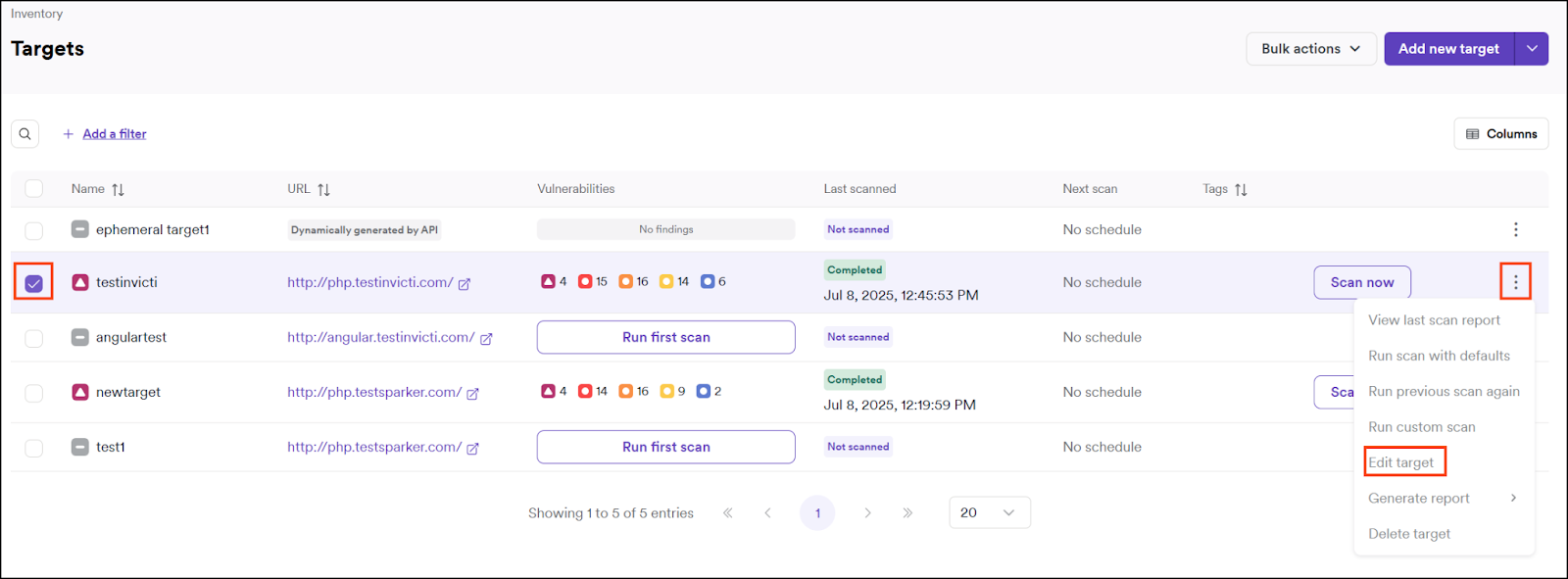
Select Inventory > Targets from the left-side menu.
-
Click the three-dot menu (⋮) > Edit target by the target you want to import the WSDL to. The Configure target page opens.
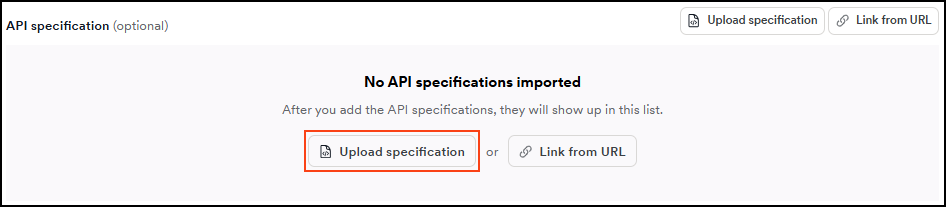
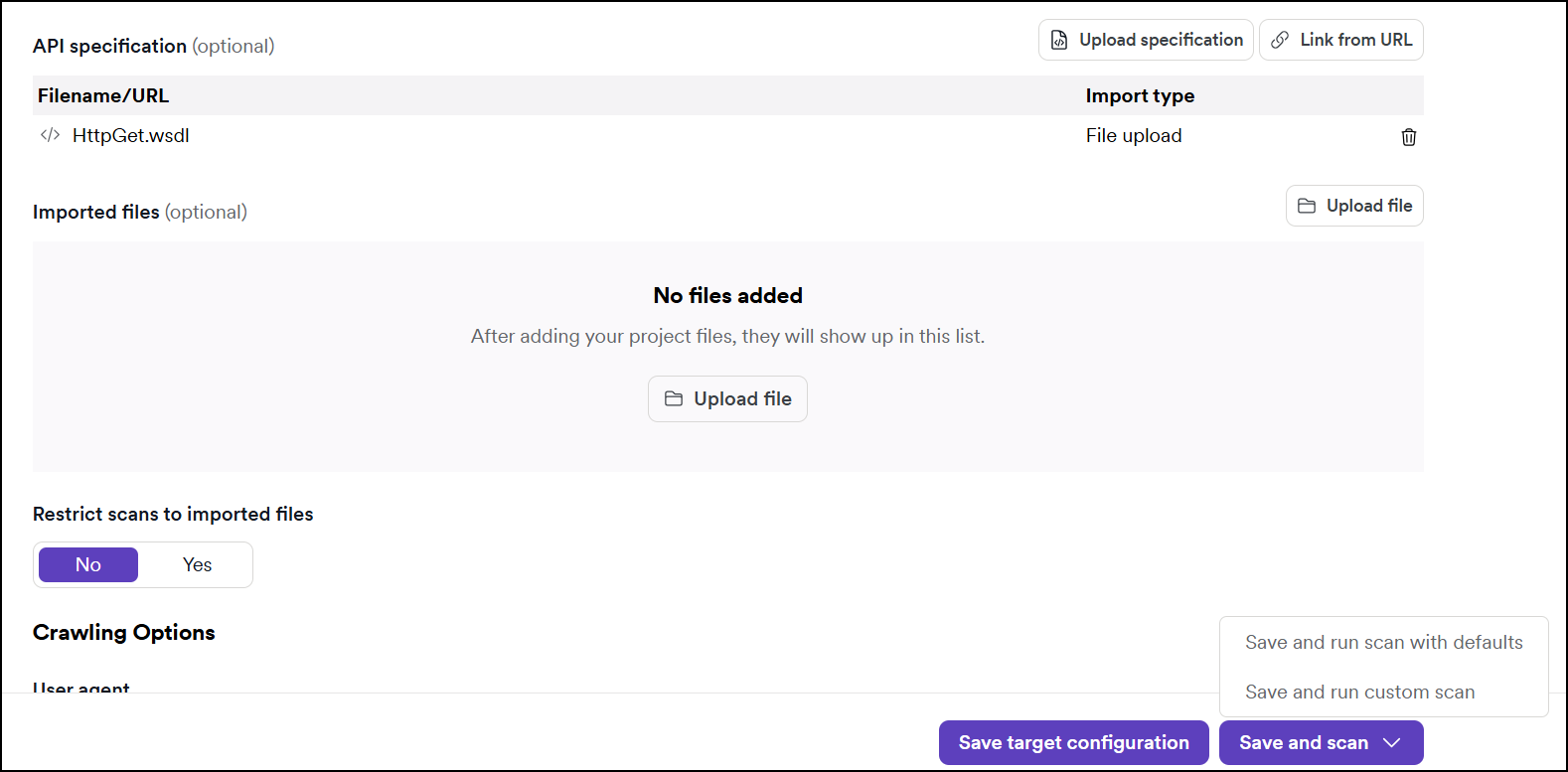
- Click Scan Configuration to navigate to the API specification section and click the Upload specification button.
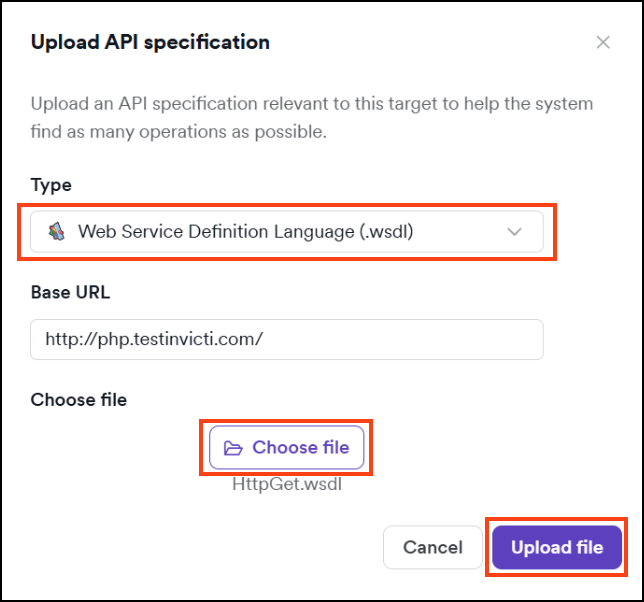
- Select Web Service Definition Language from the drop-down, choose your file, then click Upload file. The file uploads automatically and appears in the API specification section of the Scan Configuration.
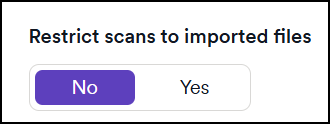
If you want to scan only the imported WSDL and not all the other paths belonging to the target, enable the checkbox next to Restrict scans to import files and click Save before starting the scan.
-
The WSDL file is now imported to the target. If your API contains an authentication mechanism, ensure you add the necessary authentication credentials to the target settings before starting a scan.
-
To initiate a scan at a later time, click Save target configuration. To begin scanning the target now - including the imported WSDL - click Save and scan. Selecting Save and run scan with defaults runs a full scan automatically.
The Scan Details page loads and your scan begins according to the schedule you specified.
- When the scan is complete, go to the Vulnerabilities tab on the Scan details page for information about detected vulnerabilities in your SOAP API, which Invicti marks with an API tag next to the severity label.
- Filter the list by Target type > API only to limit the displayed results to vulnerabilities identified in your SOAP API.
- For more information about viewing scan results and vulnerabilities, refer to the following documents:
Option B: Link to a URL
Linking a URL to a target means you're adding the URL of the hosted location that holds your SOAP API definitions. This allows Invicti Platform to always scan the latest version of your SOAP API without the need to provide a new WSDL each time you update your API.
The engine accesses linked URLs. This means the engine or internal agent (if using one for the target) needs access to any linked URLs.
How to link a URL to a target
-
Select Inventory > Targets from the left-side menu.
-
Click the three-dot menu (⋮) > Edit target by the target you want to link the WSDL to. The Configure target page opens.
- Click Scan Configuration to navigate to the API specification section and click the Link from URL button.
- Select Web Service Definition Language from the drop-down and enter the URL that hosts your SOAP API definitions, then select Link API specification.
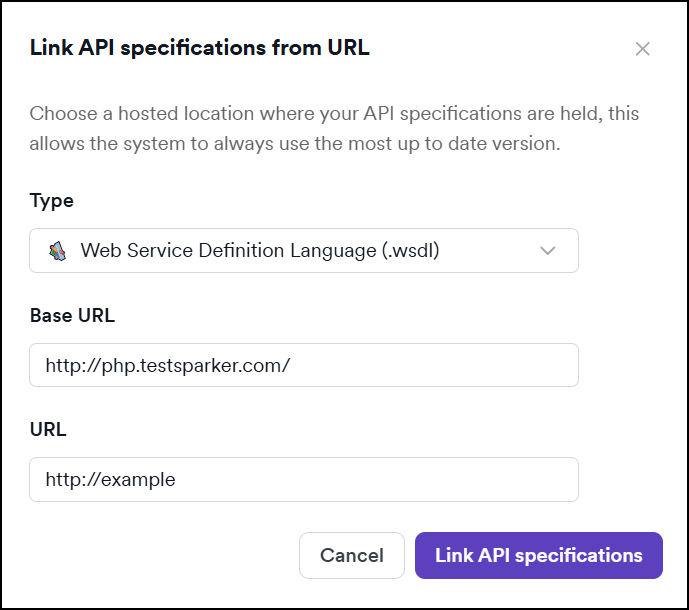
If you want to scan only the linked API specifications and not all the other paths belonging to the target, select Yes next to Restrict scans to imported files and save before starting the scan.
-
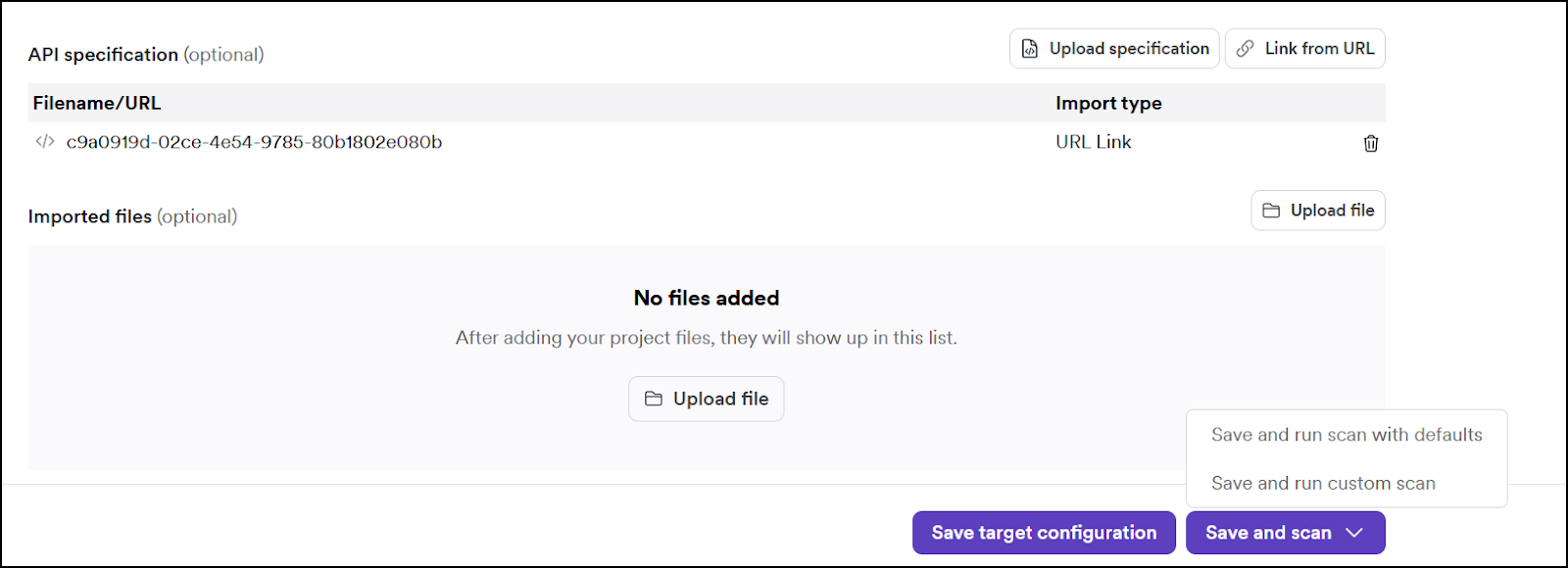
The URL is now linked to the target. If your API contains an authentication mechanism, ensure you add the necessary authentication credentials to the target settings before starting a scan.
-
To initiate a scan at a later time, click Save target configuration. To begin scanning the target now - including the linked API specifications - click Save and scan. Selecting Save and run scan with defaults runs a full scan automatically.
The Scan Details page loads and your scan begins according to the schedule you specified.
- When the scan is complete, go to the Vulnerabilities tab on the Scan details page for information about detected vulnerabilities in your SOAP API, which Invicti marks with an API tag next to the severity label.
- Filter the list by Target type > API only to limit the displayed results to vulnerabilities identified in your SOAP API.
- For more information about viewing scan results and vulnerabilities, refer to the following documents:
If a scan doesn't test your API or can't reach a linked specification, refer to Troubleshooting API scans.
About SOAP
Simple Object Access Protocol (SOAP) is an XML-based protocol for accessing web services over HTTP. This protocol lets different web services communicate with each other or talk to client applications that invoke them. SOAP's messaging protocol consists of three parts:
- an envelope that defines the message structure and how to process it
- a set of encoding rules for expressing instances of application-defined data types
- a convention for representing procedure calls and responses
As these web services perform their functions in the background, their security is often overlooked. They can, however, prove a fruitful attacking ground for cyber criminals. Invicti Platform can recognize the definition files and send attack payloads to identify vulnerabilities in your web application.
Need help?
Invicti Support team is ready to provide you with technical help. Go to Help Center