Deployment: Invicti Platform on-demand, Invicti Platform on-premises
View vulnerability details
When you select a vulnerability, Invicti Platform provides comprehensive information, including attack details and potential impact. These vulnerability details help you understand the core cause of the vulnerability, assess the severity of the issue, and determine how urgently you need to address it.
This document provides a high-level explanation of the information available on the Vulnerabilities page when viewing the details of a vulnerability.
Why this matters
Vulnerability details give you the context to move from detection to action. By examining the HTTP request, response, and attack parameters, you can confirm whether a vulnerability is genuine, understand exactly how it was exploited, and give developers the precise information they need to fix it. CVSS scores and classification data help you prioritize remediation across your portfolio, so your team focuses on what matters most.
View vulnerability details
You can access vulnerability details from the Vulnerabilities page or the Vulnerabilities section when reviewing scan results.
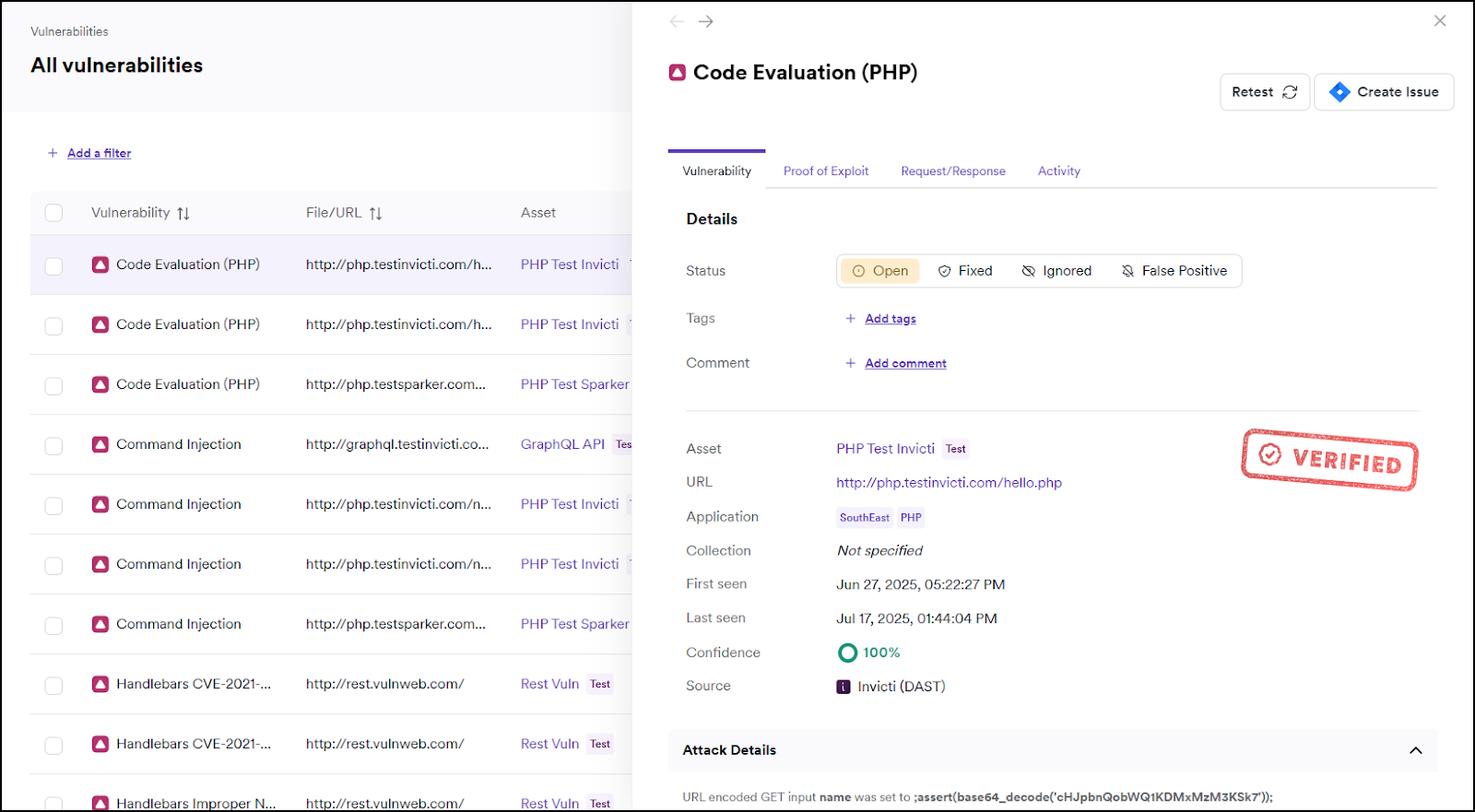
When you select a vulnerability from the list, its details appear on the right-hand side. The following section explains the information for each vulnerability.
Available information
DAST vulnerability details can contain the following sections:
Information provided for vulnerabilities found by SAST, SCA, or Container scan might be different.
Vulnerability tab
Summary section:
- Status of the vulnerability: Open or Rediscovered, Fixed (Unconfirmed) or Fixed, Ignored, or False Positive. For more information on statuses, refer to the Vulnerabilities overview document.
- Assignee: the user name of the person to whom the vulnerability is assigned.
- Comment: comment related to the vulnerability.
- Tags: tags assigned to the vulnerability.
- Issue URL: link to the vulnerability in the integrated issue tracker.
Details section:
- Vulnerability ID: ID of the vulnerability.
- Asset: the target where the vulnerability was identified.
- URL: the link to the resource that contains the issue.
- Application: application with the target. For more information on applications refer to the What is an application document.
- Collection: collection with the target. For more information on collections, refer to the What is a collection document.
- Severity: displays the severity level and notes if the default level has been modified. For more information on severity level changes, refer to the Change vulnerability severity document.
- First seen: the date and time when the vulnerability was first identified by Invicti.
- Last seen: the date and time when the vulnerability was last identified by Invicti.
- Confidence: lists the confidence level, showing how certain Invicti is of the vulnerability it identified.
- Source: displays how the vulnerability was identified - either through DAST, SAST, SCA or Container Security scan results.
Attack details section:
- Attack Details: whenever possible provides the information about the attack parameters and variables Invicti used to exploit the vulnerability. For example, a Cross Site Scripting alert shows the name of the exploited input variable and the string it was set to.
Vulnerability description section:
- Vulnerability Description: more detailed description to help you understand the vulnerability.
The impact of this vulnerability section:
- The impact of this vulnerability: this shows the effect of the vulnerability on the target URL if this vulnerability is exploited.
How to fix this vulnerability section:
- How to fix this vulnerability: guidance on how to fix the vulnerability.
Classification section:
- Classification: shows how severe the vulnerability is on a global scale, based on the following standards:
- Common Weakness Enumeration (CWE): the CWE ID that categorizes the type of weakness, with a link to the relevant CWE web page.
- Common Vulnerability Scoring System (CVSS) v3.0: the version 3.0 Base Score and vector string, covering Attack Vector, Attack Complexity, Privileges Required, User Interaction, Scope, Confidentiality, Integrity, and Availability.
- Common Vulnerability Scoring System (CVSS) v4.0: the version 4.0 Base Score and vector string, which uses an updated metric set that adds Attack Requirements and reports impact separately for the vulnerable system and any subsequent systems.
Web references section:
- Web references: a list of web links to external sources providing more information on the vulnerability to help you understand and fix it.
Compliance section:
- Compliance: a list of compliance standards and specific control IDs associated with the detected vulnerability. For example,
ISO27001 - 12-5.1for Handlebars Improper Control of Generation of Code vulnerability.
All users can view the Compliance section in the vulnerability details. This section is independent of the permission required to generate compliance reports.
Proof of exploit tab
This section provides detailed evidence information on vulnerabilities that were verified by Invicti Platform. The proof of exploit confirms the severity of the vulnerability by providing information that's considered confidential and shouldn't be accessible.
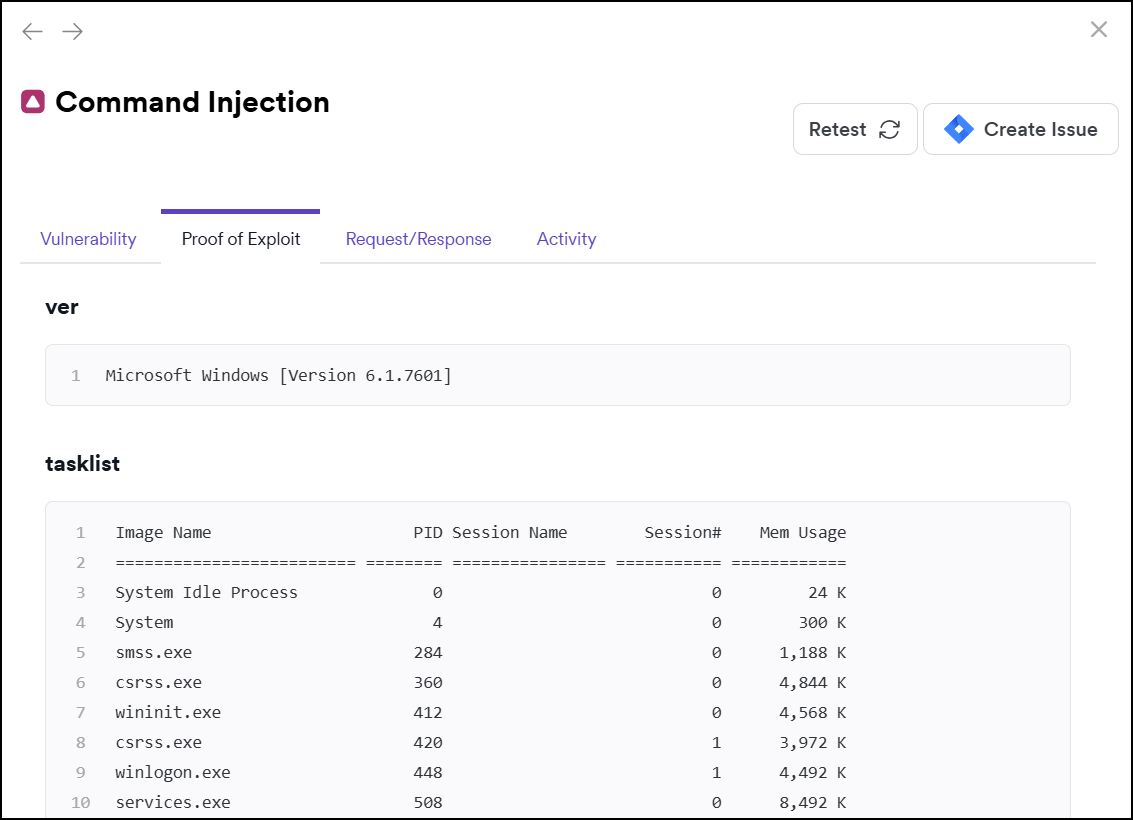
Proof of Exploit information isn't available for all vulnerabilities.
Request/response tab
- Request: the whole HTTP request that Invicti sent to detect the issue. This request helps you understand how the scanner exploited the vulnerability.
- Response: the reply from the system against the payload. Invicti highlights the vulnerability section in the response.
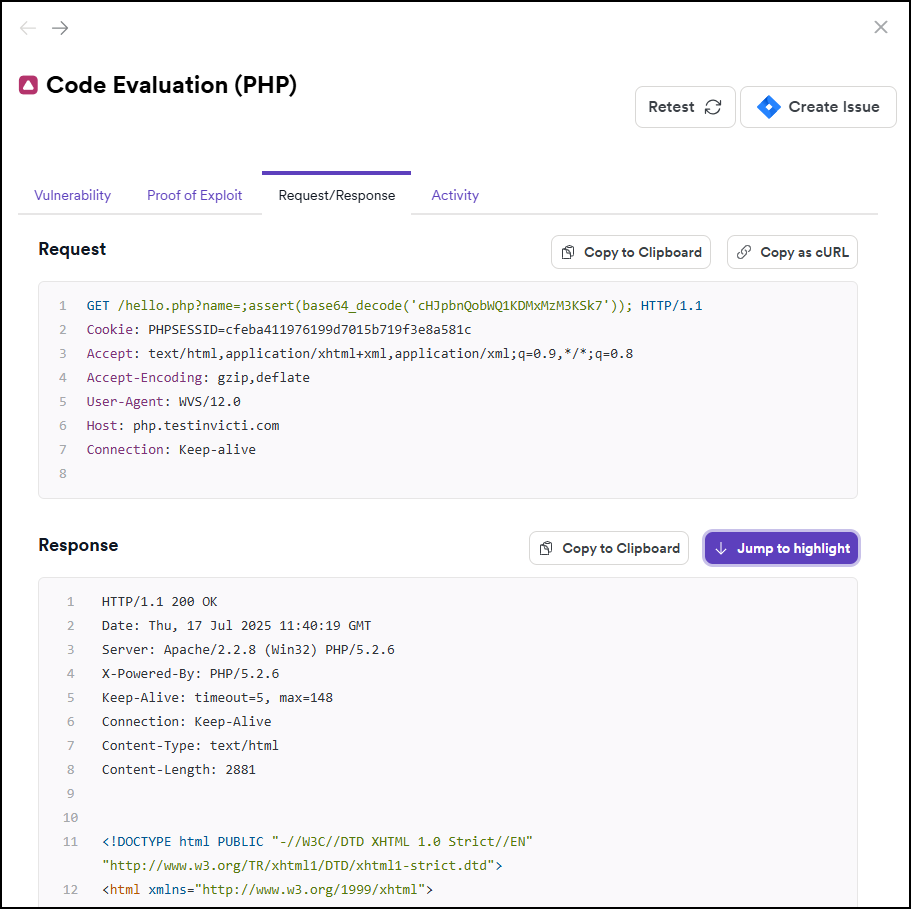
Invicti Platform displays request and response content with syntax highlighting. For large payloads, Invicti Platform adjusts how it renders content to prevent performance issues:
- Payloads between 256 KB and 2 MB: Invicti Platform displays the content as plain text without syntax highlighting. For responses, a Download file button is available in the notice preceding the content.
- Payloads over 2 MB: Invicti Platform doesn't render the content inline. It shows a Download file button for both requests and responses so you can save the payload locally and inspect it in a tool of your choice.
Activity tab
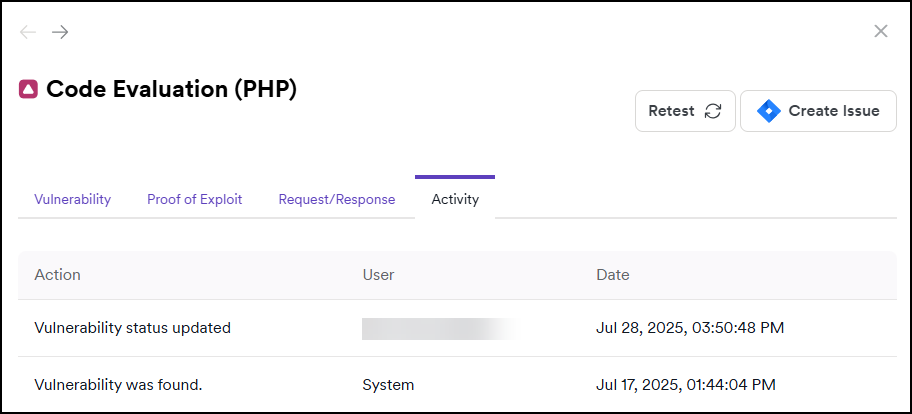
This section provides information on the activity related to the vulnerability, for example, change of the vulnerability’s status.
Troubleshooting
The download button isn't showing for a large payload
If the payload is between 256 KB and 2 MB, Invicti Platform displays it as plain text rather than showing a standalone download button. For responses, look for the notice preceding the content - it includes a Download file button you can use to save the payload. For requests in this range, no download option is available.
Syntax highlighting is missing on some requests or responses
Invicti Platform turns off syntax highlighting for payloads over 256 KB. The content still appears as plain text.
The Request/response tab is missing
The Request/Response tab is only available for vulnerabilities found by DAST. Vulnerabilities identified by SAST, SCA, or Container scans may not include request and response data.
The Proof of exploit tab is empty or missing
Proof of Exploit information isn't available for all vulnerabilities. Invicti Platform only provides it for vulnerabilities it has verified with concrete exploit evidence.
Need help?
Invicti Support team is ready to provide you with technical help. Go to Help Center