Auto Update
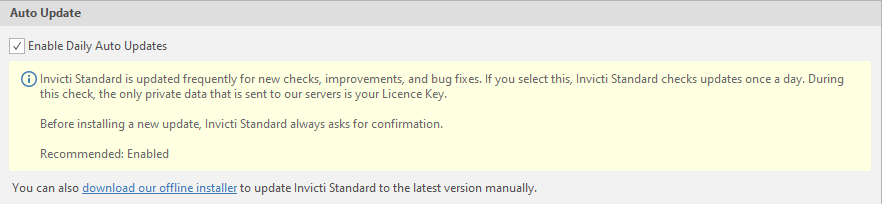
In the Auto Update tab in Invicti Standard, you can enable daily auto-updates for new features and improvements. You can also download Invicti's offline installer to update the latest version manually from here.
How to Enable Daily Automatic Updates in Invicti Standard
- Open Invicti Standard.
- In the Home tab, select Options > Auto Update.
- Enable the Enable Daily Auto Updates checkbox.
- Click Save.
Need help?
Invicti Support team is ready to provide you with technical help. Go to Help Center
Was this page useful?