Exporting PCI DSS Compliance Report in Invicti Standard
Invicti Standard gives you the option to export the compliance reports either as PDF or HTML files.
For instructions on how to export the report, refer to our Exporting PCI DSS Compliance report in Invicti Standard external.
How to Export the PCI DSS Compliance Reports
After the scan has been completed, you can download the report. Follow the instructions below:
- In Invicti Standard, select the Reporting tab in the ribbon

- Select either the PCI DSS 3.2 Compliance Report or the PCI DSS 4.0 Compliance Report
- Confirm the location where you would like to save the report
- Update the Format and Vulnerability Options sections
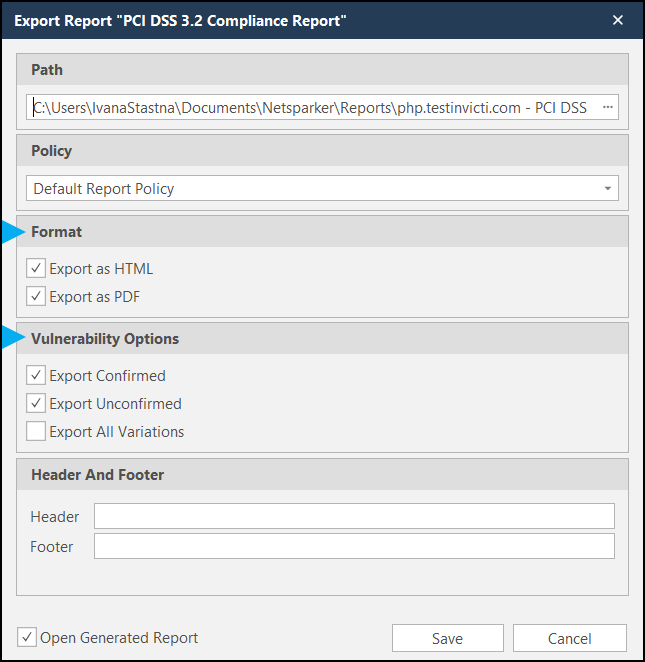
- Enter a Header and Footer if needed
- Press Save to start the download
Understanding the PCI DSS Compliance Report
The compliance report consists of several sections. For a detailed description of each, refer to our Understanding the PCI DSS Compliance report external.
Need help?
Invicti Support team is ready to provide you with technical help. Go to Help Center
Was this page useful?