Exporting the Informal PCI DSS Compliance Report
This document provides instructions for generating the informal PCI DSS Compliance Report in Invicti Enterprise. The report is exported as an HTML or PDF file.
In order to be able to generate an official PCI DSS Report in Invicti Enterprise, you must first run a PCI DSS scan. A normal scan in Invicti Enterprise presents only an unofficial PCI DSS Report. For instructions on running an official PCI DSS scan, refer to Running official PCI DSS Scans and PCI DSS Group Scans external. For instruction on running an informal PCI DSS scan, refer to Running informal PCI DSS Compliance Scans external.
How to Export the Informal PCI DSS Compliance Report in Invicti Enterprise
Follow these steps to export your informal PCI DSS compliance report:
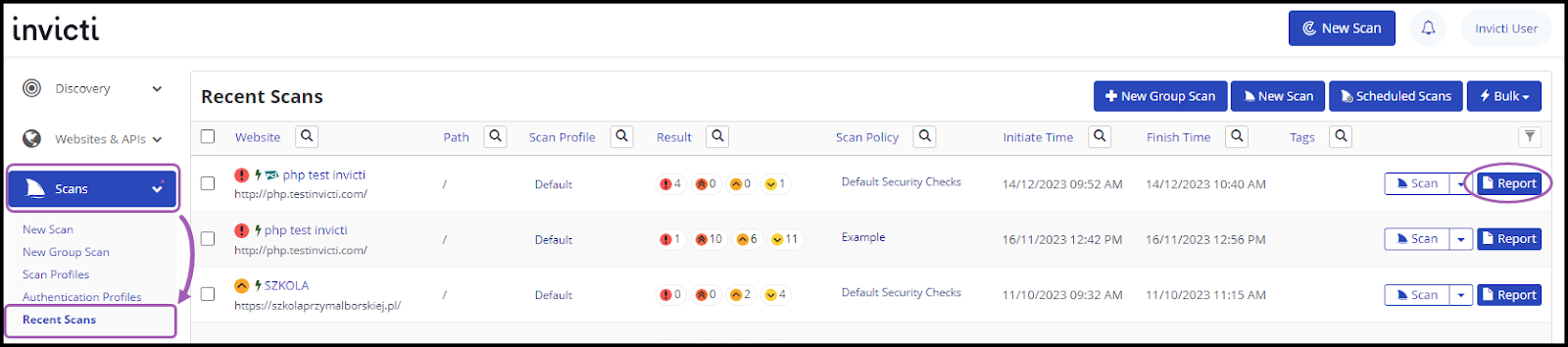
- In Invicti Enterprise, select Scans > Recent Scans from the left-side menu
- Click Report to the right of the relevant scan
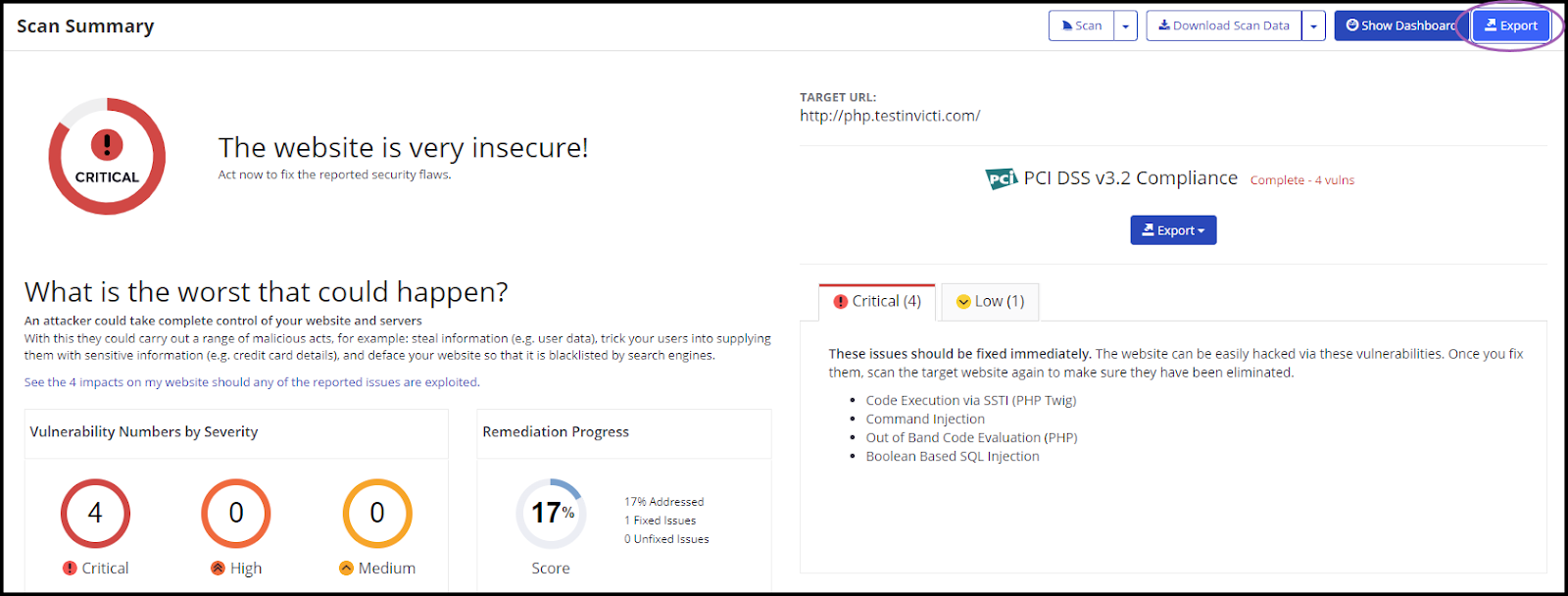
- Select Export in the top right-hand corner
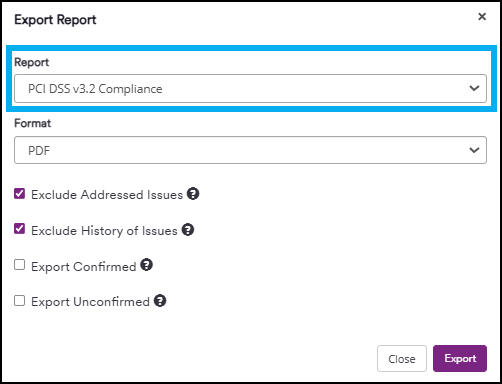
- Use the Report drop-down to select PCI DSS v3.2 Compliance or PCI DSS 4.0 Compliance according to your report preference
-
Use the Format drop-down to select HTML or PDF as needed
-
Configure your report by selecting or deselecting the following options:
a. Exclude Addressed Issues: Excludes those issues on which you've already taken action. (All Information level external findings are marked as Accepted Risk automatically by default. To change this behavior, refer to Do not mark Information issues as accepted risks in General Settings external)
b. Exclude History of Issues: Excludes the issue history from the report. If unselected, only the last 10 history items appear in the report. For further information, refer to Viewing Issues in Invicti Enterprise external
c. Export Confirmed: Includes only confirmed vulnerabilities in the report
d. Export Unconfirmed: Includes only unconfirmed vulnerabilities in the report
-
Click Export
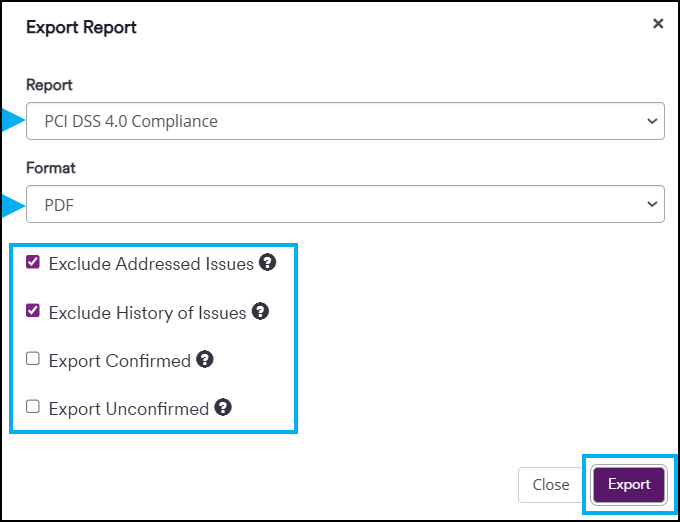
The report will automatically download and can be accessed from your default download folder.
Need help?
Invicti Support team is ready to provide you with technical help. Go to Help Center