Scan GraphQL API
Invicti scans GraphQL based application programming interfaces (APIs).
GraphQL—developed by Facebook in 2012 and released in 2015—is a query language for APIs. The query language makes it easier and quicker to get data from a server to a client via an API call.
- GraphQL is designed to prioritize providing clients exactly the data they request. This prioritization, therefore, prevents large amounts of data from being returned.
- It lets you make more complicated queries that reduce the number of API requests that must be made.
- All input data is type-checked against a schema defined by the developer, assisting with data validation.
Despite built-in validation and type-checking, GraphQL has its security shortcomings that attackers can exploit to access sensitive data. Invicti can scan GraphQL to identify vulnerabilities.
For more information about GraphQL and its attack vectors, refer to the Introduction to GraphQL API security.
This topic explains how to import a GraphQL schema and scan your web application to identify vulnerabilities in GraphQL. Invicti can also discover your GraphQL endpoints and libraries. For more information, refer to the GraphQL Library Detection document.
Invicti Enterprise on-demand and Invicti Standard can automatically discover and attack GraphQL schemas and introspections during scans. So, even if you don't import your GraphQL schema, Invicti is able to discover it and stage attacks to identify vulnerabilities.
Key concepts
This is a list of key concepts in GraphQL.
- Schema - a GraphQL schema is at the heart of any GraphQL server implementation. The schema describes the features available to the clients which connect to it.
- Mutation - a GraphQL operation that creates, modifies, or destroys data.
- Introspection - a special query that enables clients and tools to fetch a GraphQL server's complete schema.
- Query - a read-only fetch operation to request data from a GraphQL service.
Scan a GraphQL API for vulnerabilities
Invicti supports the scanning of GraphQL-based APIs, leveraging the web application's existing security checks. To scan, you must import the GraphQL Schema to Invicti. Then, Invicti starts attacking to identify the following vulnerabilities:
- Blind Command Injection
- Blind SQL Injection
- Command Injection
- Local File Inclusion
- Out-of-Band Remote Code Execution
- Server-side Request Forgery
- Remote Code Execution
So, there are two ways to import a GraphQL Schema. Each is outlined in the following sections:
Import the GraphQL schema from the file
Import the schema from the file using Invicti Enterprise or Invicti Standard.
Import GraphQL schema from the file in Invicti Enterprise
- Select Scans > New Scan from the left-side menu.
- From the Scan Settings section, go to the Links/API Definitions tab.
- From the From File section, click the GraphQL Schema/Introspection option.
- From the Add an URL dialog, enter the URL that has the GraphQL endpoints, then click OK.
- From the opened window, browse to the schema file and click it, then click Open.
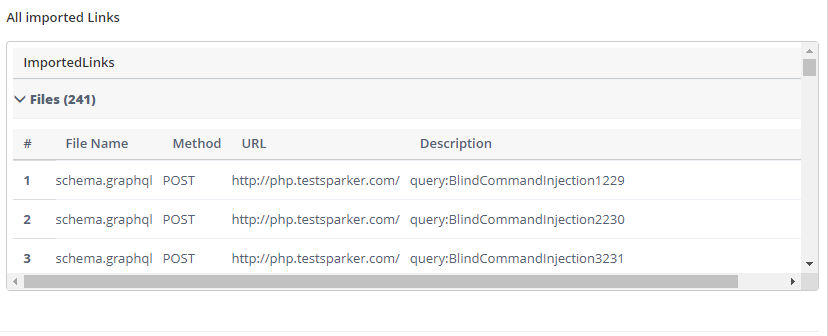
- Once the scanner imports all the schema you can see them in the list of Imported Links as seen in the screenshot.
- Click Launch to start scanning.
Import GraphQL schema from the file in Invicti Standard
- Select New in the Home tab.
- From the Start a New Website or Web Service Scan dialog, go to Links/API Definitions > GraphQL Schema/Introspection.
- On the GraphQL Schema/Introspection Import dialog, enter the URL that has the GraphQL endpoints, then click OK.
- From the Import Links window, browse to the schema file and click it, then click Open.
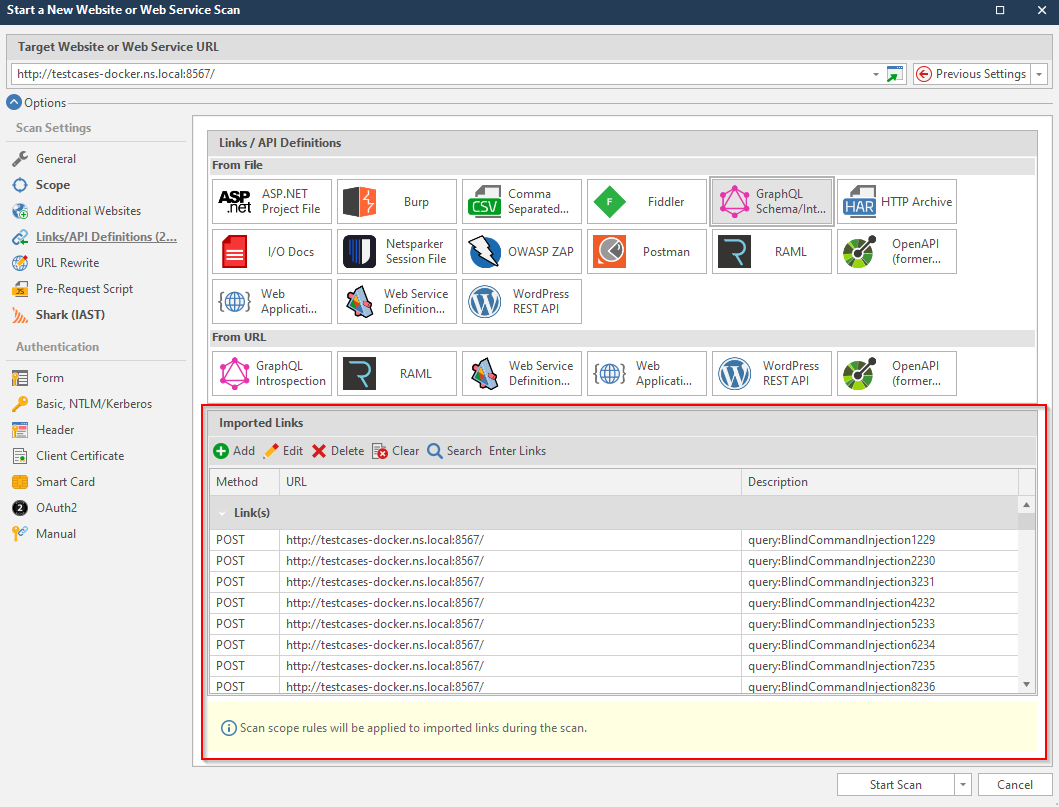
- Once the scanner imports all the schema you can see them in the list of Imported Links as seen in the screenshot.
- Click Start Scan.
Import the GraphQL schema from the URL
You can import the schema from the URL using Invicti Enterprise or Invicti Standard.
Import schema from the URL in Invicti Enterprise
- Select Scans > New Scan from the left-side menu.
- From the Scan Settings section, go to the Links/API Definitions tab.
- From the From URL section, click the GraphQL Schema/Introspection option.
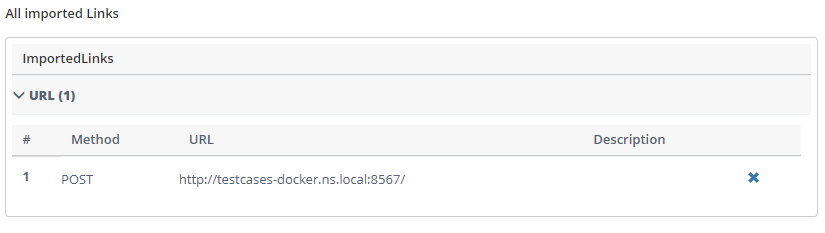
- From the Add an URL dialog, enter the GraphQL Endpoint URL. If necessary, turn on the Enable Custom Introspection Query option to customize the query.
- Click OK to import the definition file from the URL to Invicti.
- Click Launch to start scanning.
Import schema from the URL in Invicti Standard
- Select New in the Home tab.
- From the Start a New Website or Web Service Scan dialog, go to Links/API Definitions > GraphQL Introspection.
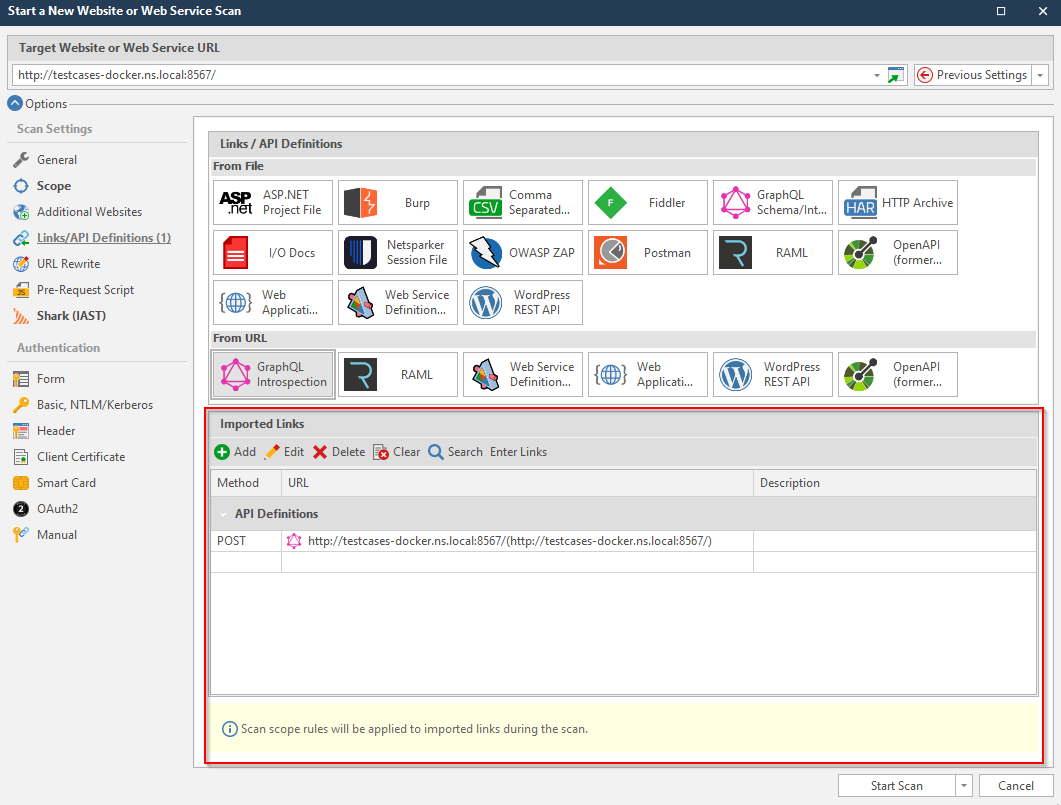
- From the Import GraphQL Introspection dialog, enter the GraphQL Endpoint URL. If necessary, turn on the Enable Custom Introspection Query option to customize the query.
- Click OK to import the definition file from the URL to Invicti.
- Click Start Scan.
Need help?
Invicti Support team is ready to provide you with technical help. Go to Help Center